
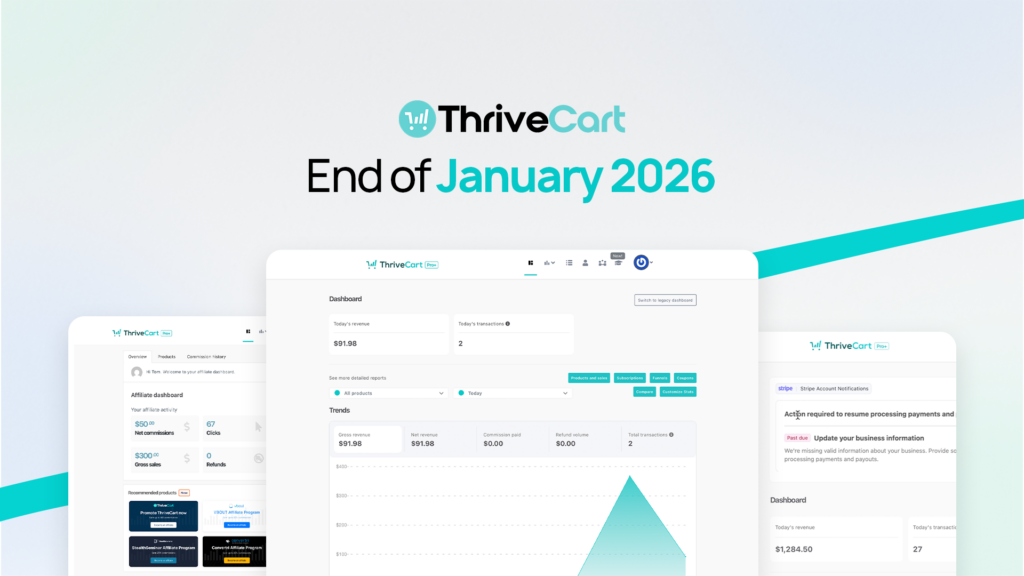

This week’s release focuses on clarity and opportunity across two key areas of ThriveCart.
For merchants using Stripe Connect+, we’ve made Stripe account notifications unmistakably clear, so you know exactly where action is required and why. This reduces hesitation around compliance tasks and helps prevent payout delays caused by missed Stripe requirements.
For affiliates, we’ve expanded the dashboard to showcase the full ThriveCart product ecosystem, unlocking more offers and more earning potential in one place, without needing to search externally.
As always, these updates are designed to reduce confusion, surface what matters, and help users move faster with confidence.
Summary
Stripe-Sourced Dashboard Notifications (Stripe Connect+)
Stripe account alerts in your dashboard are now clearly labeled as coming directly from Stripe, removing ambiguity, improving trust, and speeding up action on critical requirements.
Expanded Affiliate Offer Cards
Affiliates can now see and promote the full ThriveCart family of products from a refreshed dashboard layout, with clearer visibility into commission opportunities and easier access to affiliate links.
Stripe Dashboard Notifications, Clearly Labeled
When it comes to payments and compliance, clarity matters.
Merchants using Stripe Connect+ may already be familiar with in-dashboard notification banners prompting action on Stripe account requirements. However, because these banners were seamlessly embedded, it wasn’t always obvious whether they were coming from Stripe or ThriveCart. This uncertainty often led to delayed action or unnecessary support questions.
That confusion is now gone.
What’s new
Stripe notification banners are now displayed inside a clearly labeled ThriveCart container, making their source unmistakable and setting clear expectations for action.
When Stripe has active requirements for your account, you’ll now see:
- A dedicated panel titled “Stripe Account Notifications”
- The Stripe-provided notification banner displayed inside the panel
- No changes to Stripe’s native behavior, logic, or messaging
If there are no Stripe requirements, nothing appears.
Why it matters
- Clear attribution removes uncertainty about whether an action is required by Stripe or ThriveCart
- Merchants can respond faster to compliance requests and avoid payout interruptions
- Support teams see fewer tickets caused by confusion around notification ownership
👉 Available now for Stripe Connect+ users.
This update works automatically, no setup required.
Expanded Affiliate Dashboard Offer Cards
Affiliates should never miss an opportunity to promote ThriveCart products.
Until now, the affiliate dashboard highlighted only a limited subset of available offers, which meant affiliates were often unaware of additional products they could earn commissions on. This update brings the full ecosystem into view, directly inside the dashboard.
What’s new
The affiliate dashboard now displays six product offer cards in a clean 2×3 grid layout:
- ThriveCart
- Learn/VBOUT
- Pikto AI Studio
- StealthSeminar
- Convertri
- ConvertBox
Each card includes:
- Its own call-to-action
- Clear commission information
- A direct link to the relevant affiliate program
The layout is fully responsive and works consistently on desktop and mobile.
Why it matters
- Affiliates gain immediate visibility into all promotable products
- Fewer missed opportunities due to hidden or unknown offers
- A clearer connection between ThriveCart’s product ecosystem and affiliate earnings
👉 Available now for all affiliates.
Just head to your Affiliate Dashboard to see the updated offer cards.
That’s What’s New… What’s Next?
ThriveCart is home to more than 75K+ creators, whilst our unique product offering, Pro+, now supports over 37,000 merchants. It is our latest product release aimed at giving you and your business the greatest functionalities and capabilities in the industry. New features and updates will come thick and fast, so make sure you sign up to our mailing list and to our Facebook Community for the latest developments.
Not yet a Pro+ customer?
Already a Pro+ customer?
Please note that as a Pro+ user, you will not be able to take full advantage of the sales revenue-generating and advanced reporting features if you have not configured your existing products with Stripe Connect+ and enabled it on your products. Click here to learn how to configure Stripe Connect+ in less than 5 minutes.