


Wondering why your visitors leave without buying?
Many entrepreneurs launch products online only to watch traffic come and go without any meaningful sales. That’s where a proper sales funnel comes in. An effective sales funnel guides your audience step by step, from discovering your product to confidently hitting the checkout button, while maximizing your marketing and sales efforts.
The good news? You don’t need to be a tech wizard to build one. With the right tools and strategies, you can design a sales funnel that works on autopilot, boosting revenue, improving your sales process, and turning casual visitors into paying customers.
Key takeaways:
- A high-converting sales funnel guides your target audience from discovery to purchase while increasing average order value.
- Testing, template customization, and automation are critical to maximizing conversions and scaling your business growth.
- Tools like ThriveCart make it simple to implement upsells, downsells, and optimized checkout templates.

The basic funnel structure you should start with
You don’t need a complex setup. A simple funnel can outperform a complicated one when it’s done correctly.
Here’s a beginner-friendly structure:
- Entry point – ad, email, social media posts, or search result
- Offer page – explains one clear solution to one clear problem
- Checkout– where ThriveCart typically sits
- Upsell or downsell– optional, but powerful for boosting AOV
- Thank-you or success page – confirms purchase and sets expectations
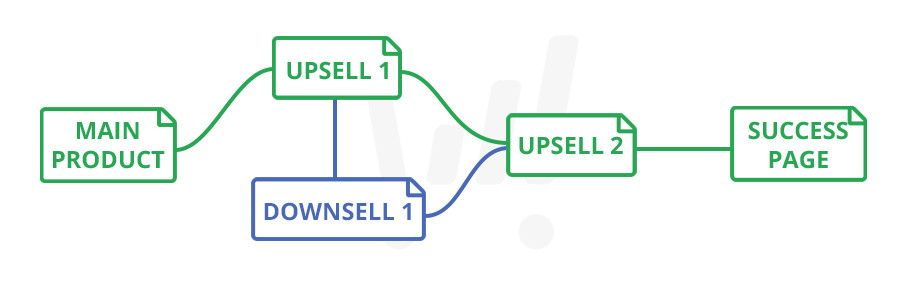
This structure works whether you sell digital products, courses, services, or memberships. It helps align your marketing campaigns with your sales process, depending on the company’s sales model.
👀➡️ RELATED READING | ‘4 Thank-You Page Examples to Help You Increase Sales & Conversions‘
Where ThriveCart fits into your sales funnel
ThriveCart is a high-converting, funnel-based shopping cart and checkout platform that, through its built-in LMS, ThriveCart Learn, replaces the need for a dedicated membership platform.
ThriveCart focuses on the checkout and post-checkout experience rather than replacing your entire website or page builder. Instead of building every funnel page, you can use ThriveCart to:
- Collect payments
- Create optimized checkout pages
- Add order bumps
- Add one-click upsells and downsells
- Automate funnel logic after purchase
- Manage access to products or memberships
It supports funnel automation. You typically connect it to your existing pages, email tools, or content.
And this is especially important because the average conversion rate is only 2.9%. This figure varies by industry, with one study reporting a peak conversion rate of 4.6% for professional services businesses and a low of just 1.8% in B2B ecommerce. High-ticket industries often fall below the average, as buyers take longer and follow more complex purchase journeys. By streamlining checkout, offering upsells, and automating post-purchase actions, ThriveCart reduces friction and improves your conversion rates.
👀➡️ KEEP READING | ‘How to Increase Checkout Conversion Rates: 12 Strategies‘
Boost your AOV with the platform that supports high-converting checkout pages, subscriptions, and affiliate management.

4) Set up your products and checkouts
Once your funnel logic is mapped, it’s time to set up your products. ThriveCart allows you to:
- Create a product – Add pricing options, product description, and fulfillment methods.
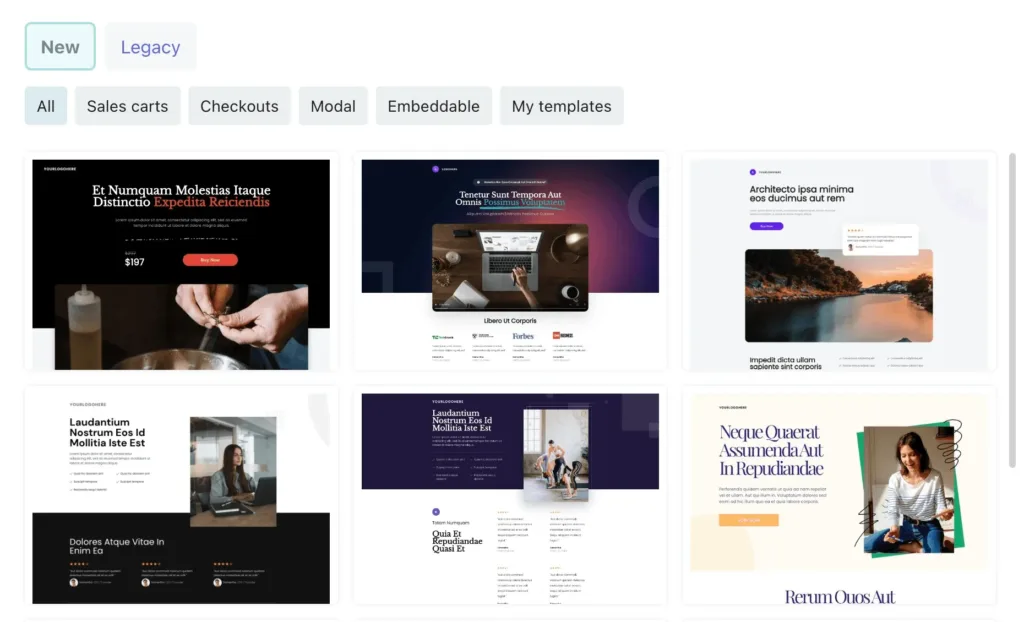
- Select a template – Choose a checkout template from the gallery. Options include:
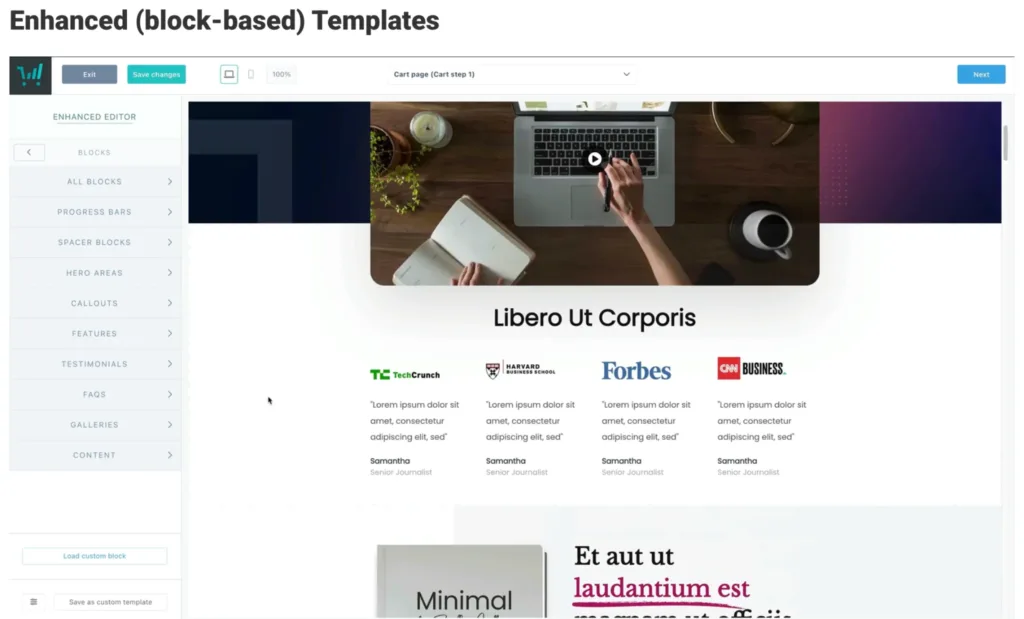
- Enhanced (new) – Modern, interactive, fully customizable templates for a visual experience.

- Enhanced (new) – Modern, interactive, fully customizable templates for a visual experience.
- Classic (legacy) – Simple, clean templates optimized for quick sales.

- Customize templates – Adjust colors, fonts, layout, and blocks using the drag-and-drop editor.
- Save templates – Once customized, save templates for future products or import designs from other users.
Choosing the right landing page and checkout design is essential for converting website visitors.
DISCOVER HOW IT’S DONE, FROM A 7-FIGURE SELLER | ‘👀➡️ ‘The 4-Day CEO: How Winnie Wu Runs Multiple 7-Figure Businesses With ThriveCart‘
5) Add upsells, downsells, and order bumps
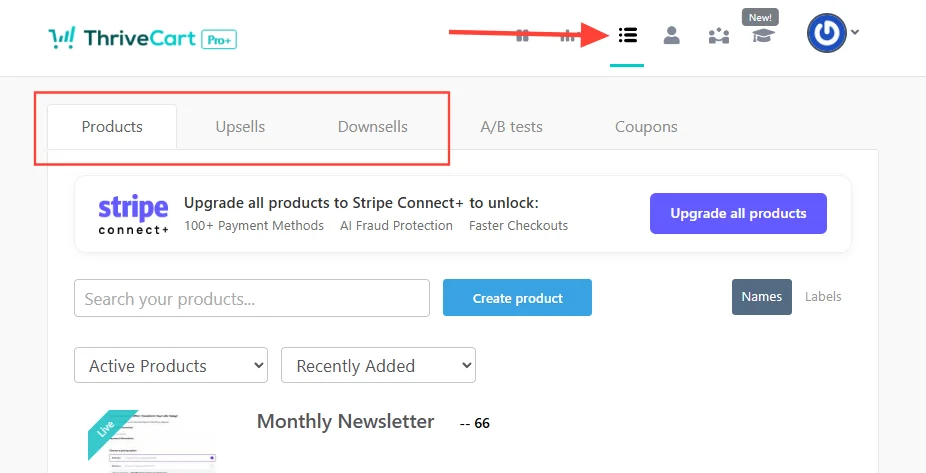 Increasing average order value is easier with strategic upselling or downselling. ThriveCart makes this easy for you:
- One-Click Upsells – Offer a product upgrade after purchase.
- One-Click Bumps – Include a high-converting add-on directly on the checkout page. Available on all plans.
- Multiple Order Bumps – Let buyers add extras (up to six) without leaving the cart. Available on Pro+ and Ultimate plans with StripeConnect+ enabled.
- Downsells – Offer a smaller or alternative product if the upsell is declined. Select one from the dropdown menu, and ThriveCart automatically guides the buyer.
After setting up your funnel, run it through Test Mode before going live. This ensures everything works in order: main product → upsell → downsell → success page. Once verified, switch to live mode and start sending traffic.
6) Optimize checkout and funnels
Your sales efforts rely heavily on an optimized checkout experience. ThriveCart lets you:
- Browse templates – Find layouts that fit your brand and product type.
- Preview designs – See exactly how your funnel looks before committing.
- Launch editor – Access the drag-and-drop builder to customize your checkout.
Types of templates in ThriveCart
- Long-Form & Checkout Templates – Full sales pages or checkout pages.
Template list:
- Mental Health Support – Mental Health Support Sales Page Template and Mental Health Support Checkout Page
- Health and Wellness – Health and Wellness Sales Page Template and Health and Wellness Checkout Page
- Life Coach – Life Coach Sales Page Template and Life Coach Checkout Page
- Start-Up Consulting – Start-Up Consulting Sales Page Template and Start-Up Consulting Checkout Page
- Relationship Coaching – Relationship Coaching Sales Page Template and Relationship Coaching Checkout Page
- Financial Consulting – Financial Consulting Sales Page Template and Financial Consulting Checkout Page
- Leadership Development – Leadership Development Sales Page Template and Leadership Development Checkout Page
- Cybersecurity – Cybersecurity Sales Page Template and Cybersecurity Checkout Page
- Nutrition Coaching – Nutrition Coaching Sales Page Template and Nutrition Coaching Checkout Page
- Photography – Photography Sales Page Template and Photography Checkout Page
- Digital Marketing – Digital Marketing Sales Page Template and Digital Marketing Checkout Page
- Multiple Product & Lead Capture Templates – Display multiple offers or capture leads on a single page. Automatically generate $0 invoices for free products.
Template list:
👀➡️ RECOMMENDED READING | ‘25 Digital Products to Sell (and How to Make Money Selling Them)‘
Build a winning sales strategy
Creating an effective sales and marketing funnel may sound complex, but with the right strategy and tools, it’s completely doable. By planning your funnel, choosing the right templates, optimizing checkout, and automating processes, you can turn casual visitors into paying customers while you boost sales.
ThriveCart combines payment processing, membership management, and conversion-focused tools to make this process straightforward. Whether you’re selling digital products, courses, or physical goods, a carefully designed sales funnel ensures your marketing campaigns, content marketing efforts, and online marketing drive business growth and more sales.