
If you want to sell digital products but don’t want to build a full website, juggle multiple tools, or lose money to high monthly fees and transaction costs, there’s a simpler way to get paid online. You don’t need inventory. You don’t need to ship anything. And you don’t have to deal with returns or damaged items.
Yes, you can sell digital products profitably. The key – once you’ve found the right product for your niche – is using the right platform, setting up payments correctly, and following a clear step-by-step process. When those pieces are in place, selling online becomes far more manageable.
Here’s what this means for you: you can launch faster than building a custom checkout system. The best part? You don’t need coding skills, complicated tech stacks, or a massive audience to make your first sale.
Key takeaways:
- Your digital product should solve a clear problem and be easy for buyers to access after purchase.
- Consistent traffic from email, search, or social media makes digital sales predictable over time.
- You need a reliable platform like ThriveCart that lets you manage payments, file delivery, and customer access in one place.

👀➡️ SEE IT IN ACTION | ‘From Passion Project to $1 Million in a Year: How Chris Huntley Built a Recurring Revenue Empire With ThriveCart‘
What are digital products?
Digital products are items delivered electronically instead of physically. There’s no shipping, storage, or fulfillment process to manage. Once your product is created and uploaded, it can sell automatically.
Common digital products include:
- Ebooks, guides, and PDFs
- Templates and presets
- Printables
- Software or code snippets
- Design assets
- Music files or sound packs for digital music sales
- Courses or educational materials for online courses
- Membership access to private content
- Research reports
- Checklists or planners
These digital goods appeal to buyers because they are delivered instantly. They appeal to you because they can help you generate passive income once your sales system is set up properly.
Ready to get even more inspired? Watch this.
Why sell digital downloads?
There are a few simple reasons you might choose digital products over physical ones:
- Overhead costs stay low. After the product is created, there is little to no additional cost per sale.
- No inventory or shipping to manage. Everything is delivered online.
- Selling can be automated. Payment platforms like ThriveCart handle checkout and delivery for you.
- Profit margins are higher. You keep most of the revenue after transaction fees.
- Pricing is flexible. You can sell one-time downloads, subscriptions, or tiered access.
Even if you plan to build more complex digital product businesses later, the foundation stays the same. That’s the promise of selling digital downloads online: your creativity becomes actual income.
You’re not alone in tapping into the digital world. The global Education and Training market is booming and expected to grow from $99 billion in 2021 to $682 billion by 2033. This creates huge opportunities for digital products like ebooks.
👀➡️ FIND YOUR NEXT BEST-SELLER | ‘25 Digital Products to Sell (and How to Make Money Selling Them)’
7 steps to selling your digital downloads
Selling digital downloads becomes straightforward when you use a clear, step-by-step setup that handles payments, delivery, and access in one place. Here’s how to sell digital downloads online.
1) Decide what you’re selling
Start with a problem your audience already has. Ask yourself:
- What problem does this solve?
- Who is this for?
- Is it clear and useful enough to sell today?
Examples include a productivity planner, a niche marketing course, design templates, or a step-by-step PDF guide.
If you already sell physical products, adding digital downloads gives you another revenue stream without extra workload.
👀📗➡️ SEE IT IN ACTION | Download the ‘Digital Product Launch Checklist’
2) Format and prepare your product
Your files should be easy to use and clearly labeled. Remember to include your business name as part of the actual file name for better brand recognition.
Common formats include:
- PDFs for ebooks and guides
- Video files or hosted lessons for courses
- Editable files for templates
- MP3 or WAV files for audio and music
Always test your downloads yourself. Make sure buyers can access everything without confusion.
3) Choose a platform for payments and delivery
You need a system that:
- Accepts payments securely
- Delivers files immediately after purchase
- Tracks orders and customer access
- Manages receipts, taxes, and subscriptions
You don’t need to build a full online store or custom website to get started.
ThriveCart is a high-converting, funnel-based cart and checkout platform that supports selling digital products online. It allows you to:
- Facilitate card, crypto, and digital wallet payments
- Deliver digital files instantly
- Control membership and course access
- Create structured checkout flows with upsells
- Track sales and a wide variety of real-time metrics and dashboards
- Connect with email and other digital tools
👀➡️ RELATED READING | ‘How to Increase Checkout Conversion Rates: 12 Strategies‘
4) Set up your product in ThriveCart
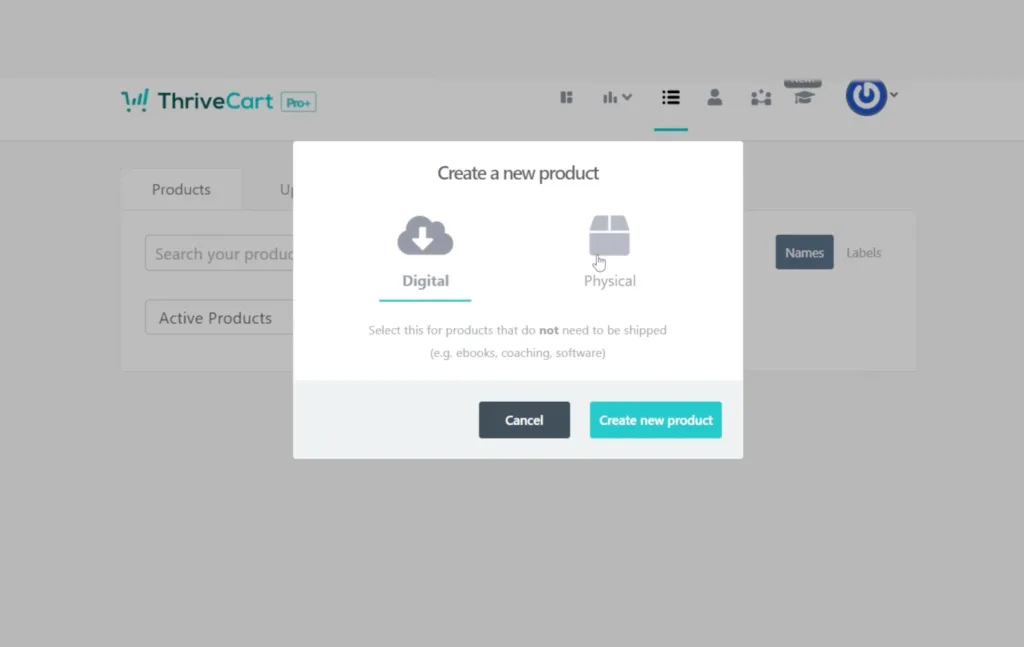
Go to the Products tab in your ThriveCart dashboard and click “Create Product” to start. You’ll choose between:
- For physical products – set shipping rates and fulfillment options.
- For digital products – delivered online, ideal for services, online courses, or digital downloads.
Since you’ll be selling digital products and downloads, choose “digital.”
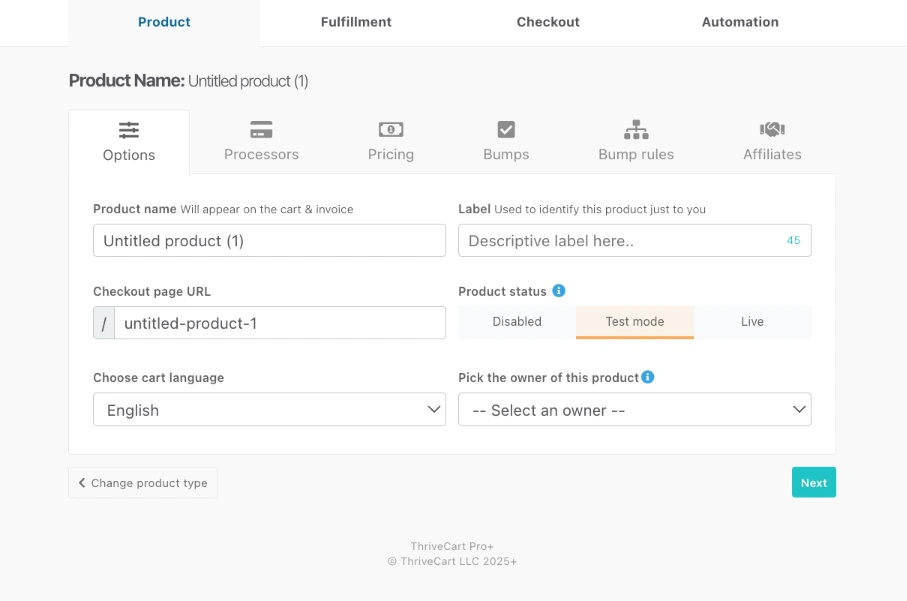
- Product options:
- Name & URL: Displayed publicly; URL can be edited (≤40 characters).
- Labels: Internal organization only.
- Language & translations: Choose from supported options.
- Status: Disabled (hidden), Test (for test purchases), Live (public).
- Owner: Defaults to account owner; can assign client accounts (available with a Pro+ account).
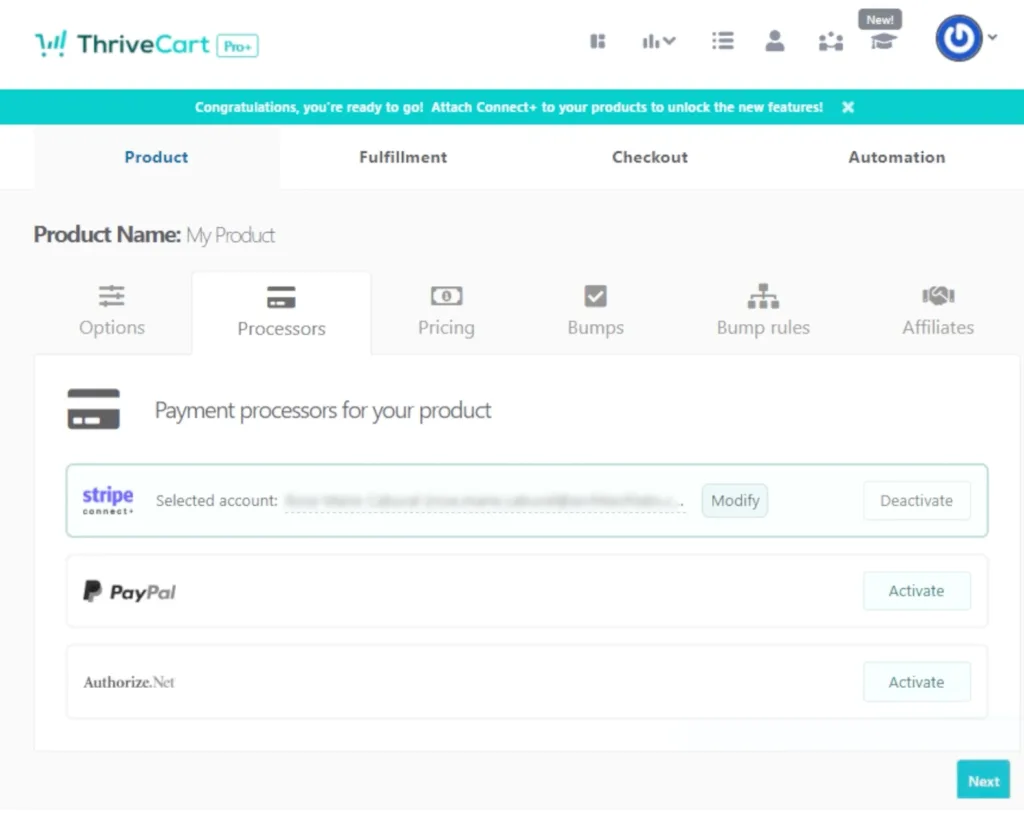
- Payment processors for your product:
- Decide how you want to accept payments.
- Ensure your account is ready to receive payments.
- Pricing:
- Pick the currency you want to sell in.
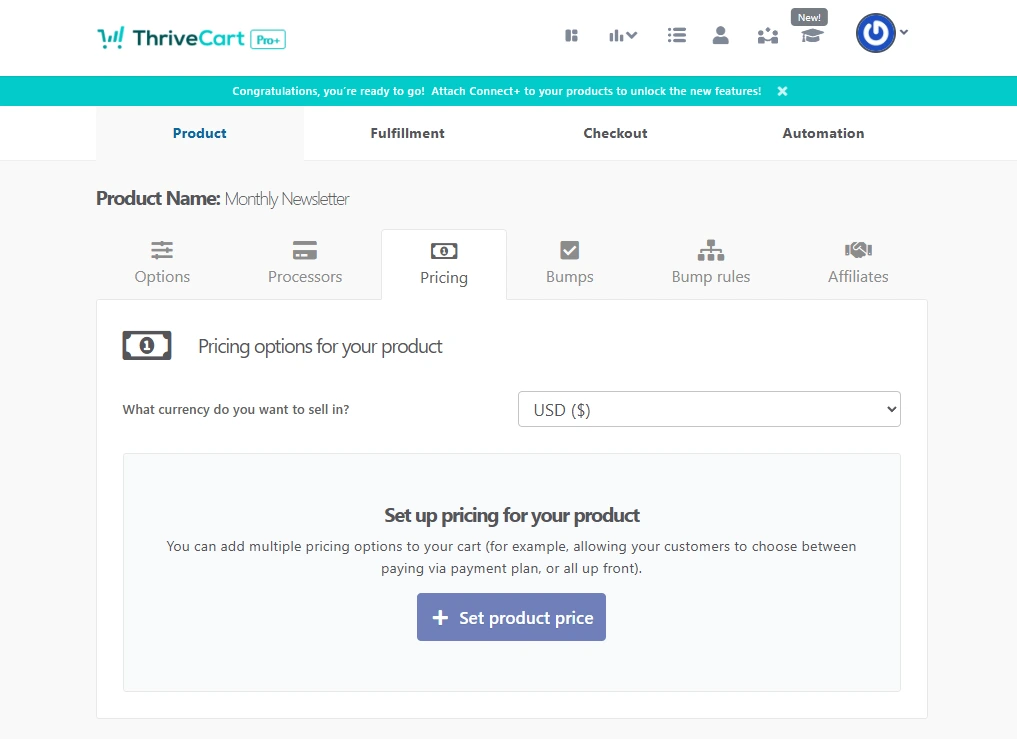
- Choose one-time payment, split-pay, subscription, or pay-your-own-price.
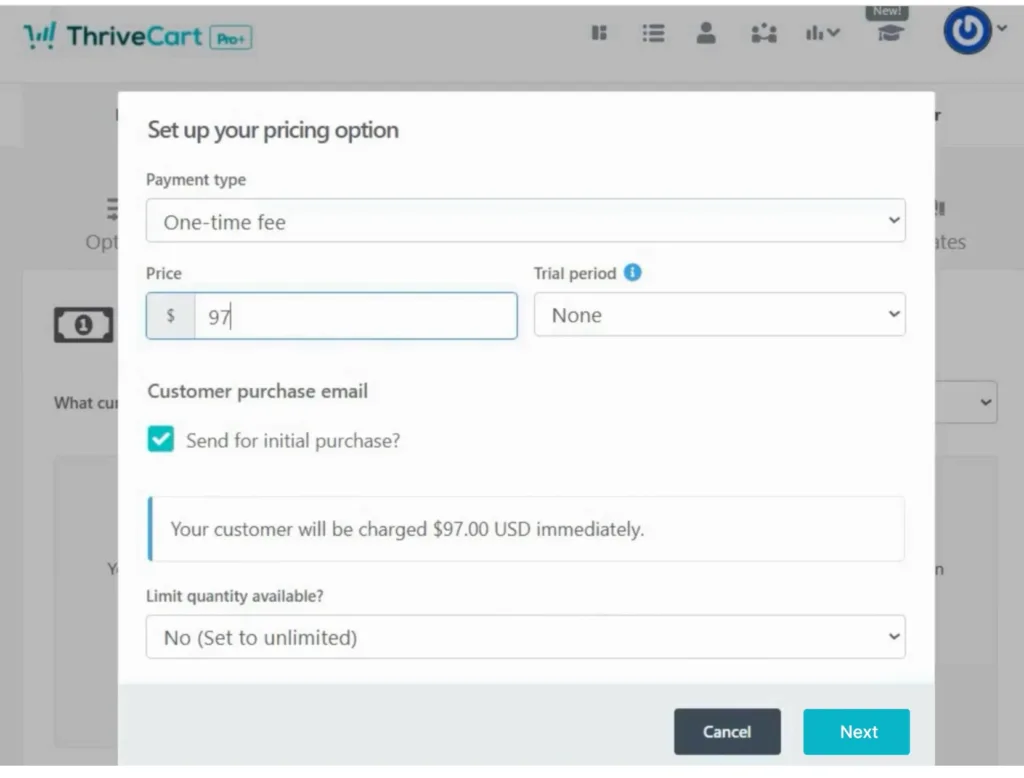
- You can enable sales tax and customize payment notifications.
- Decide if a purchase replaces an existing subscription.
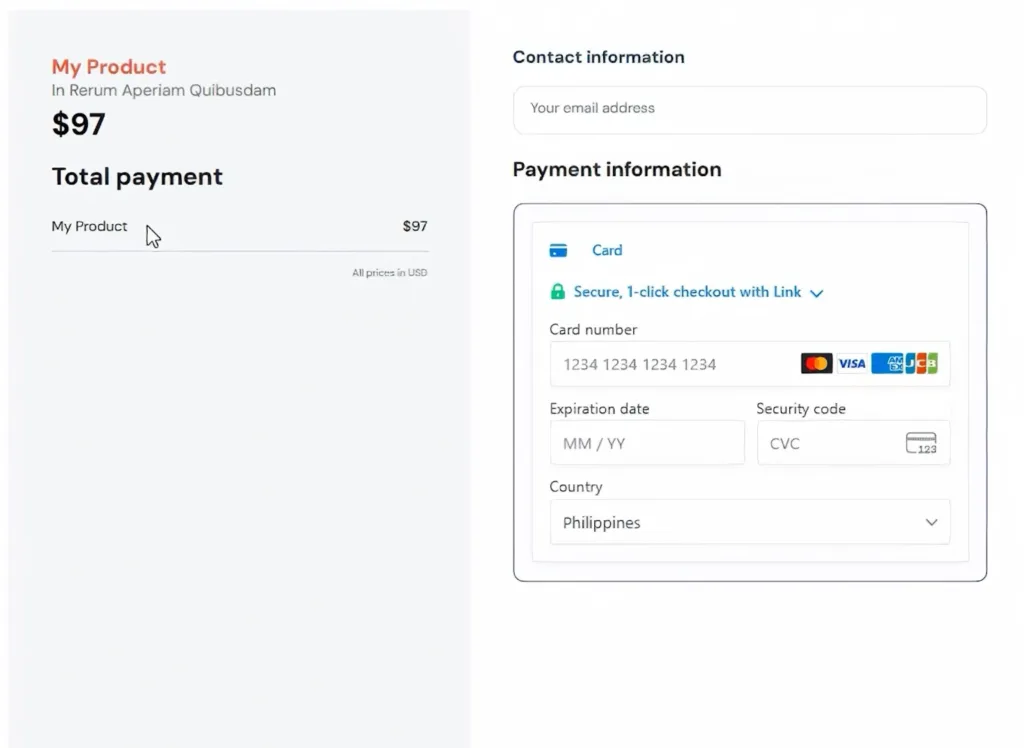
Here’s what it looks like in the checkout page:
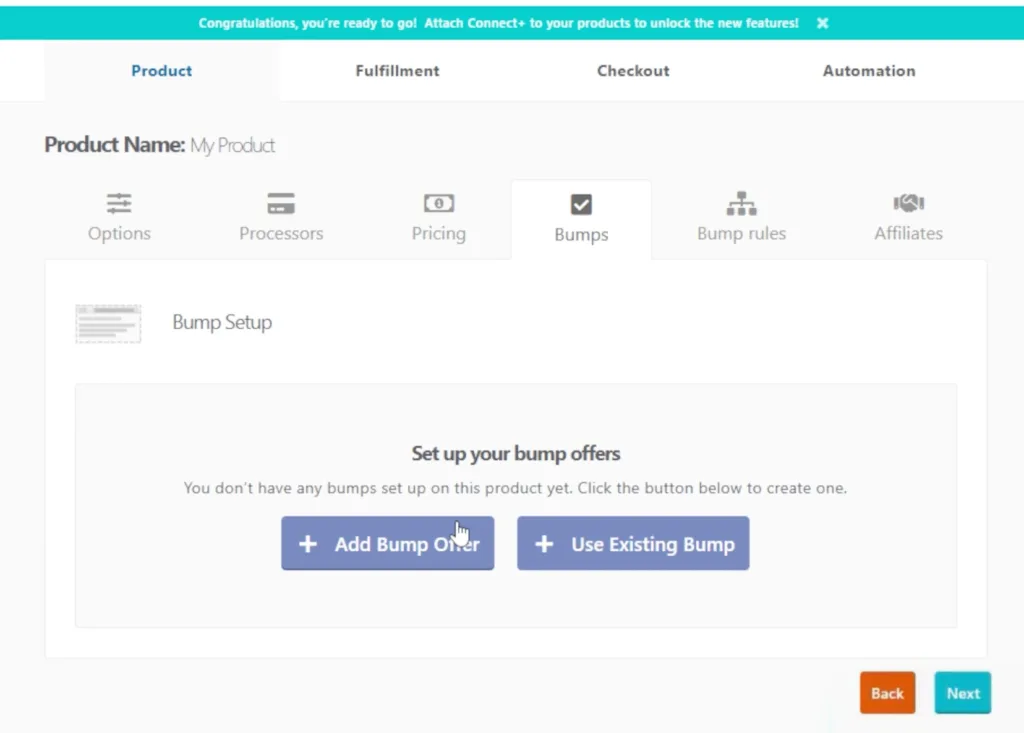
- Bumps:
- An order bump is an extra offer shown during checkout to increase revenue.
- Add the bump product name and the price.
- Decide whether to display the order bump for all customers, only returning customers, or keep it hidden.
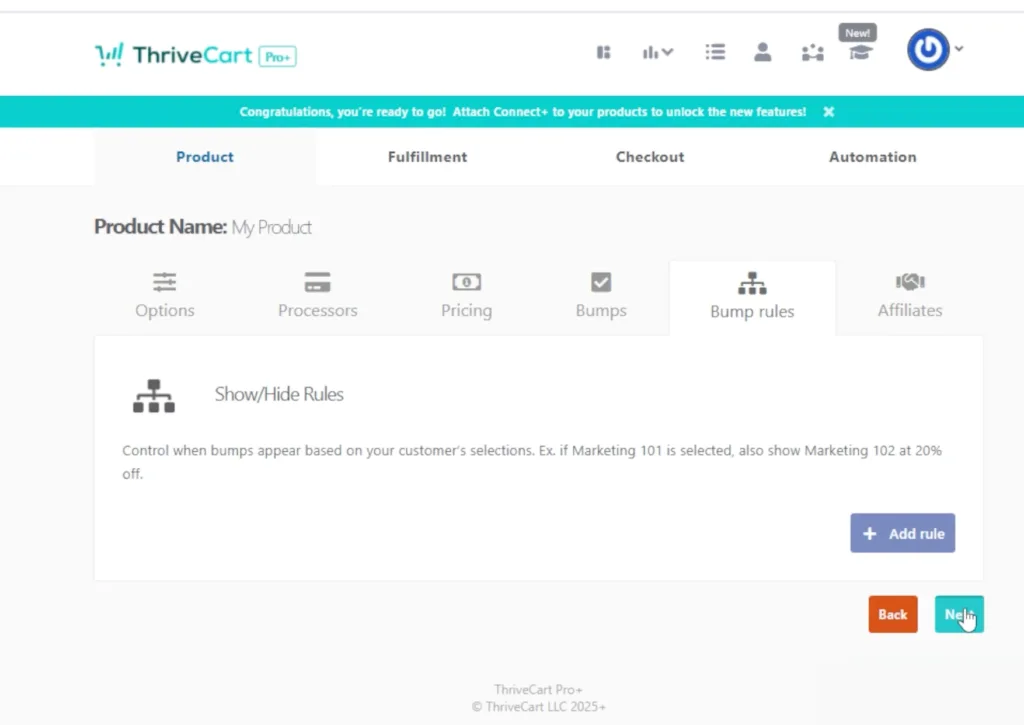
- Bump rules:
- Set rules for when an order bump appears. This helps increase conversions and prevents irrelevant offers from showing.
- Affiliates (Pro+ Users):
- Enable the affiliate program if you want others to promote your product.
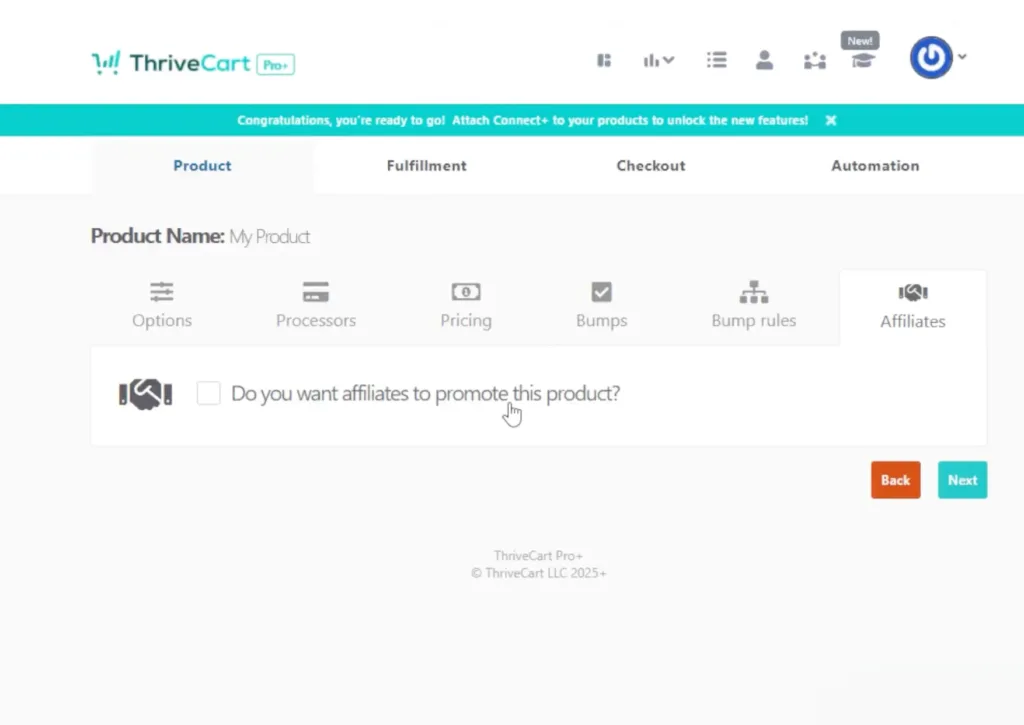
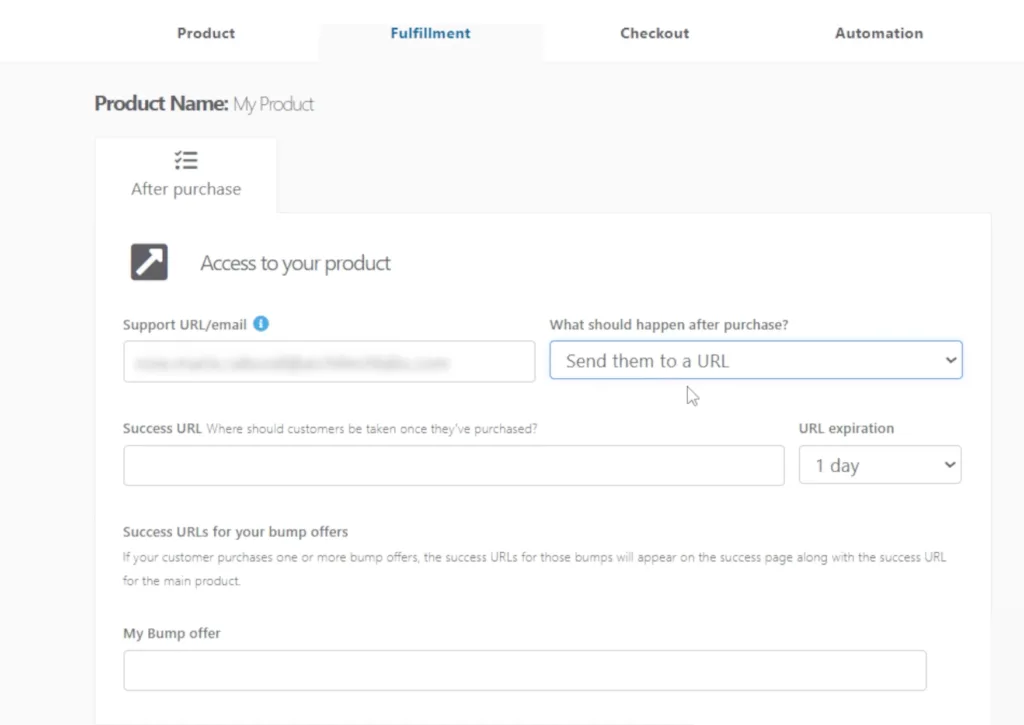
After finalizing your product details, go to the Fulfillment tab. This is where everything happens after a purchase.
Here, you can manage and monitor access to your product data.
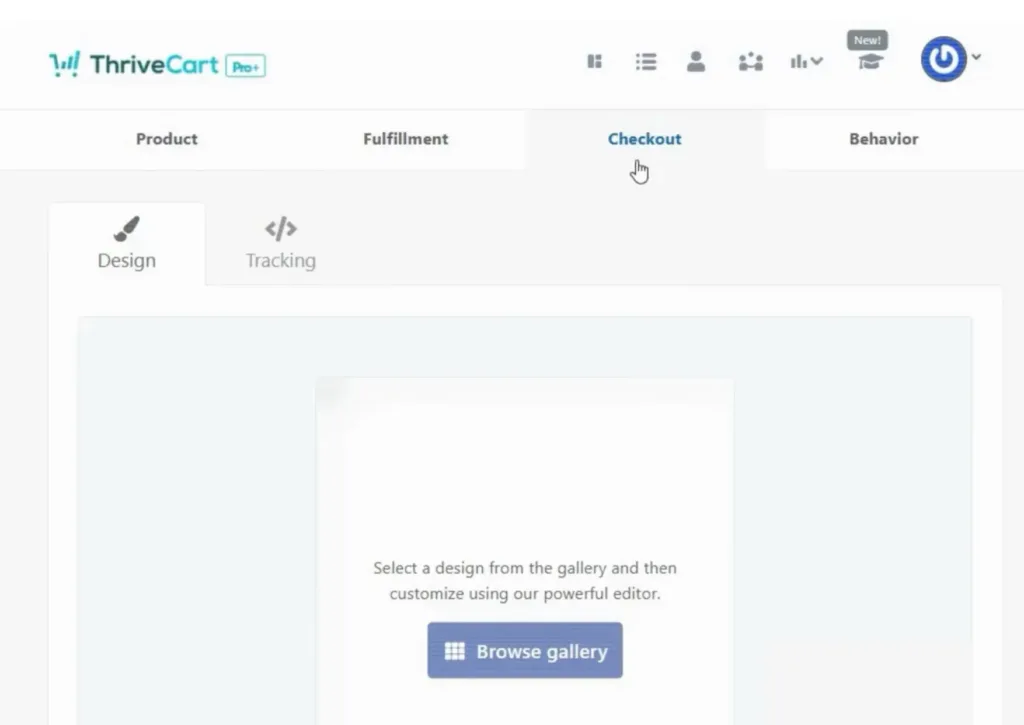
Next, go over to the Checkout section. You can choose from ready-to-use templates or select different checkout styles, such as sales carts, modal pop-ups, embeddable checkouts, or your own custom templates.
Note: Customize your checkout page with your branding, including your logo, colors, and images.
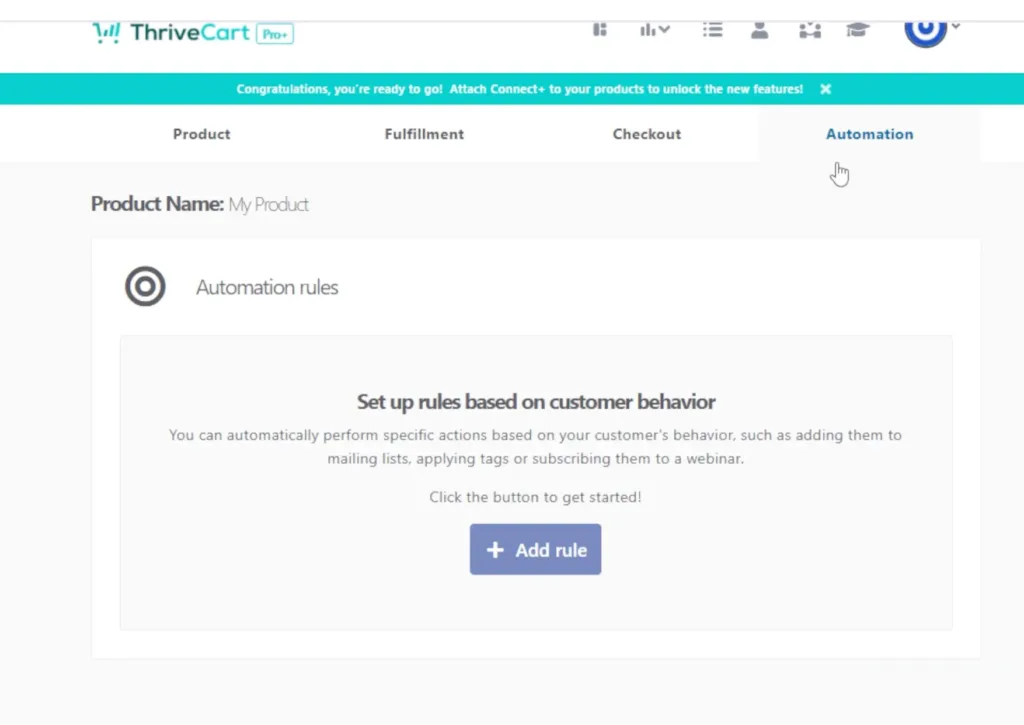
Lastly, go to automations. Here, you can also set rules based on customer behavior – like abandoned cart recovery – and configure automation triggers to streamline your post-purchase process.
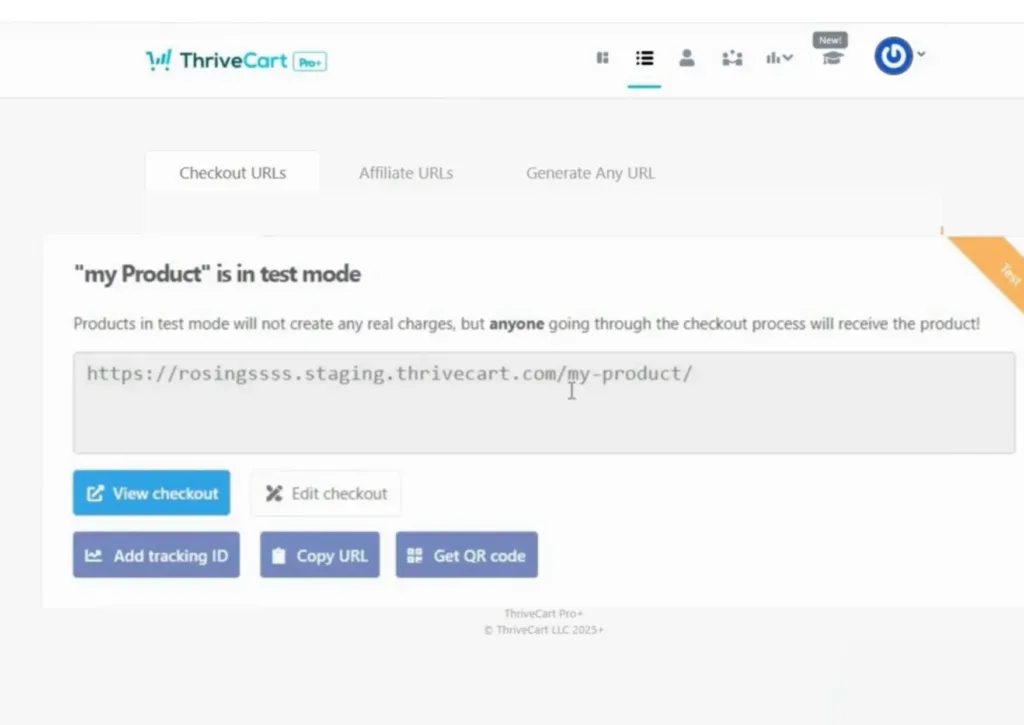
Now you can generate checkout and affiliate URLs. Be sure to preview and test your checkout to ensure everything works smoothly.
👀➡️ MORE FROM THE BLOG | ‘4 Thank-You Page Examples to Help You Increase Sales & Conversions‘
5) Create a catchy sales page
Your sales page should answer basic buyer questions clearly:
- What is this product?
- Who is it for?
- What problem does it solve?
- What does the buyer receive?
Use previews, screenshots, or sample pages when possible. If you already have your own website, you can link directly to your ThriveCart checkout.
Here’s an example of a sales page with embedded checkout, built with the ThriveCart editor
6) Drive traffic to your offer
Sales happen only when people see your product. Focus on these traffic sources:
- Email announcements to your list
- Organic social media posts
- Search content built around buyer intent
- Paid ads if your budget allows
Tracking traffic sources helps you understand what works and where to focus as your online business grows.
👀➡️ KEEP READING | ‘How Do You Monetize an Email List: 6 Proven Strategies for Turning Subscribers Into Revenue’
7) Handle customer support and follow-ups
Automation does not eliminate support entirely. You still need to:
- Answer customer questions
- Resolve access or download issues
- Request reviews or feedback
A short follow-up email sequence after purchase can also promote related digital goods, courses, or music downloads, thereby increasing lifetime value.
Ready to make your first sale?
FAQs
Do you need a website to sell digital downloads?
No. You can sell directly through a checkout platform like ThriveCart and share the link via email, social media, another platform, or your own website. Having your own website helps with branding and long-term traffic, but it isn’t required for making your first sales.
Can I sell subscriptions or recurring digital content?
Yes. You can offer monthly memberships, courses, or ongoing resources. Platforms like ThriveCart support subscription billing, making it easy to generate recurring revenue.
What types of digital downloads sell best online?
Popular options include templates, guides, checklists, workbooks, design assets, and recorded trainings. Products that solve a problem or save time tend to perform well when selling digital downloads online. For a deeper dive, check out this helpful video on eight digital products that will make you rich.
How are digital products delivered after purchase?
Platforms like ThriveCart provide secure download links or member-only access immediately after payment, so buyers receive their files right away.
👀➡️ HANDPICKED FOR YOU | ‘The Skills Crisis Gold Rush: 4 Ways to Turn Your Expertise Into a 6-Figure Education Empire‘
Final thoughts
Making money from easy digital downloads isn’t complicated. You create something useful, choose the right sales platform, and consistently put it in front of the right people.
With tools like ThriveCart, simple promotion strategies, and a clear product offer, you can build a steady income stream from digital goods, online courses, or scalable digital product businesses without unnecessary complexity.


