
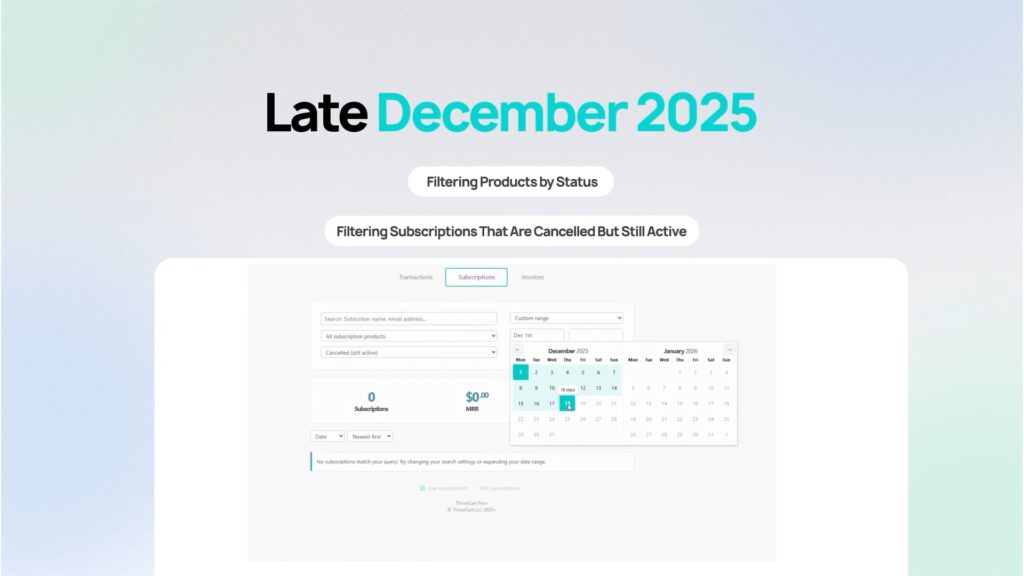

This week’s release focuses on clarity and control, making it easier to manage growing product catalogs and better understand subscription lifecycle states.
From more precise product filters to a long-requested subscription status view, these updates remove ambiguity, reduce manual scanning, and help you act with confidence, whether you’re managing dozens of products or forecasting churn.
As always, these improvements are designed to streamline daily workflows and give you faster access to exactly what you’re looking for.
Summary
New Product Filters: Live, Test & Disabled
Quickly filter products by their exact status to manage live offers, test setups, and disabled products separately.
New Subscription Filter: Cancelled (Still Active)
Identify subscriptions that have been cancelled but are still active until the end of their billing period.
These updates remove guesswork from both product and subscription management, giving you cleaner views, safer workflows, and better insight into your business state.
As always, they’re live in your account now.
New Product Filters: Live, Test & Disabled
As your product catalog grows, finding the right product quickly becomes critical, especially when live offers, test versions, and disabled products all live side by side.
To make product management faster and safer, we’ve expanded the Products filter with clear, status-specific options.
What’s new
The product filter dropdown now includes:
- Live Products – products currently available for purchase
- Test Products – products in test mode
- Disabled Products – products turned off but not archived
These sit alongside the existing options for Active, Archived, and All Products.
How it works
- Go to Products
- Open the filter dropdown
- Select Live, Test, or Disabled to instantly narrow the list
The product list updates immediately to show only items in that state.
Why it matters
- Find the right product instantly without manual scanning
- Reduce the risk of editing a live product by mistake
- Scale your catalog with cleaner organization
- Manage testing, launches, and clean-up with confidence
👉 Available now for all ThriveCart users.
Find it on the Products page in the filter dropdown.
New Subscription Filter: “Cancelled (Still Active)”
Not all cancelled subscriptions are the same, and now your reports reflect that.
We’ve added a new subscription filter that lets you separate customers who have cancelled but still have paid access from those who have fully churned.
What’s new
A new status filter option:
Cancelled (still active)
This shows subscriptions that:
- Have been cancelled
- Still have access until the end of their paid billing period
How it works
- Go to Subscriptions
- Open the status filter
- Select Cancelled (still active)
You’ll now see only subscriptions where access hasn’t yet expired.
Why it matters
- Clearly distinguish grace-period customers from true churn
- Improve churn forecasting and revenue visibility
- Identify customers for win-back or re-engagement campaigns
- Avoid mixing active access with fully ended subscriptions
👉 Available now for all ThriveCart users.
Find it under Subscriptions → Status filters.
That’s What’s New… What’s Next?
ThriveCart is home to more than 75K+ creators, whilst our unique product offering, Pro+, now supports over 37,000 merchants. It is our latest product release aimed at giving you and your business the greatest functionalities and capabilities in the industry. New features and updates will come thick and fast, so make sure you sign up to our mailing list and to our Facebook Community for the latest developments.
Not yet a Pro+ customer?
Already a Pro+ customer?
Please note that as a Pro+ user, you will not be able to take full advantage of the sales revenue-generating and advanced reporting features if you have not configured your existing products with Stripe Connect+ and enabled it on your products. Click here to learn how to configure Stripe Connect+ in less than 5 minutes.