
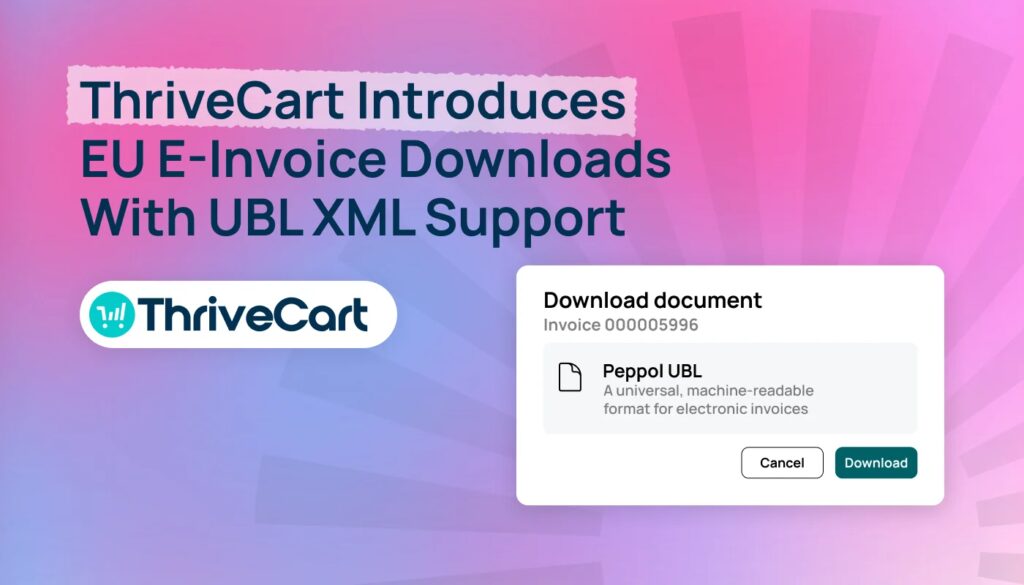
The EU is one of the most active regions when it comes to policy updates and changes, and ThriveCart is here to make sure you stay one step ahead. Whether you’re physically in the EU or selling into the region, we’ve got you covered – our new EU e-invoicing updates include support for UBL XML e-invoice downloads.
This new capability will give merchants a clearer, more flexible way to download their invoices in the structured, machine-readable format required by specific European countries.
As e-invoicing requirements roll out country by country across Europe, ThriveCart is continuing to invest in tools that make it easier for you to sell, serve your customers, and stay ready for what’s next.
As with any new legislation, merchants and sellers need to remain compliant. Note that it’s your responsibility to remain compliant. ThriveCart provides tooling to assist with your compliance. These are available via Stripe Connect+ and PayPal Enhanced. Older versions of Stripe and PayPal are in maintenance mode only, and not supported. If you’re not yet using StripeConnect+ or PayPal Enhanced, head here for a detailed guide on how to migrate. Migrating takes just five minutes.
Key insights
- ThriveCart’s UBL XML e-invoicing is compliant with the structured digital network known as Peppol UBL.
- Merchants using ThriveCart Pro+ will be able to download e-invoices, alongside the existing PDF option. Non-Pro+ users can access the files by contacting support.
- ThriveCart’s initial rollout focuses on EU requirements, with France and Spain among the first countries.
What is UBL XML e-invoicing?
Traditional invoices and receipts are usually designed for people to read, which is why they’re typically available as PDFs. E-invoices are different. UBL (or Universal Business Language) is a global standard file type designed for software systems to read and process invoice data, such as the seller, buyer, invoice number, line items, taxes, totals, and payment information.
European countries are introducing these requirements at different times and in different ways, with France as one of the first major countries to implement them, on September 1, 2026. The rules can depend on factors such as:
- Where your business is located
- Where your customers are located
- Whether the sale is business-to-business, business-to-consumer, or business-to-government
- Whether the sale is domestic or cross-border
- Revenue thresholds and other country-specific conditions
That means there isn’t one single e-invoice that works everywhere. The right format depends on the country and the circumstances of the sale.
Who does it impact?
VAT in the Digital Age (ViDA) initiative is a pan-European B2B e-invoicing standard expected by July 2030. An e-invoice under EU rules must be in a structured, machine-readable digital format (such as UBL or UN/CEFACT) compliant with the EN 16931 standard – meaning traditional PDF or paper invoices do not qualify.
Example country policies:
- France: Phased rollout begins September 1, 2026, for large companies, extending to smaller enterprises by September 2027.
- Germany: Receiving e-invoices became mandatory in January 2025; sending becomes mandatory for companies with an annual turnover over €800,000 in January 2027.
- Spain: Progressive rollout for B2B transactions under the Crea y Crece law is scheduled starting July 2027.
How e-invoicing support makes a difference
We’re providing access to a structured UBL XML invoice file – aligned to the Peppol UBL delivery system – to help merchants stay compliant with government or tax authorities. This is available alongside the traditional PDF format, which is typically for customers.
E-invoicing rules are changing country by country. France and Spain are among the first territories supported by ThriveCart at this time, with the broader solution designed to support additional country requirements over time.
Having e-invoicing support built into your selling workflow means you won’t need to start from scratch every time a new requirement affects your business.
Note that ThriveCart isn’t an e-invoice processor or transmitter. You’re downloading the machine-readable file from your dashboard; you may still need to:
- Identify which country’s rules apply to each sale
- Create invoices in different formats
- Find the right fields for each regional requirement
- Download and manage additional documents
For this, please refer to your accounting software/solution, or seek advice from a licensed professional.
How ThriveCart’s e-invoicing downloads work
The process is designed to fit into the workflow you already use.
1) The sale happens as normal
When a customer completes a purchase, ThriveCart fulfills the sale and creates the invoice using the existing invoice process.
You won’t need to change the way you sell your digital products or manage your checkout.
2) The e-invoice becomes available to download
Head to the Invoices section of your account. For invoices generated after September 1, 2026, you’ll see the Download e-invoice option.
This will sit alongside the existing Download PDF option, giving you more flexibility without removing the invoice format you already use.

3) Download the e-invoice for submission
Select Download to retrieve the UBL XML file. The file will use an XML extension, an appropriate XML content type, and set the invoice number as the filename.
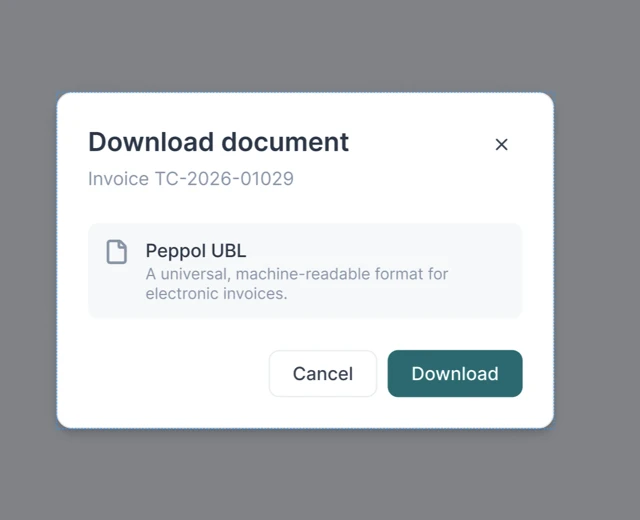
After downloading, it’s your responsibility as the seller to provide the file to:
- Your accountant
- Your accounting software
- Your e-invoicing provider
- Your government-approved platform, if applicable
Make sure your merchant details are complete
Before you download an XML e-invoice, make sure your ThriveCart account includes the required merchant information. This gives the file the business details it needs and helps ensure the invoice can be generated correctly.
You’ll need to provide:
- Your full name
- Your VAT number
- Your business address, including:
- Street address
- City
- ZIP or postal code
- Country
- Permission to include your business information on receipts
Your business name is optional, but adding it can help present a clearer and more professional invoice to your customers.
To enable e-invoice downloads, make sure the “Include my business info & address in receipts” option is turned on in your account. This confirms that you want your business identity and address included on your invoices. If any required information is missing, ThriveCart may not be able to generate the XML file. Updating your account details first should help you download the file successfully.
What this means for ThriveCart merchants
If you already use ThriveCart, UBL XML e-invoicing support gives you another way to prepare your business for changing requirements without rebuilding your selling process.
You’ll be able to:
- Keep selling through your existing ThriveCart checkout
- Provide both PDF and e-invoice download options, depending on which format is needed and when
- Support country-specific invoice formats where required
- Reduce the need to manually create or convert invoices
- Continue using your existing accounting tools for any required submission steps
The exact requirements will depend on your business, your customers, and the countries where you sell. You should still confirm your obligations with your accountant or tax adviser.
A better foundation for selling online
UBL XML e-invoicing is part of a wider shift toward more connected, digital financial processes.
For digital sellers, that shift can create extra work if every country requires a different manual process. It can also create opportunities to offer a more professional, reliable customer experience.
ThriveCart is building with that future in mind. Our e-invoicing pipeline is designed to support country-specific requirements through a country-agnostic process, making it easier to expand support as additional mandates come into effect.
That means you can spend less time worrying about invoice formats and more time doing what you do best:
✔ Creating valuable digital products
✔ Reaching new customers
✔ Growing your revenue
✔ Building a business that’s ready for what’s next
NOTE: THIS INFORMATION IS FOR GENERAL INFORMATION AND EDUCATIONAL PURPOSES ONLY AND SHOULD NOT BE CONSTRUED AS LEGAL, FINANCIAL, OR TAX ADVICE. THRIVECART DOES NOT WARRANT OR GUARANTEE THE ACCURACY, COMPLETENESS, OR ADEQUACY OF THE INFORMATION IN THIS ARTICLE OR ANY OTHER COMMUNICATION THRIVECART MAY PUBLISH ON THE SUBJECT ONLINE, IN EMAIL COMMUNICATION, OR ANY OTHER LOCATION. YOU SHOULD SEEK THE ADVICE OF A LAWYER OR ACCOUNTANT LICENSED TO PRACTICE IN YOUR JURISDICTION FOR ADVICE ON YOUR PARTICULAR SITUATION.
E-invoicing FAQs
Q: What is an e-invoice?
A: An e-invoice is a structured digital invoice that can be processed by accounting systems and, where applicable, reported through government or tax authority systems. It’s different from a standard PDF because it contains data in a format that software can read automatically.
Q: When will ThriveCart’s e-invoicing support be available?
A: The new download options are for invoices generated after September 1, 2026. Invoices generated prior to September 1, 2026 are not currently available to download within ThriveCart but can be requested from support. This option will be introduced soon, alongside bulk invoice downloading. ThriveCart’s initial rollout focuses on EU requirements, with France and Spain among the priority countries.
Q: Will I still be able to download a PDF invoice?
A: Yes. The existing Download PDF option will remain available. You’ll also see a new Download e-invoice option with access to additional formats.
Q: Do I need to change how I sell through ThriveCart?
A: No. This is simply another reporting format available for download. This can be used with third-party accouting/ERP systems to meet e-invoice compliance, where applicable.
Q: Does ThriveCart replace my accounting software?
A: No. You should continue using your existing accounting and/or ERP solution (or solutions) to submit documentation to the relevant government authority where required. ThriveCart only generates and provides the formatted file for download. It does not submit the file to a government authority, or complete any required e-reporting on a merchant’s behalf.
Q: Do I still need to check my own e-invoicing obligations?
A: Yes. E-invoicing requirements vary by country, business type, customer type, and other conditions. ThriveCart is designed to make the invoicing process easier, but it isn’t a replacement for professional tax or accounting advice.
Q: Is the e-invoicing download option available to all ThriveCart users?
A: E-invoicing support is available to users with a ThriveCart Pro+ account – at no extra charge. To upgrade from Standard, log in to your account and follow the relevant prompts. Users on other plan levels can reach out to ThriveCart Support directly for weekly exports.
Q: What information do I need to download an XML e-invoice?
A: Your account must include your full name, VAT number, and complete business address. You’ll also need to enable the option to include your business information and address on receipts. Your business name is optional, but adding it is recommended because it gives customers clearer information about who issued the invoice. You can find all these options in the “Account” tab, under the “My Profile” section.
More value for your digital business
E-invoicing is another step toward making ThriveCart a more complete platform for global digital sellers. You get the tools to sell, fulfill, and manage your customer experience, plus new capabilities that help you prepare for the changing requirements of doing business across Europe and the rest of the world.
As e-invoicing rules continue to roll out, ThriveCart will continue working to make the process clearer, simpler, and more helpful for you and your customers.
For more info, check out our customer support documentation.
Not using ThriveCart yet? Join our community of over 75,000 merchants processing over $2 billion in revenue annually. There’s a 30-day free trial so you can explore the platform’s checkout, course, and community features.


