

If you’ve ever watched a student purchase your course, dive in with enthusiasm, and then… disappear, you’re not alone.
Course completion rates typically hover around a paltry average of 12.6%. And it’s not because your content isn’t valuable. It’s because isolated learning doesn’t work for most people. Students need more than just passively consuming video lessons and reading long PDFs – they need connection, accountability, and a reason to show up day after day.
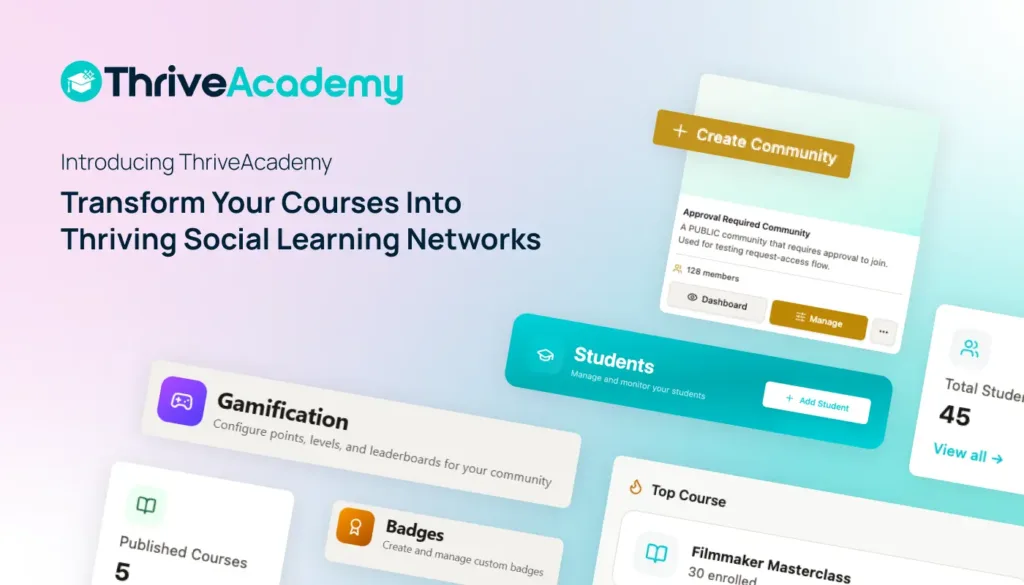
That’s why we built ThriveCart Academy featuring communities – a powerful new feature inside our advanced new learning management system.
Community has been the #2 most requested LMS feature from our users (alongside quizzes at #1), and we’re thrilled to finally launch it. This isn’t just another add-on feature. It’s a complete reimagining of how your students experience learning – creating a full social learning network where community IS the student experience (and yes, quizzes feature, too).
→ Watch our CEO, Ismael Wrixen, introduce ThriveCart Academy and this 15-minute video
What are communities?
Communities create an integrated social learning environment where students don’t just “take courses and access a community” – they live inside a community where all learning activity happens.
When a student purchases your course (via a ThriveCart checkout page), they land in your creator-branded community. This becomes their hub for everything: consuming courses, 1:1, or group lessons, engaging with peers, tracking achievements, earning rewards, participating in discussions, taking quizzes, in-app messaging, VIP lounges, and much more! They never need to leave.
→ WHICH ONE WINS? | ‘ThriveCart Academy vs Skool: The 2026 Comparison for Course Creators and Community Builders‘
View this post on Instagram
Here’s what makes it different:
The community wrapper is always present. A “sticky” sidebar provides navigation throughout the entire learning journey. Students are constantly aware they’re part of something bigger than just a course.
Lessons are embedded inside the community. Instead of clicking into a separate course player, lessons render directly within the community context. Progress tracking, unlock rules, and drip scheduling all work seamlessly – but the student never leaves the social environment.
Everything happens in one place. Discussions tied to specific lessons, community-wide Q&A posts, achievement celebrations, leaderboard updates, and creator announcements all flow through a personalized activity feed that becomes the student’s homepage.
→ YOU MIGHT ALSO LIKE | ‘10 Tips to Increase Conversion Rate With ThriveCart‘
Why this matters for your business
The competitive landscape has shifted. Your students aren’t just comparing your offer to other course platforms anymore – they’re comparing you to community-first platforms like Circle, Mighty Networks, and Kajabi.
These platforms have proven something critical: community-engaged students show higher completion rates, lower refund rates, higher upsell conversion, and longer retention, with one study reporting an average course completion rate of 42% for supported/coached online courses and as high as 85%-90% for selective cohort-based online programs.
Until now, if you wanted to offer both courses and community, you had two options:
- Duct-tape your course platform to a separate community tool (hello, Facebook Groups and Discord chaos)
- Pay many hundreds of dollars per month for a dedicated community platform on top of your course platform
Circle charges $89-$199/month, Kajabi is $143-$399/month, and Mighty Networks costs $79-$179/month, depending on your plan. That’s $1,000-$4,000+ per year just for community functionality, without the powerful checkouts you need to turn that engagement into higher LTV.
For ThriveCart, communities will be built right into ThriveCart Academy, and both are built on top of the full power ThriveCart and its funnel have to offer – no more fragmented student experience and a massive reduction in extra, unnecessary costs.
→ COMPARE MORE | ‘ThriveCart Academy vs Circle: Which Community Platform Is Right for Course Creators?‘
The features that make ThriveCart Academy work
ThriveCart Academy includes several sought-after features, including:
🌐 Activity feed homepage
Your students’ new homepage is a personalized feed that blends course progress updates, peer discussions, your announcements, achievement celebrations, and leaderboard highlights. It’s the heartbeat of your community.
🙋 Quizzes
Test your students’ knowledge with video, audio, or traditional quizzes. You can set the pass mark, number of attempts allowed, a time limit, whether to show correct answers or not, question randomization, and lesson locking until a quiz is successfully passed. Passing a quiz is an excellent opportunity to boost community engagement as students share their progress and achievements with the whole group. Offer rewards tied to completion and sharing their process internally and/or on social media, unlock the next course or VIP access, and issue certificates, all in one place!
👥 Social learning tools
Students can start threaded discussions both at the community level and on specific lessons. They can react to posts with five different reaction types, share wins, post resources, ask questions, and see what their peers are working on. You can pin important posts, and students can use @mentions to tag each other.
🎮 Two-tier gamification system
Students earn points, unlock badges, maintain daily streaks, and climb leaderboards. These points can be used to unlock courses, and additional gamification options exist for students sharing your courses and their progress on social media, driving more exposure for your business. This creates motivation to keep showing up and engaging.
🚦 Embedded course player
Your lessons can now be delivered via hosted video, audio, traditional text & images, or in combination! Courses load directly inside the community with all your existing course functionality intact: progress syncing, content unlocking based on rules, drip scheduling, quizzes, and more. Students never need to leave the community to continue their learning.
📑 Member profiles, directory and messaging
Students can create rich profiles and discover other community members through a searchable, filterable directory. This helps them find accountability partners, study groups, and peers with similar interests. 1:1 and group messaging is available for learning, and making new friends.
💬Moderation and spam protection
You get a full moderation queue, auto-flagging of suspicious content (like posts with more than five external links), keyword filters, rate limiting (10 posts per hour per user), user banning capabilities, and a student reporting system where three reports automatically hide content for review.
🔑 Multiple access models
Create public communities, free private communities, paid communities, or invitation-only communities. You control who gets in and how.
🧑🎓 Universal student identity
One login gives your students access to all the creator communities they’ve joined. If they purchase courses from multiple ThriveCart creators, they can switch between communities with a simple header toggle – no need to manage multiple accounts.
What this means for your students
Your students get a dramatically better learning experience:
- One login = one place for all their courses and communities
- Built-in motivation through rewards, badges, and leaderboards that make progress visible
- Peer support through lesson-level discussions and community-wide conversations
- Reduced overwhelm because everything they need is in one unified interface
- Self-service billing to manage subscriptions and payment methods without contacting you
→ GRASP THIS GOLDEN OPPORTUNITY | ‘The Skills Crisis Gold Rush: 4 Ways to Turn Your Expertise Into a 6-Figure Education Empire‘
Courses get you students. Communities help you keep them
ThriveCart Academy is built right into our core checkout funnel technology, proven to boost average order values (AOV) by up to 118%! Now, we’re extending this technology to the Academy, a place where your students can learn, engage, and continue purchasing new courses without leaving the platform.
ThriveCart Academy is available on three plans, catering to different creator needs – Starter, Growth, and Scale and include ThriveCart’s industry-leading checkout and sales funnel platform.
Plans start at just $37/month and are available on a 30-day free trial.

→ ➡️ KEEP COMPARING | ‘ThriveCart Academy vs Kajabi: The 2026 Comparison for Course Creators & Community Builders‘
FAQs
Q: Can I have more than one community on my account?
A: Yes. There is no limit to the number of communities you can create. All of them are managed from the Communities section of your ThriveCart Academy dashboard, and each has its own independent settings, spaces, members, and health score.
Q: Do I need a community to offer courses?
A: Yes. The focus of ThriveCart Academy is communities first. You can always create a community that simply offers a course space and disable public posting on that space’s discussion board.
Q: Can I change my community type after it’s been created?
A: Yes. Community type (Course + Community, Community Only, Course Only) can be adjusted in Community Settings after creation. Changes to your access model (such as switching from free to paid) may affect existing members and should be reviewed carefully before saving.
Q: Can I add lessons to a course after it has been published?
A: Yes. New lessons added after publishing appear immediately for all enrolled students (unless set to draft in settings, locked behind tags, or drip-scheduled). When you add a lesson, you can choose to notify all students or save silently with no notification.
Q: Do I need to create a new ThriveCart product to use Communities?
A: No. You can link an existing ThriveCart product to your community during the Link ThriveCart Product checklist task. If you don’t have an existing product, you can create one from within the checklist.
Q: What happens to my existing Thrive Learn/Learn+ courses and students?
A: All existing Thrive Learn and Thrive Learn+ creators and students are migrated to ThriveCart Academy with full continuity – courses, student progress, drip schedules, certificates, and billing are all preserved. No action is required from you.
Q: How do students find lessons?
A: Via the left sidebar or activity feed. Lessons load inside the community so students never need to leave the platform.
Q: What happens to student progress if I delete a lesson?
A: A confirmation modal appears showing how many students have completed the lesson. If you proceed, student progress records are preserved and count toward their overall completion percentage, but the lesson is no longer accessible. Alternatively, you can choose “Mark as Hidden” to keep the lesson for existing students while hiding it from new enrolments.
Q: Can I run multiple courses inside a single community?
A: Yes. There is no limit to the number of courses you can link to a community. Use Course Collections to group them into categories, and use tag-based access rules to control which students see which courses within the community.
Q: Can a student be part of multiple communities from different creators?
A: Absolutely! A student’s ThriveCart Academy account is universal – one login gives them access to every creator’s community they’ve joined. After logging in, students who belong to multiple creators see a community selection screen where they can choose which community to enter. They can switch communities at any time using the community switcher in their sidebar.
Q: How does gamification work in ThriveCart Academy?
A: Points are earned for course completion, discussions, and contributions. The experience point amounts earned can be set in your community settings, but note that there are two tiers: platform-wide and creator-specific achievements and leaderboards.
Q: Are there mobile apps on the roadmap?
A: Native apps are in the roadmap for 2026. Until then, ThriveCart Academy is already available as fully responsive web.
Q: Can I turn off the leaderboard without turning off points entirely?
A: Yes. The leaderboard is an independent toggle within Gamification Settings. Students can continue earning experience points, levelling up, and unlocking badges with the leaderboard completely hidden from the community.
Q: Can a student see what badges are locked and how close they are to unlocking them?
A: Yes. In Profile → Achievements, students see two sections: Earned badges (showing the badge and how it was earned) and Locked badges (showing the badge name and their current progress, e.g. “Progress: 42/100 reactions needed”). This is fixed and cannot be hidden from students.
Q: Can I rename XP to something different for each community I manage?
A: Yes. The custom points name is community-scoped, not account-scoped. Each community can have a completely different name for its points currency.
Q: What happens to gamification if I disable it after students have already earned points?
A: Disabling the XP system freezes all new point awards and hides the leaderboard, but every point and badge already earned by students is preserved in their profile. If you re-enable gamification later, the existing data immediately becomes active again. Platform-level points (awarded for cross-community milestones) are separate from creator-level points and are never affected by creator-level gamification settings.
Q: Can a community moderator change community settings or remove other moderators?
A: No. Moderators can manage posts, spaces, and the review queue, but cannot access community settings or modify other team members’ roles. Only admins and the creator can make structural changes to the community.
Q: What happens to a student’s progress if I ban and then reinstate them?
A: A ban removes community access but does not delete course progress, achievements, or points. If you reinstate a member, their data is restored exactly as it was when they were banned.
Explore ThriveCart Academy’s features, plans, and pricing. We can’t wait to see the thriving learning communities you’ll build.

