
If you’re comparing ThriveCart vs Teachery, you’re probably looking for a simpler way to sell courses, digital products, coaching, or memberships online.
Both platforms can help you create and sell online offers. Both include course tools, checkout pages, memberships, communities, quizzes, certificates, and affiliate features.
The bigger difference is what happens around the sale.
Teachery focuses on giving creators a straightforward place to build and deliver digital products. ThriveCart is built around the complete customer journey and ways for creators to maximize their selling potential – from the checkout page and payment plan to upsells, subscriptions, affiliates, course delivery, community engagement, and customer retention.
ThriveCart also gives you access to ThrivePages, a visual page builder for creating checkout pages, upsell pages, downsell pages, success pages, lead capture pages, and complete sales funnels without needing to start from scratch.
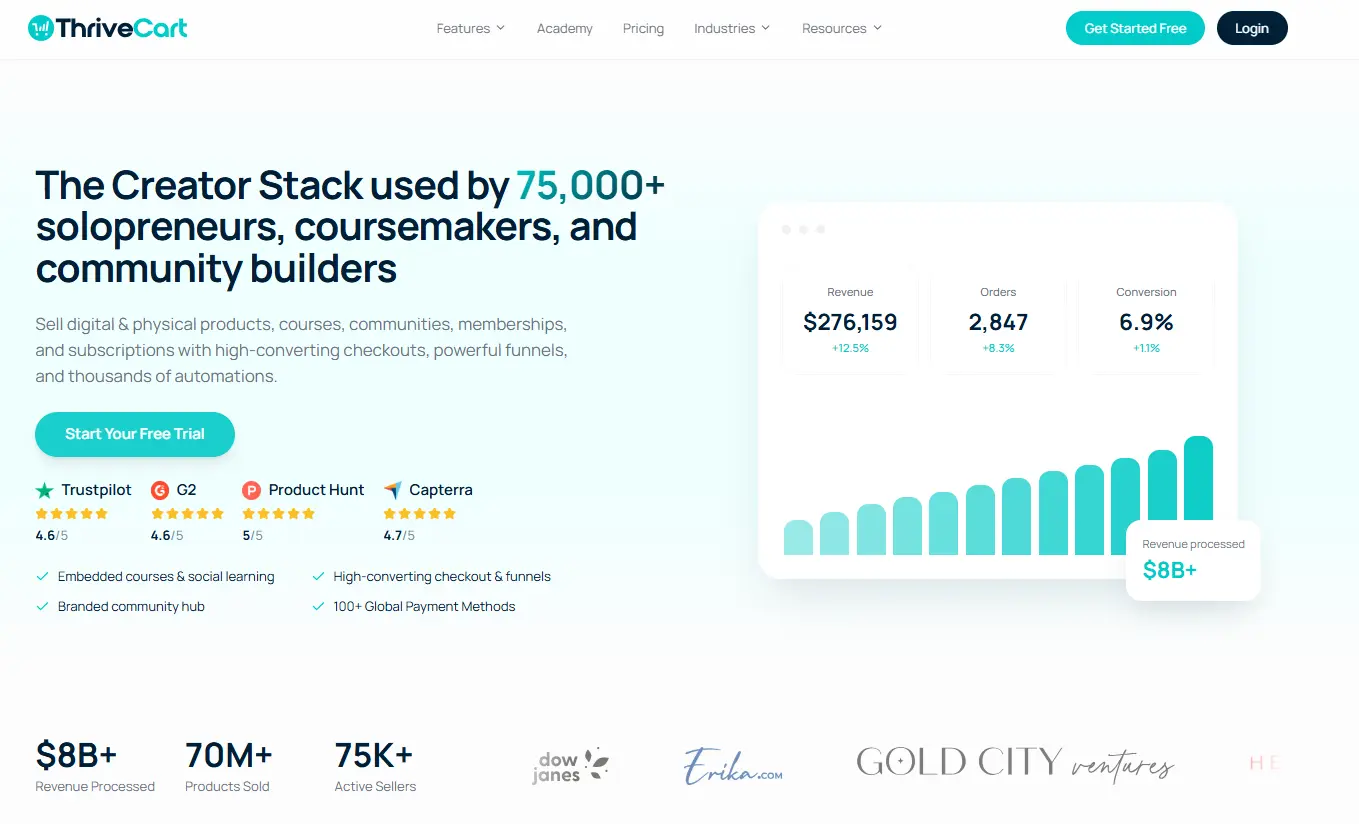
ThriveCart has also processed more than $8 billion in sales and supports more than 75,000 creators, coaches, and entrepreneurs.
So, which platform is right for you? Let’s explore!
Key insights
- Teachery’s latest feature set, Teachery 4.0, now offers more than basic course hosting, including communities, memberships, quizzes, certificates, checkout pages, upsells, and affiliate tools.
- ThriveCart offers a broader commerce system, with advanced checkout customization and revenue-boosting tools such as sales funnels, order bumps, one-click upsells, downsells, subscriptions, retention offers, Advanced Adaptive Pricing, affiliate management, and payment recovery.
- ThriveCart Academy combines courses, communities, video hosting, gamification, quizzes, certificates, and ThriveCart checkout tools in one connected platform.
- ThriveCart also has advanced compliance and global selling features, like PCI DSS v4.0.1 Level 1 certification, EU e-invoice downloads, and right-of-withdrawal tools, that Teachery doesn’t.
ThriveCart vs Teachery at a glance
Feature | ThriveCart | Teachery |
Best for | Creators who want advanced selling, checkout, affiliate, course, and community tools | Creators who want a simpler platform for building and selling digital products |
Current pricing | Standard: $47 per month, or $37 per month billed annually and inclusive of ThriveCart Academy Starter plan. Pro+: $87 per month, or $67 per month billed annually, featuring ThriveCart Academy Growth plan. Enterprise (for high-volume sellers): Price on asking. A lifetime license is also available. | $70 per month or $700 per year. There’s also a $950 lifetime-access deal but this is running for a limited time only. |
Free trial | 30 days | 14 days |
Platform fees | 0% platform fees, before payment processor fees. Some Fall 2026 automation features may have separate feature-specific success fees depending on the plan. | 0% platform fees, before payment processor fees |
Courses and students | Unlimited | Unlimited |
Communities | ThriveCart Academy Starter plan offers up to 10 communities with up to 2,000 members, Growth offers unlimited communities with up to 10,000 members. | Available in Teachery 4.0 |
Memberships | Tiered memberships, access rules, subscriptions, and community access | Memberships and access bundles |
Checkout pages | Customizable checkout pages with multiple layouts and payment options | Customizable checkout pages |
Landing pages and funnels | ThrivePages visual editor, Smart Layers, funnel templates, mobile-first pages, checkout pages, upsell pages, downsell pages, and success pages | Landing pages and checkout pages |
Order bumps | Included (one-time payment or subscription), with multiple bumps available on Pro+ | Included |
One-click upsells and downsells | Included | Upsells are included but not downsells |
Sales funnels | Funnel sequencing, automation, A/B testing, and funnel reporting | Basic sales and checkout flows, no A/B testing available |
Subscriptions | Payment plans, subscriptions, subscription bumps, upgrades, downgrades, dunning, anchored subscriptions, and retention offers | One-time payments, subscriptions, and payment plans. No retention offers. |
Affiliate management | Full affiliate center, tracking, automated payouts, commission rules, and joint venture tools | Affiliate links, commission settings, affiliate dashboards, and payouts |
Third-party integrations | Over 100 native integrations, including all major email autoresponders, plus fulfillment tools, webinar platforms, and more. | Limited |
Video hosting | Third-party embeds (YouTube, Vimeo, Wista, etc) are supported. Native video hosting is available on all subscription plans, subject to plan limits. | Third-party embeds supported. Native video hosting isn’t supported. |
Audio and file hosting | Native audio and file hosting is available on current subscription plans, subject to plan limits | External links and uploads are supported, but native hosting isn’t clearly listed |
ThriveStudio | AI and manual creative tools, with access depending on plan | Not available |
Advanced adaptive pricing | Sell one product through one checkout while showing different local prices and currencies | Not available |
Quizzes and certificates | Included | Included |
Secure payment certification | Yes, PCI DSS v4.0.1 Level 1 Service Provider certification | Not available |
EU e-invoicing | UBL XML e-invoice downloads are available for supported workflows | Not available |
EU right of withdrawal | Supported | Not available |
MCP | Currently in beta. On application. | Available |
Prices and features can change. Check each platform’s current pricing and plan pages before publishing or making a buying decision.
Also comparing to Gumroad? Check out these 5 Gumroad alternatives.
What Teachery does well
- Course lessons and sublessons
- Drip schedules and locked lessons
- Quizzes and completion certificates
- Community spaces and discussions
- Membership access
- Checkout pages and payment plans
- Upsells and post-purchase offers
- Affiliate links and commission settings
- Customer profiles and tags
- Custom domains and design tools
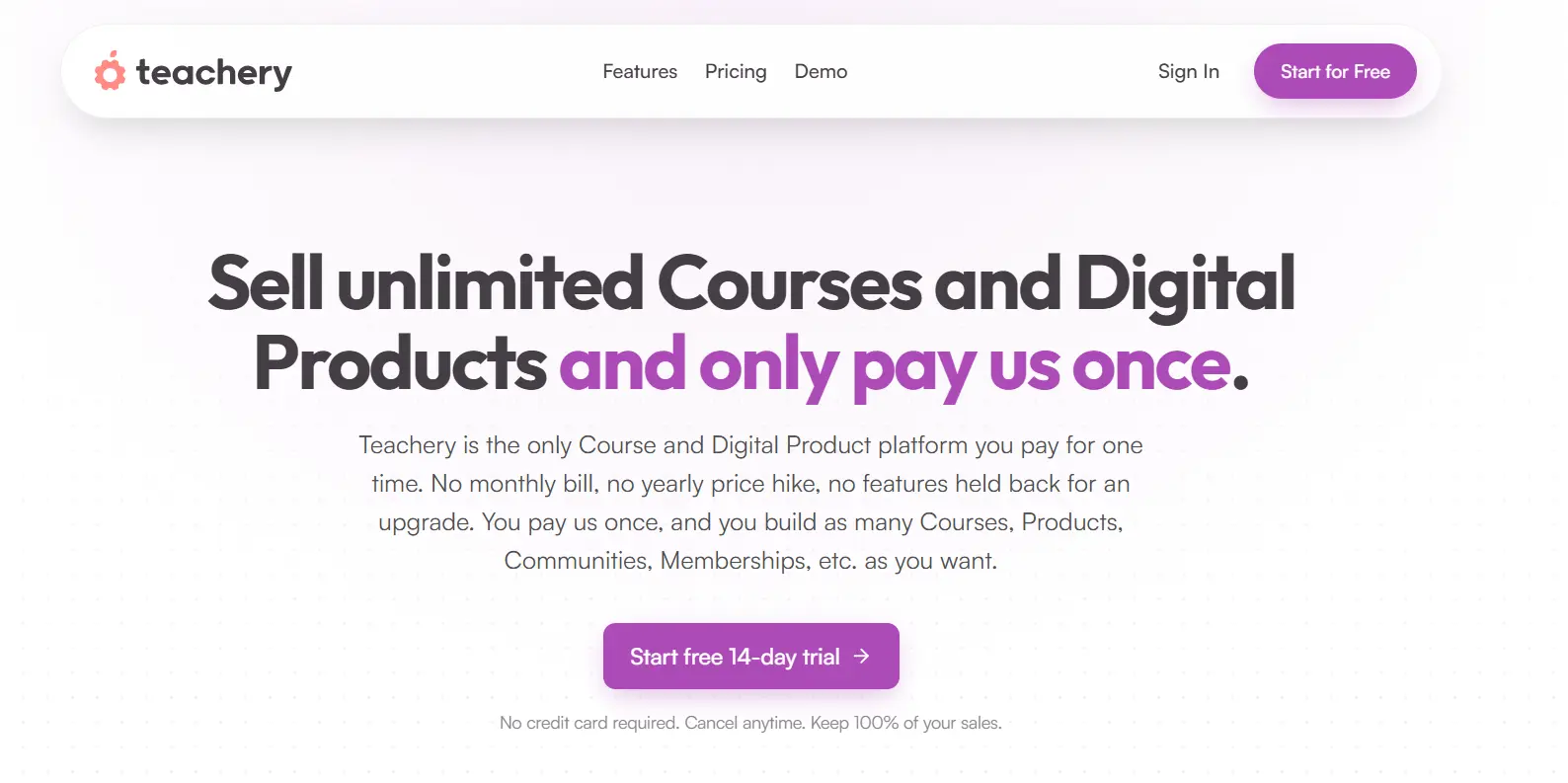
Teachery’s public feature page shows that the platform has expanded well beyond its earlier course-builder positioning. It’s now a more complete digital product platform than many older comparisons suggest.
That makes Teachery a reasonable choice if you want to:
- Build a small or mid-sized course business
- Keep your setup simple
- Create a branded learning experience
- Avoid complicated technical tools
- Pay one predictable platform fee
- Use basic checkout and affiliate features
For some creators, that may be all they need.
The question is whether you want a platform that mainly helps you create and deliver offers, or one that also helps you optimize revenue from every offer you sell.
Why ThriveCart is the stronger choice for growing creator businesses

1) ThriveCart is built around the sale, not just the course
A course platform helps you create lessons and give students access. That’s important, but it’s only one part of running an online business.
ThriveCart focuses on the full buying journey:
- The checkout page
- The landing page
- Payment plans and subscriptions
- Order bumps
- One-click upsells
- One-click downsells
- Abandoned cart recovery
- Affiliate sales
- Customer billing
- Funnel performance
- Course and community access
- Retention offers
ThrivePages makes this process easier by giving you a visual page builder for building the pages around your offer. You can create checkout pages, sales pages, upsell pages, downsell pages, and success pages in the same ecosystem.
The builder includes mobile-first design tools, a free-form canvas, pre-built templates, responsive layouts, and page importing for existing checkout pages. You can build from a blank page or start with a template and adjust it to match your brand.
This matters because you can spend weeks, or even months, creating a great course, then lose sales because the checkout is confusing, the payment options are limited, or there’s no simple way to offer the next product.
ThriveCart gives you tools to improve what happens before, during, and after the purchase. Current plans include customizable checkouts, unlimited products and funnels, order bumps, upsells, downsells, subscriptions, payment plans, sales tax tools, and Academy course and community access.
2) You get more ways to increase the value of each sale
Teachery now includes upsells and post-purchase offers. That’s a useful improvement and creates some feature parity with ThriveCart.
The difference is depth.
ThriveCart is designed around funnel optimization. Depending on your plan, you can use:
- Multiple order bumps
- One-click upsells and downsells
- Subscription bumps
- Payment plan options
- Abandoned cart recovery
- A/B testing
- Funnel templates
- Advanced funnel automation
- Subscription upgrades and downgrades
- Failed payment recovery
- Retention offers
- Affiliate and joint venture tools
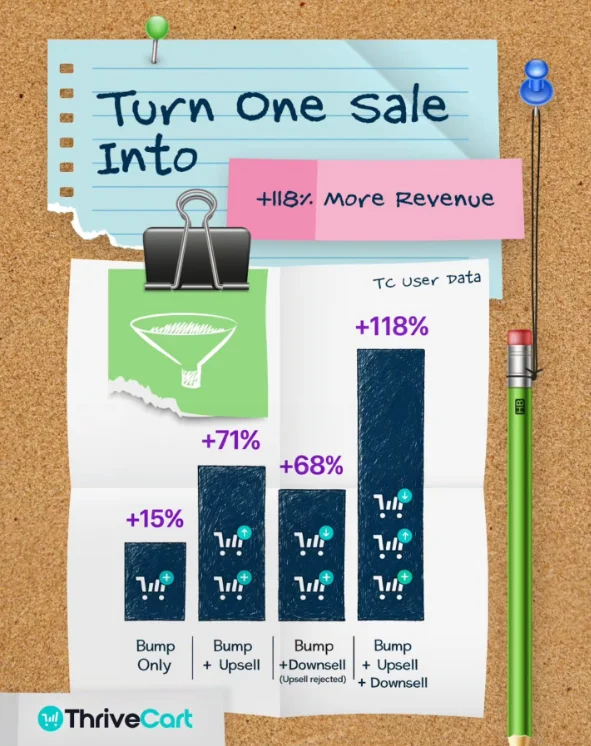
ThriveCart’s own data has shown that combining an order bump, upsell, and downsell can increase average order value by, on average, up to 118%.
The Fall 2026 release adds even more flexibility around subscriptions.
With subscription bumps, you can add an ongoing offer to the same checkout as a one-time purchase. For example, someone could buy a course and add a monthly resource library or membership at the same time.
Anchored subscriptions let you set a shared billing date for new subscribers. This can make it easier to manage memberships, group programs, or recurring services that work around a common monthly schedule.
Retention Offers can also show a subscriber a discount, pause option, or downgrade when they try to cancel. The customer still has the option to cancel, but you have another opportunity to save the relationship.
These features help you make more from the traffic you already have.
For example, someone might buy a $99 course and add a $19 workbook at checkout. After the purchase, they might see a one-click offer for a $299 coaching program.
You don’t need to pressure anyone. You’re simply making relevant next steps easier to find.
That’s the difference between a basic checkout and a revenue-focused selling system.
3) ThriveCart Academy connects courses, communities, and commerce
ThriveCart Academy is designed for creators who want more than just a library of lessons.
It brings together:
- Online courses
- Community spaces
- Discussions
- Gamification
- Quizzes
- Certificates
- Student progress
- Membership access
- Native video hosting
- ThriveCart checkout and payment tools
The goal is to give students a place to learn, participate, and discover more of your work.
That can be especially helpful if you sell:
- Coaching programs
- Group programs
- Certifications
- Memberships
- Multiple courses
- Paid communities
- Course bundles
- Workshops and digital products
Teachery also offers courses, communities, memberships, quizzes, certificates, and checkout tools in version 4.0. This is a genuine area of feature parity.
The key difference is that ThriveCart Academy is connected directly to ThriveCart’s broader commerce system. Your checkout, payment options, affiliate program, customer access, and learning experience can work together in one platform.
You can also use ThrivePages to create the sales pages that introduce your course or community before a visitor reaches checkout. This creates a smoother path from discovery to purchase to delivery.
4) More control over your funnel
ThriveCart’s Fall 2026 release adds several tools designed to make selling online more flexible.
ThrivePages
ThrivePages is a visual editor for building complete checkout funnels inside ThriveCart. It supports:
- Sales pages
- Checkout pages
- Upsell and downsell pages
- Success pages
- Lead capture pages
- Mobile-first layouts
- Funnel templates
- Smart Layers
- Videos and checkout forms
- Dynamic calls to action
- Page importing
You can use it to create a full funnel without stitching together a separate landing page builder and checkout tool.
Advanced Adaptive Pricing
Advanced Adaptive Pricing lets you use one checkout link while showing customers a local price based on their currency or region.
That can make international selling easier because you don’t need to create a separate checkout URL for every currency. You can control the exact price customers see while keeping your offer and fulfillment setup connected.
Funnel templates
ThrivePages includes an ever-expanding library of funnel templates. These can help you get started faster if you don’t want to design every page from a blank canvas.
Templates are especially useful if you’re launching your first course, building a lead magnet funnel, or setting up an upsell sequence.
ThriveStudio
ThriveStudio adds AI and manual creative tools for creating marketing and on-page visuals. Depending on your plan, you can use it to create graphics, social content, video, and other business assets without moving between several different tools.
These updates help position ThriveCart as more than a payment or checkout tool. It’s becoming a broader creator commerce platform, with tools for building the page, making the sale, delivering the product, and growing the customer relationship.
5) Native video hosting can simplify your tech stack
Video hosting is one area where pricing comparisons can become misleading.
Teachery’s current public feature information mentions rich content, media, embeds, buttons, and files. It doesn’t clearly advertise native video hosting as a core feature. Creators should confirm how video storage, delivery, bandwidth, and hosting work before choosing a plan.
ThriveCart Academy’s current plans explicitly include native video hosting. The Starter plan includes up to 100 GB of video storage, while Growth includes up to 500 GB.
ThriveCart now includes native video hosting on ThriveCart pages and funnels for eligible plans. Native audio and file hosting are also available on current subscription plans, subject to plan limits.
It’s important to note that native hosting isn’t included on every legacy lifetime plan. Existing lifetime customers should check their account and plan details before assuming that these features are included.
Native hosting means you may not need a separate video platform for your course content or sales pages.
This can make a real difference for creators who want to avoid managing several tools, such as:
- A course platform
- A checkout platform
- A video host
- A community platform
- An affiliate system
- A subscription management tool
- A landing page builder
The price of a platform isn’t just the monthly fee. It’s also the cost of the other tools you need to make the platform work.
6) ThriveCart gives you stronger checkout security credentials
When customers enter their payment information, trust matters.
ThriveCart earned PCI DSS v4.0.1 Level 1 Service Provider certification after a rigorous five-month independent audit by A-LIGN, completed in May 2026. PCI DSS Level 1 is the highest level of payment security certification available to service providers.
It’s an independent confirmation that with ThriveCart, card details go directly to the payment processor rather than being stored on ThriveCart’s own servers.
Teachery’s public materials explain that it uses Stripe for payment processing and list payment options such as Stripe and PayPal. It doesn’t hold a PCI DSS Service Provider certification.
That doesn’t mean Teachery is unsafe. It means the two companies make different public security claims, and ThriveCart provides more detailed documentation around its certification.
For creators selling high-value programs, subscriptions, or a large volume of digital products, that added transparency can help build confidence.
7) ThriveCart includes tools for international selling and compliance
Selling internationally can create extra work around invoices, tax requirements, and customer cancellation rights.
ThriveCart has recently added tools to support several of these workflows.
Its EU e-invoicing update includes downloads in the UBL XML format, a structured file format designed for software systems to read and process invoice data. This can help merchants prepare invoices for supported European requirements.
ThriveCart has also added tooling related to the EU right of withdrawal rules that apply to online B2C sales. Supported workflows can help merchants display cancellation information and provide a digital cancellation function through compatible payment integrations.
Advanced Adaptive Pricing can also help sellers set local prices from one checkout link, which is useful if you sell to customers in multiple countries/territories.
These features don’t replace legal or tax advice. You’re still responsible for understanding the rules that apply to your business. However, having the tools built into the checkout can make compliance easier to manage.
Teachery has basic tax settings, but it doesn’t currently list equivalent UBL XML e-invoicing, right-of-withdrawal, or advanced adaptive pricing tooling.

Teachery 4.0 and the importance of the transition timeline
If you’re already using Teachery, or you’re considering moving to it, there’s another detail to understand.
Teachery is transitioning existing users from Teachery 3.0 to Teachery 4.0. Existing users can migrate their courses and products, but Teachery says 3.0 will no longer be accessible after March 31, 2027. Teachery also plans to stop offering customer support for 3.0 after January 31, 2027.
This doesn’t mean Teachery is going away. Teachery 4.0 is the company’s new platform and includes many additional features.
Still, it’s important to understand that the transition may require work, including:
- Moving courses and products
- Reviewing migrated content
- Updating custom domains
- Rechecking design settings
- Rebuilding custom CSS
- Confirming student access
- Reviewing payment and affiliate settings
ThriveCart has also been transitioning users from its older Learn and Learn+ course-hosting products to ThriveCart Academy. However, ThriveCart’s current transition plan keeps Learn and Learn+ available for significantly longer, across three phases:
- New course creation remains available through 2026
- Editing courses and adding new students remains available through 2027
- Learn and Learn+ become read-only in 2028, while previously purchased courses remain accessible
In other words, both companies are evolving their learning products. The timelines and transition plans are different, so it’s worth reviewing them before you move an established course business.
Keen to compare more? Here’s the latest Kajabi pricing to help you decide if the platform is a good fit for your business.
Is ThriveCart more expensive than Teachery?
It depends on what you’re comparing.
Teachery’s current pricing page lists:
- $70 per month
- $700 per year
- $950 for lifetime access, available as a limited-time offer
Teachery includes unlimited courses, products, communities, memberships, checkout pages, and customers in its plans.
ThriveCart’s current plans include:
- Standard: $47 per month, or $37 per month billed annually
- Pro+: $87 per month, or $67 per month billed annually
- Enterprise: custom pricing
Each ThriveCart subscription includes a ThriveCart Academy plan. Standard includes Academy Starter, while Pro+ includes Academy Growth.
The plans are not exactly like-for-like.
Teachery’s limited-time lifetime offer may initially look more affordable if your main goal is to just create and deliver courses. But you may still need separate tools for:
- Advanced sales funnels
- A/B testing
- Video hosting
- Customer retention
- International pricing
- Compliance workflows
- Landing pages
- Adding creative assets
ThriveCart costs more than a basic course platform in some situations because it combines course delivery with a full commerce system.
For creators who only need a simple course platform, Teachery may be enough.
That said, ThriveCart’s Standard plan, which includes the Starter Academy license, is also designed for creators who want to get started with course creation. At $37 to $47 per month, it includes tools for creating, selling, and delivering a digital product.
For creators who want to build a larger business around courses, coaching, memberships, and digital products, ThriveCart can offer more value by reducing the number of tools you need to connect.
Which platform should you choose?
Choose Teachery if you:
- Only want a simple course and digital product platform
- Prefer a predictable pricing structure
- Like the option of lifetime access
- Don’t need advanced sales funnel testing
- Are comfortable reviewing your video hosting setup
- Want to build courses, memberships, and communities in one place
- Prefer to keep your business technology straightforward
Teachery 4.0 is a more capable product than older comparisons may suggest. It now includes many features that creators commonly look for in a course platform.
Choose ThriveCart if you:
- Want a predictable pricing structure, with flexible options including lifetime and monthly subscriptions
- Want to improve your checkout conversion rate
- Sell courses, coaching, memberships, or digital products
- Want to a faster way to build sales pages and funnels
- Need subscription management and payment recovery
- Want subscription bumps, anchored subscriptions, and retention offers
- Want native video hosting through Academy
- Want courses and communities connected to your checkout
- Need stronger international selling and compliance tools
- Want to grow without adding several separate platforms
- Want access to a visual creative studio through ThriveStudio
💡 For most creators comparing the two platforms, the decision comes down to one question: Do you mainly need a place to host your content, or do you need a system that helps you build, sell, deliver, and grow your offers? → Teachery is a solid choice for simple course delivery.
|
ThriveCart vs Teachery: The final verdict
Teachery might be appealing because it’s simple. Its 4.0 update has also added communities, memberships, quizzes, certificates, upsells, and affiliate features.
That makes it a credible option for creators who just want to build and sell digital products without a complicated setup.
ThriveCart also offers an uncomplicated, feature-rich platform for building and selling digital products, so the two products do the same thing, in different ways. ThriveCart is the better fit if your main priority is growing revenue around those products, maximizing retention and AOV, and scaling your business to six-, seven, and multi-seven-figure heights.
ThriveCart combines checkout optimization, funnel templates, sales funnels, subscriptions, affiliate management, payment recovery, tax tools, course delivery, communities, video hosting, student engagement, international pricing, and creative tools.
The biggest advantage is that you don’t have to choose between a commerce platform, a course platform, a landing page builder, and a funnel tool. ThriveCart gives you all of these pieces in one connected system.
If you’re building a serious course, coaching, or digital product business, ThriveCart gives you more room to grow.
FAQ
Q: Is ThriveCart better than Teachery?
A: It depends on what you need. Teachery is a good option for creators who want a straightforward platform for courses, memberships, and digital products. ThriveCart is better suited to creators who want advanced checkout, sales funnel, subscription, affiliate programs, compliance, and revenue optimization tools, all designed to help them scale their business.
Q: Does ThriveCart include course hosting?
A: Yes. ThriveCart plans include access to ThriveCart Academy, its community-first course platform. Academy includes course creation, student access, community features, quizzes, certificates, gamification, and native video hosting based on the plan you choose.
Q: Does ThrivePages replace a landing page builder?
A: ThrivePages is ThriveCart’s new page editor. It’s designed to help you build sales pages, checkout pages, upsell pages, downsell pages, success pages, and other funnel pages inside ThriveCart. It can reduce the need for a separate landing page builder, particularly if your main goal is to build pages connected to your ThriveCart checkouts and funnels.
Q: What new features are included in ThriveCart’s Fall 2026 release?
A: The Fall 2026 release includes ThrivePages, funnel templates, ThriveStudio, Advanced Adaptive Pricing, subscription bumps, anchored subscriptions, retention offers, native video hosting, native audio and file hosting, and EU e-invoicing tools. Feature availability depends on your plan, payment processor, and account type.
Q: Does ThriveCart charge transaction fees?
A: ThriveCart offers 0% platform fees on its plans. As with all commerce, course, and checkout tools, payment processor fees still apply, and certain features or legacy plans may have separate conditions. Some newer features may also carry feature-specific automation fees on certain plans when used. These aren’t standard transaction fees or platform fees and don’t apply to all transactions. Review the current plan and fees pages before signing up.
Q: Can I move from Teachery to ThriveCart?
A: You can easily move your courses and products to ThriveCart Academy, although neither platform offers a simple one-click import/export. You simply need to rebuild or transfer your content manually. It’s a good idea to plan the move, export your customer information, and test student access before switching fully.
Q: Is ThriveCart PCI compliant?
A: Yes. ThriveCart has earned PCI DSS v4.0.1 Level 1 Service Provider certification, which is the highest level of PCI DSS certification for service providers.
Ready to start exploring ThriveCart? Start your free 30-day free trial to see how revenue-focused features, including order bumps, upsells, downsells, courses, communities, and high-converting checkouts, can boost your business.


