
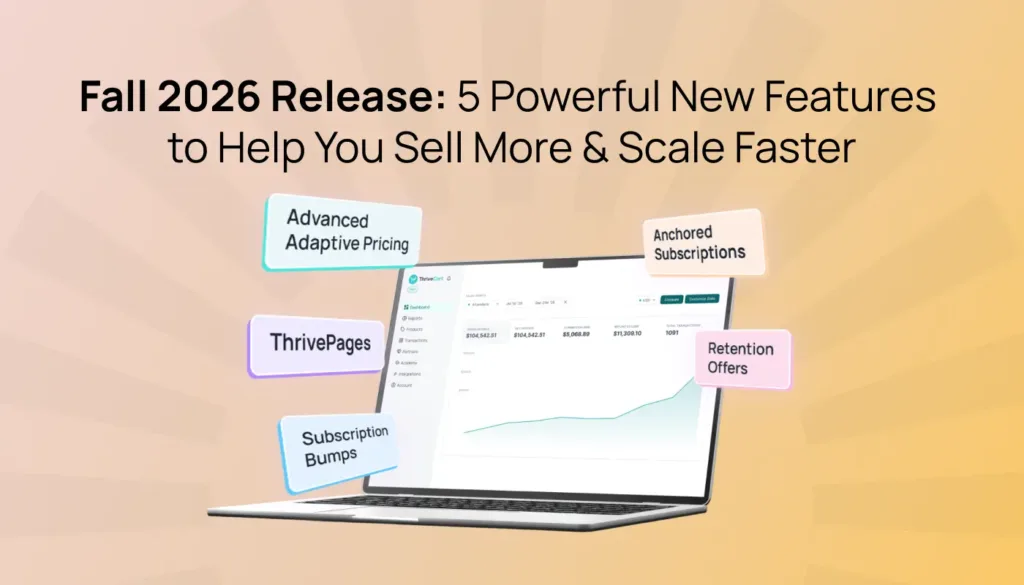

Something big is taking shape at ThriveCart this fall. We’re bringing you a collection of new solutions designed to help you sell more, simply.
The Fall 2026 release introduces:
- ThrivePages: a brand-new editing experience built around Smart Layer and a mobile-first experience to help you create high-converting checkout pages and funnels in minutes.
- Advanced Adaptive Pricing: sell globally with pricing and fulfillment that fits each local market.
- Advanced Subscription Suite, consisting of:
- Subscription Bumps: add more recurring revenue directly at checkout.
- Anchored Subscription Billing: more control over when subscribers are charged, and to help reduce failed payments.
- Retention offers: custom offers before cancellation to save more subscribers before they churn.
These new features are available to all ThriveCart customers, giving you more ways than ever to convert and retain your customers like never before.
If you’re evaluating ThriveCart for the first time, this is what a digital commerce platform should look like: powerful tools that work together seamlessly to drive higher sales for your business.
Here’s what’s new!
ThrivePages: Build, host, and sell in minutes
A great offer deserves a great sales experience.
That’s why we’ve introduced the all-new ThrivePages editor – a modern, fast, and fully mobile-optimized editor experience built around Smart Layer technology.
We’ve completely rebuilt our editor from the ground up, giving you the power to create your checkout, sales, upsells, downsells, and success pages in minutes, aided by a handy visual funnel navigation and over 80 pre-built funnel templates, optimized on 80+ million transactions resulting in over $8 billion in sales.
ThrivePages is built around a hybrid grid plus freeform editing experience, known as Smart Layers. This unique approach combines the best of both into one smooth experience, and enables full mobile-first design controls. That’s pixel-perfect placement, without any of the usual drawbacks of freeform editing.
We’re also introducing (for the first time!) video and file hosting directly on your sales pages and throughout your funnel and success pages. That means a faster experience, fewer tools in your tech stack (bye-bye Zaps) and, in future, upgrades that will bring Action & Event triggers directly in-app, allowing for CTA and other action-based reveals, intent optimization, quizzes, and dedicated lead capture pages.
Oh and did we mention it’s lightning fast? Pre-rendering means your pages load in the background before your prospect takes the next step, so everything is ready to fire as soon as they hit your CTA.
Finally, we’ve also hooked ThrivePages up to the first glimpse of ThriveStudio, a powerful suite of AI (and manual) graphic, document, and video creative tools based on PiktoAI (by Piktochart). Today, you can use AI to create and modify images, videos, and access a stock image library of over 2 million visuals. By the end of 2026, you’ll have access to the full creative suite to make (in AI or non-AI format) visuals, videos, brochures, presentations, proposals, flyers, and tons more.
So, we have big things planned for ThrivePages, and we’re just getting started!
Why it matters
With ThrivePages, you can:
- Build complete sales funnels from one visual editor
- Create checkout, upsell, downsell, and success pages in one place
- Design pages without coding
- Use mobile-specific text, alignment, sizing, and content
- Add videos, images, buttons, testimonials, countdown timers, guarantee seals, order bumps, custom and re-usable HTML blocks, and more
- Use AI-powered image and video tools to create visuals directly from inside the editor
- Host videos and file downloads directly in ThriveCart
- Keep your pages connected to your existing products, pricing, payments, and automations
- Use our page importer to move your Legacy and Enhanced checkouts to the new editor in seconds
Future updates will include full lead capture mode (so no checkout required), quizzes, internal page navigation to build full websites, and a dynamic call-to-action suite of tools.
|
Sell globally with Advanced Adaptive Pricing
Adaptive pricing can boost subscription signup conversion by an average of 4.7% and lifetime value (LTV) per session by 5.4%. These are serious numbers.
For the longest time, ThriveCart has given merchants the ability to set up checkouts in different individual currencies, using separate checkout URLs. This was functional, but clunky. Advanced Adaptive Pricing changes all this! It’s a huge upgrade, which now makes it possible to route all your currency checkouts through one master domain based on IP routing, set fixed pricing so you don’t see wild currency swings (that can drive your conversion rates lower), and offer fulfillment in different regions, independent of others. We’ll still give you the direct currency URLs too, which are great for running regional ad sets, if you want to get super granular with your prospect targeting.
This means your customers get a better experience, can pay in a currency and method local to them, and you can start setting your sights on a product pricing strategy that truly scales globally.
Why it matters
Advanced Adaptive Pricing helps you:
- Use one master URL for customers and affiliates
- Show customers their local currency
- Set the exact value you want to use in each currency, without constantly changing FX rates impacting your pricing psychology (and conversion rates!)
- Create different pricing, payment plans, bonuses, fulfillment options, and offers for different markets
- Optimize your ad campaigns at the underlying currency URL level, while your customers see the master URL path
- Track clicks, conversions, and revenue across your pricing configurations at an aggregated or currency level
This means you’re not limited to simply converting a $99 product into whatever the current exchange rate produces. You might choose to sell that product for £79 in the UK, €89 in Europe, or a different amount in another market based on what makes sense for your strategy.
You may even decide you want to sell entirely different package variants in each market, with local pricing and fulfillment to match.
You have the control to decide what price and offer make the most sense for each audience – helping to drive conversions higher.
How it works
Advanced Adaptive Pricing is available to all ThriveCart customers with Stripe Connect+ or PayPal Enhanced enabled. Setting up Advanced Adaptive Pricing takes place through a guided wizard:
- Navigate to Products in your dashboard and select the option to add a currency variant
- Choose the currencies you want to offer
- Review the suggested prices based on current exchange rates
- Adjust the prices for your strategy
- Edit master and sub-URL variants and add product tags
- Map currencies to countries using regional presets
- Set tax and fulfillment preferences
- Confirm your configuration
- Start selling globally
You can also review your configurations in one place, make changes later, and see how each currency variant is performing. If you’re about to make a product change that may impact other currencies in a set, the platform will even notify you in advance.
Even better news if you run an affiliate program: existing affiliate approvals carry over to new variants automatically, so expanding into new markets doesn’t mean starting your affiliate setup from scratch.
Adaptive pricing is broken industry-wide, so we fixed it. Ultimate control and flexibility at your fingertips. Scale globally… from your sofa.
|
Advanced Subscription Suite: Grow LTV, not just AOV
The next three features in this release are all about helping you build stronger subscription businesses and reducing churn.
Whether you want to add more recurring revenue opportunities at checkout, or reduce failed payments and churn, these updates give you more advanced control over the subscription lifecycle.
We call it the Advanced Subscription Suite.
Subscription Bumps: Add multiple recurring revenue streams at checkout
Multiple order bumps have long helped increase average order values (AOV) by up to 30% by giving shoppers more relevant offers right at checkout.
Now, we’re taking this opportunity even further with Subscription Bumps, turning those additional offers into a source of recurring revenue and increasing your customer lifetime value (LTV). Offer one or multiple subscription products and services as a bump alongside the main purchase, whether the main product is a one-time purchase, split pay, limited rebills, or an ongoing subscription.
Multiple subscription bumps can also be configured to work as ongoing subscriptions, split pay, or limited subscription rebills. The combinations are endless!
For example, you can offer a coaching community alongside a one-time course in ThriveCart Academy (or elsewhere), ongoing support alongside a digital product, membership access alongside a training program, a software or tool subscription alongside an educational offer, or a limited payment plan or split pay for a structured program.
You can configure a subscription bump as:
- An ongoing subscription, with recurring payments until the customer cancels
- A limited subscription, with a fixed number of payments
- A split-pay offer, with a defined number of installments
You can offer one or multiple of these offers simultaneously, depending on your ThriveCart plan.
Why Subscription Bumps matter
Subscription bumps help you grow recurring revenue from customers you’re already converting.
→ The timing is powerful: Your customer is already interested, already on the checkout page, and already considering a purchase. Adding a relevant recurring offer at that moment makes it easier to increase order value and build a longer-term customer relationship. You could even set this subscription bump to start as a free trial, or your main product as a free trial with a paid subscription bump, or free trial to both!
→ The experience stays simple: One checkout, one payment flow, one card entry, and clear visibility of what the customer pays today and what they’ll pay later.
And this doesn’t get in the way of the rest of your funnel. Upsells, downsells, pro-rating, rule-based access, and everything else works just as before.
After purchase, customers can manage their bump subscription separately in their customer hub. You can also use behavior rules, reporting, coupons, affiliate commissions, webhooks, and existing integrations to manage the full lifecycle.
Subscription bumps are available for eligible digital products on ThriveCart Pro+ with Stripe Connect+ enabled. Access for Standard customers is coming very soon.
| → For more, read our launch blog and our support guide on creating bump products |
Anchored Subscriptions: Reduce failed payments
When every subscriber is billed on a different day, you’re leaving failed payments due to “insufficient funds” up to chance, and while ThriveCart’s dunning and retry tooling has you covered, there is a better way.
Anchored Subscriptions let you choose one day of the month for billing. Pick any day from the 1st to the 28th, and subscribers are billed on that day each month, regardless of when they originally signed up. You can even align your billing date with when your customers are typically paid, helping payments land when your audience is more likely to have funds available and potentially reducing failed payments and churn.
You can bridge any gaps with the chosen billing date with prorated billing or offer those days for free. That’s another way to drive signups by lowering the entry point on day one.
Why it matters
Anchored billing can help you:
- Reduce failed payments by billing closer to payday
- Create a more predictable billing cycle
- Make revenue forecasting and bookkeeping easier
- Give customers clearer expectations about when they’ll be charged (helpful for higher-ticket items!)
- Align billing with the way your customers manage their budgets
- Reduce confusion around subscription payment dates
- Create a more consistent experience for memberships, coaching programs, and SaaS products
For example, if someone joins on August 18 and your billing date is the 4th, ThriveCart can handle the gap until the first full charge on September 4.
You can choose whether that gap is:
- Free: the customer gets access until the billing date at no charge; or
- Prorated: the customer pays for the partial period before regular billing begins
Your existing subscribers won’t be affected. Anchored billing applies to new subscriptions on products where you enable the feature.
How it works
Anchored subscription is available on all ThriveCart plans. To enable anchored billing:
- Open your monthly subscription product
- Go to the pricing settings
- Find the Billing date option
- Choose Anchored date
- Select a day from the 1st to the 28th
- Choose whether the gap period is free or prorated
- Save your settings
The Anchored Billing function doesn’t remove access to the default existing billing option that therefore remains available.
|
Retention Offers: Give subscribers a better reason to stay
Subscription churn doesn’t always mean a customer has stopped seeing value.
Sometimes they’re dealing with a temporary cash flow issue. Sometimes they’re too busy to keep up. Or maybe they still want what you offer, but the current plan no longer fits their needs.
ThriveCart’s retention offers give you a way to present a helpful alternative before a customer completes a cancellation.
When a subscriber clicks cancel, ThriveCart can show a customized offer alongside the option to continue canceling.
You can choose one offer type per product:
- Downgrade: Move the customer to a lower-priced plan
- Pause: Push the next billing date back by one, two, or three months
- Discount: Apply a discount to the customer’s existing subscription
If the customer accepts, ThriveCart updates the subscription using their existing payment method. There’s no new checkout and no need for the customer to enter their card details again.
If they decline, they can continue with cancellation.
Built to be helpful, not intrusive
Retention works best when customers feel respected.
That’s why the cancel option remains visible alongside the retention offer. Customers can accept the alternative if it suits them, or cancel immediately if that’s what they want.
This gives you a chance to save subscribers who simply need a different option, without making it difficult for anyone to leave.
You’ll also get reporting that helps you understand:
- How many retention offers were shown
- How many customers accepted
- Which offer types perform best
- How much revenue was recovered
- Your win-back rate over time
Note that retention offers in the cancellation flow are available to users with Stripe Connect+ or PayPal Enhanced connected.
|
EU e-invoicing: Download UBL XML invoices
UBL XML e-invoice downloads are now available to all ThriveCart users, alongside the existing PDF option. From Transactions > Invoices, download the structured file for eligible invoices generated after September 1, 2026, then share it with your accountant, accounting software, e-invoicing provider, or government-approved platform where applicable.
Note that ThriveCart provides the file but does not submit it on your behalf. Make sure your required business and customer details are included at checkout.
|
Are these features really available on all plans?
Yes! Across this release, we’ve tried to make the new features available as broadly as possible. We’ve kept core improvements widely accessible and only differentiated where there’s a clear ongoing cost to us, or where ThriveCart is directly helping generate additional revenue.
That means paid plans get improved economics and higher allowances for things like AI, hosting and certain revenue tools, while lifetime customers can still benefit from nearly all of the new functionality. The goal is to make the product better for everyone – giving growing businesses the option to upgrade as their usage and needs increase, while continuing to improve the underlying platform for customers who are happy with their current plan.

New ways to get more from ThriveCart
This bumper release is about more than adding isolated features. It’s about giving you more of the tools you need to grow an online business in one connected platform:
- Build better, mobile-responsive pages and complete funnels without adding another page builder
- Reach international customers with local pricing and region-specific offers
- Add recurring offers at the moment customers are most ready to buy
- Reduce failed payments and create predictable billing cycles for monthly subscribers
- Save more customers by offering a better next step when they’re ready to cancel
Whether you’re launching your first product, growing a membership, selling online courses, or managing a more established subscription business, ThriveCart helps you sell more, simply.
That’s what’s new this quarter, and there’s more to come. See the roadmap for more.
Not using ThriveCart yet? Grab your 30-day free trial and explore the platform and see how ThriveCart can help you create high-converting checkouts, sales funnels, subscriptions, and course and community learning experiences in one place.

Already using ThriveCart? Log in to your account and start exploring these new features today.
FAQs
Q: Do I need to rebuild my existing funnels to use these features?
A: No. These are all designed to work with your existing funnels, and ThrivePages even comes with a page importer to make the switch seamless. Advanced Adaptive Pricing and the Advanced Subscription Suite can be added to any existing setups.
Q: Why is PayPal grayed out when a customer adds a subscription bump?
A: That’s by design. Subscription bumps run through Stripe Connect+ only, because PayPal needs a separate agreement for every subscription, and that can’t happen in a single checkout, so we suggest an upsell instead. If your customer removes the bump, PayPal shows back up right away.
Q: Will anchored subscription billing change my existing subscribers’ billing dates?
A: No. Anchored billing applies to new subscriptions on products where you enable the feature. Existing subscribers continue on their original billing schedule.
Q: Can customers still cancel if I use retention offers?
A: Yes. Customers always retain the option to continue with cancellation. Retention offers are designed to present a helpful alternative, not to block cancellation.
Q: Are all these features included with ThriveCart?
A: Availability depends on the feature, your account, your product type, and your payment processor. Check the relevant support documentation for the latest eligibility and setup details. To get the most out of ThriveCart, we recommend a monthly or annual subscription to Standard or Pro+ with Stripe Connect+ enabled. For lifetime license holders, upgrading to Pro+ also unlocks other great features, like multiple order bumps, JV contracts, affiliate management, and more. Click here for more information.
About ThriveCart
ThriveCart is trusted by more than 75,000 creators and businesses worldwide, who have processed over $8 billion through the platform. ThriveCart Academy and the legacy Learn LMS have supported more than 13 million student enrollments and bring the same product expertise behind our high-converting checkout to courses and communities. Creators can use both platforms to sell, deliver, and manage their customer experience.
ThriveCart regularly adds new features and updates, so join our Facebook Community for the latest developments.
Not yet a ThriveCart customer? Get a demo or view our pricing and plans.
