

Have you ever run ads in different countries, watched people click, and then seen them leave before buying?
Often, the problem is currency. So much so that businesses that display local currency pricing see international revenue increase by an average of +17.8%, according to Stripe data. Wider research suggests that 94% of cross-border shoppers expect to pay in their own currency.
Imagine a customer lands on your checkout, sees a price in a foreign currency, and has to work out what it will cost them in their own currency. That extra step can create hesitation, particularly when they’re unfamiliar with your brand.
But currency is only part of the problem. When you sell internationally, you shouldn’t have to accept a simple exchange-rate conversion that fluctuates day on day. Or be limited to one offer for everyone – different markets can respond to different price points, payment structures, bundles, bonuses, and offers.
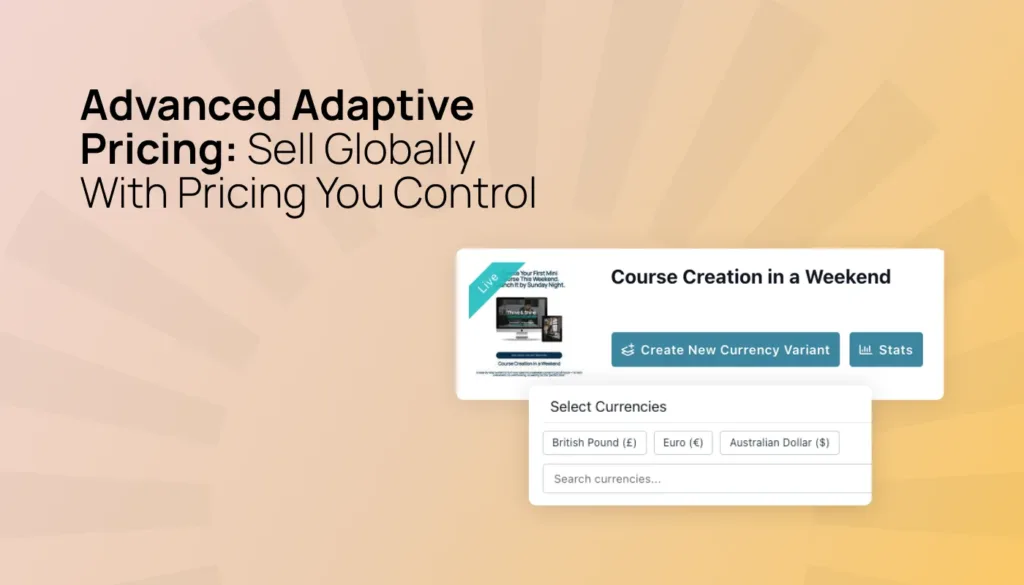
That’s where ThriveCart’s Advanced Adaptive Pricing gives merchants more control. It doesn’t just simply convert a $100 price into the local equivalent. You have the power to decide the exact price per market or region, and what you fulfil in each. Plus, you won’t wake up to see your €87 equivalent offer is suddenly €87.24 because the rates changed, crushing your conversions.
You decide what to sell, how to price it, and how to present it. ThriveCart handles the routing automatically, behind the scenes, while still giving you the underlying currency URLs for the ultimate ad targeting flexibility
Key insights, at a glance
- One URL: Use one universal checkout URL while customers are routed to the appropriate local currency.
- Ad Optimization: Route your geo-targeted ads to dedicated checkouts, while ThriveCart handles the master URL routing.
- Automation: Preserve the ad campaigns, affiliate links, emails, and funnels you already use.
- Pricing Psychology: Set the exact price for each currency instead of relying on a constantly changing exchange-rate conversion.
- Local Fulfillment: Optimize the actual amount and offer for each market, not just the currency in which it’s displayed.
- Regional Taxes: Set specific taxes by country/region, not just by product type.
Here’s how it works.
One link, multiple currencies and offers
The checkout link you’re using today, whether it appears in an ad, email, affiliate promotion, or social media profile, can stay exactly the same.
Once Advanced Adaptive Pricing is enabled, ThriveCart identifies the customer’s location and routes them to the appropriate currency-specific checkout. Someone in New York sees U.S. dollars. Someone in London sees pounds. Someone in France is served the price in euros.
The experience is seamless for the customer, and the setup is simple for the merchant.
This is especially important if you run paid advertising. Changing a destination URL can cause an ad platform to treat the campaign or ad set as new, which may mean losing some of the optimization data you’ve already built up.
With Advanced Adaptive Pricing, your main checkout URL doesn’t need to change. You can continue using the same sales funnel while expanding into new markets.
If you want more control over regional campaigns, ThriveCart can also provide dedicated currency checkout URLs. That means you can send all traffic through one master URL on your organic and social channels, while using specific geo-targeted ad campaigns directly to language- and currency-optimized checkouts.
You control the amount, not just the currency
Many multi-currency tools take a price in one currency and convert it into another using the current exchange rate. That can be useful, but it leaves an important commercial decision to chance.
A $97 product might become £76.42, €85.11, or CHF80.39. If the exchange rate changes, that price changes too. You can end up with unfamiliar price points that are difficult to communicate in your marketing and difficult for customers to remember. Your conversions can drop – even when you’ve personally changed nothing.
With Advanced Adaptive Pricing, you set the exact price for each currency yourself.
Want to sell a product for £75 in the UK? Set it to £75. Want to use €279 instead of €280? You can. Want to A/B split test whether $89 performs better than $100 for a particular audience? You control the price that appears on the relevant checkout.
Your local prices stay clean, consistent, and aligned with your strategy. They don’t automatically drift every time the foreign exchange market moves. ThriveCart will suggest starting prices based on current exchange rates, but those suggestions are only a starting point. Every price is yours to review and change.
Optimize the offer, not just the conversion rate
The biggest advantage of localized pricing isn’t simply that more people may complete checkout. It’s that you can make a more informed decision about the offer you want to put in front of each market.
The price that produces the highest checkout conversion isn’t always the price that produces the best overall commercial result.
For example, one market may respond best to:
- A lower entry price with a higher volume of sales
- A premium price with stronger revenue per customer
- A payment plan that reduces the upfront commitment
- A bundle that increases average order value
- A region-specific bonus that improves perceived value
- A different product or offer altogether
Advanced Adaptive Pricing gives you a framework for making those decisions. Instead of asking, “What is the exchange-rate equivalent of my usual price?” you can ask, “What price and offer make the most sense for this market?”
That’s a much more powerful question.
You might discover that a customer in one region needs a lower-friction entry point, while another market responds better to a premium package. You might find that a payment plan creates more total revenue than a discounted one-time purchase. Or you might decide that a particular market should receive a different bundle because the customer expectations and purchasing context are different.
The point is not to discount automatically. It’s to give you the control to make the right commercial choice.
Price each market for its own customers
Customers in different markets don’t always perceive value in the same way. Their purchasing power, expectations, local competition, preferred payment structures, and sensitivity to price can all vary.
A price that works well in the United States may not be the most effective price for customers in Europe, Australia, or South America. Converting that price mathematically doesn’t necessarily make it commercially appropriate.
With Advanced Adaptive Pricing, you can adapt your pricing strategy to the market you’re actually selling to.
That might mean using psychological pricing, such as £297 instead of £300 or €279 instead of €280. It might mean setting a more accessible price in a market where the original amount creates too much friction. It might mean charging more in a market where the product has stronger perceived value or where customers expect a higher price point.
You’re not locked into a single global price translated into different currencies. You can build a pricing structure that reflects your business goals and the realities of each market.
Build regional offers without rebuilding your funnel
Each currency-specific checkout functions as its own version of your product behind the scenes. That gives you additional flexibility beyond the headline price.
You can create region-specific variations such as:
- Different bonuses
- Localized examples or content
- Different fulfillment paths
- Region-specific products or packages
- Alternative payment plans
- Tax-inclusive or tax-exclusive pricing
- Campaign-specific offers
For example, customers in the UK might receive content using British spelling and local examples. Customers in Australia might receive a region-specific bonus. A European campaign might promote a different bundle from a U.S. campaign.
|
You don’t need to rebuild your entire business around separate international funnels. You can use the existing checkout structure while giving each market an experience that feels more relevant.
Make local pricing feel familiar
Displaying a customer’s local currency removes one of the most obvious sources of friction from an international checkout.
A customer shouldn’t have to open a currency converter, guess whether their bank will charge a foreign exchange fee, or wonder whether the final amount will be substantially different from the price they saw in your ad.
With Advanced Adaptive Pricing, they can see a clear local price from the beginning. That creates a more familiar and transparent buying experience. It also gives you the opportunity to match your offer to the market’s expectations, rather than presenting the same price and structure to everyone by default.
Taxes, handled by country or region
You can also decide whether tax is included in the displayed price or added at checkout, and configure that approach differently by currency or region.
Some markets expect the advertised price to include tax. Others are more accustomed to seeing tax added during checkout. Advanced Adaptive Pricing allows you to align your setup with local expectations, helping customers understand what they’ll pay before they complete the transaction.
|
Keep more of what you earn
There’s another potential benefit for merchants selling internationally.
If you set up currency-specific connected accounts through Stripe or PayPal to hold balances in pounds, euros, and other currencies, you may be able to avoid converting every payout back into your primary currency by linking currency accounts directly to the payment processor for payouts. That can help you avoid the additional currency conversion fee that would otherwise apply to eligible payouts.
Depending on your setup, this can save more than 1-2% on eligible transactions. The exact outcome depends on your processor, account configuration, currency, and payout arrangements.
What it actually costs
Advanced Adaptive Pricing works on a fee basis of 0%-0.25% per transaction, depending on your ThriveCart plan, and follows the applicable processor fee schedule.
There’s no additional Advanced Adaptive Pricing fee for customers who purchase in your primary currency. The fee applies when an international card, relative to your account location, is processed using Advanced Adaptive Pricing.
Here’s how it works:
Legacy Lifetime (Standard & Pro) | Pro+ Lifetime (Grandfathered) | Standard Subscription | Pro+ |
0.25% | 0.25% | 0.10% | 0.0% |
→ Refer to the fees page for full details.
|
What you need to get started
Advanced Adaptive Pricing is available to ThriveCart Standard and Pro+ users with Stripe Connect+ or PayPal Enhanced enabled.
You’ll need:
- An existing ThriveCart product or funnel
- At least one additional currency you want to support
- A few minutes to review your price and offer for each market
ThriveCart will suggest starting prices based on current exchange rates, but you remain in control of every amount and configuration.
To get started, go to Product > Adaptive Pricing in your ThriveCart dashboard.
FAQ
Q: Do I need to build separate products or checkout pages for each currency?
A: No. Advanced Adaptive Pricing uses the checkout link and funnel you already have, or you can change it, if you prefer.
Q: Will this affect my ad campaigns?
A: No. Your destination URL doesn’t need to change, so platforms such as Meta and Google can continue treating it as the same optimized link.
Q: Can I set my own prices, or does ThriveCart simply use exchange rates?
A: You set the exact price for each currency. ThriveCart can suggest a starting point, but your prices won’t automatically change with daily exchange-rate movements.
Q: Can I use different prices or offers in different markets?
A: Yes. Advanced Adaptive Pricing gives you control over the localized price and the product configuration associated with each currency. This can support different pricing strategies, payment plans, bundles, bonuses, and fulfillment experiences by market.
Q: Can I handle tax differently for different regions?
A: Yes. You can choose whether tax is collected and whether it’s included in the displayed price or added on top. These settings can be configured separately by currency or region.
Q: Can I send different content or bonuses to customers in different regions?
A: Yes. Each currency-specific version can support different fulfillment details, language, examples, or region-specific bonuses.
Q: Do affiliates need new links or approvals?
A: No. Existing affiliate approvals and custom rates carry over when you use Advanced Adaptive Pricing.
Sell globally with control over the outcome
International growth isn’t just a matter of translating a price from one currency into another.
It’s about understanding that different markets may need different prices, offers, payment structures, and buying experiences. The more control you have over those decisions, the more effectively you can turn international traffic into sustainable revenue.
ThriveCart’s Advanced Adaptive Pricing gives you that control while keeping the operational setup simple. Use one link. Route customers to the right currency. Set the amount yourself. Adapt the offer to the market. Then measure the commercial result, not just whether someone made it through checkout.
Advanced Adaptive Pricing is part of our bumper Fall 2026 update. Head to your ThriveCart dashboard to enable it.
Not yet using ThriveCart? Start a free 30-day trial and explore revenue-focused features, including order bumps, upsells, downsells, and high-converting checkouts.

