Top 8 Recurring Payment Software Tools in 2026
Last Updated: October 29, 2026

Struggling with erratic payments and never-ending subscription issues? You’re tired of chasing failed payments, dealing with random churn, and stitching together tools just to manage payments every month. Because recurring income is expected to be predictable, any added friction can quickly affect your gross merchandise value (GMV).
Nearly 27% of consumers are likely to cancel their subscriptions if service is interrupted by failed payments. And that’s revenue you already earned.
Recurring payment software is what keeps subscription income stable. It helps you manage payments across the entire customer lifecycle, handles billing cycles, retries failed payments, manages upgrades and cancellations, and provides clean reporting. However, not all tools do this well, and some actually add unnecessary complexity.
Key takeaways:
- Choosing a recurring payment system affects your bottom line. Good automation and revenue recovery help reduce churn and lost revenue.
- Some tools require developers or ongoing costs, so plan around your resources and technical needs.
- ThriveCart stands out for making recurring billing and membership support simple without heavy monthly fees.
Simplify subscription billing and grow your revenue with ThriveCart.

Why is recurring payment software essential
Subscription-based pricing isn’t just for SaaS anymore. You see it everywhere now, from memberships and coaching programs to content libraries and digital products with ongoing access.
But recurring revenue only works if billing runs smoothly.
Common issues businesses run into:
- Expired cards that stop payments without warning
- Customers are stuck on the wrong plan
- Manual fixes that waste hours every month
- Reporting that doesn’t match what hits the bank
A good recurring payment software handles these problems automatically. The right platform maintains steady cash flow, reduces administrative work, and provides clearer insights into monthly revenue.
→ RELATED READING | ‘16 Tips to Streamline Your E-commerce Checkout Experience‘
How do you handle recurring billing, dunning and failed payments?
Handle them in this order: automatically retry failed charges, email customers about the decline (dunning), make updating a card easy, set a clear rule for when access ends, and track what you recover. Nearly 27% of consumers say they’re likely to cancel if failed payments interrupt their service, so recovery is worth setting up early.
- Retry failed charges automatically. Cards fail for temporary reasons, like an expired card or insufficient funds. Set a retry schedule so one decline doesn’t end a subscription. ThriveCart’s failed-payment retry workflows and Chargebee’s retry logic both handle this.
- Send dunning emails. Dunning is the sequence of reminders sent after a payment fails. Tools like Zoho Subscriptions include dunning management, and ThriveCart pairs decline management with your connected email platform.
- Make it easy to update a card. Link directly to a payment-update page in every reminder, so customers fix the problem in one click.
- Decide what happens when retries run out. Choose whether to pause or cancel access. ThriveCart ties billing to membership access, so access can follow payment status.
- Track recovery and churn. Check how many failed payments you win back and how many subscribers leave. ThriveCart’s dashboards show retention, lifetime value and subscription metrics.
Top tools to manage recurring payments
1) ThriveCart – recurring billing made easy
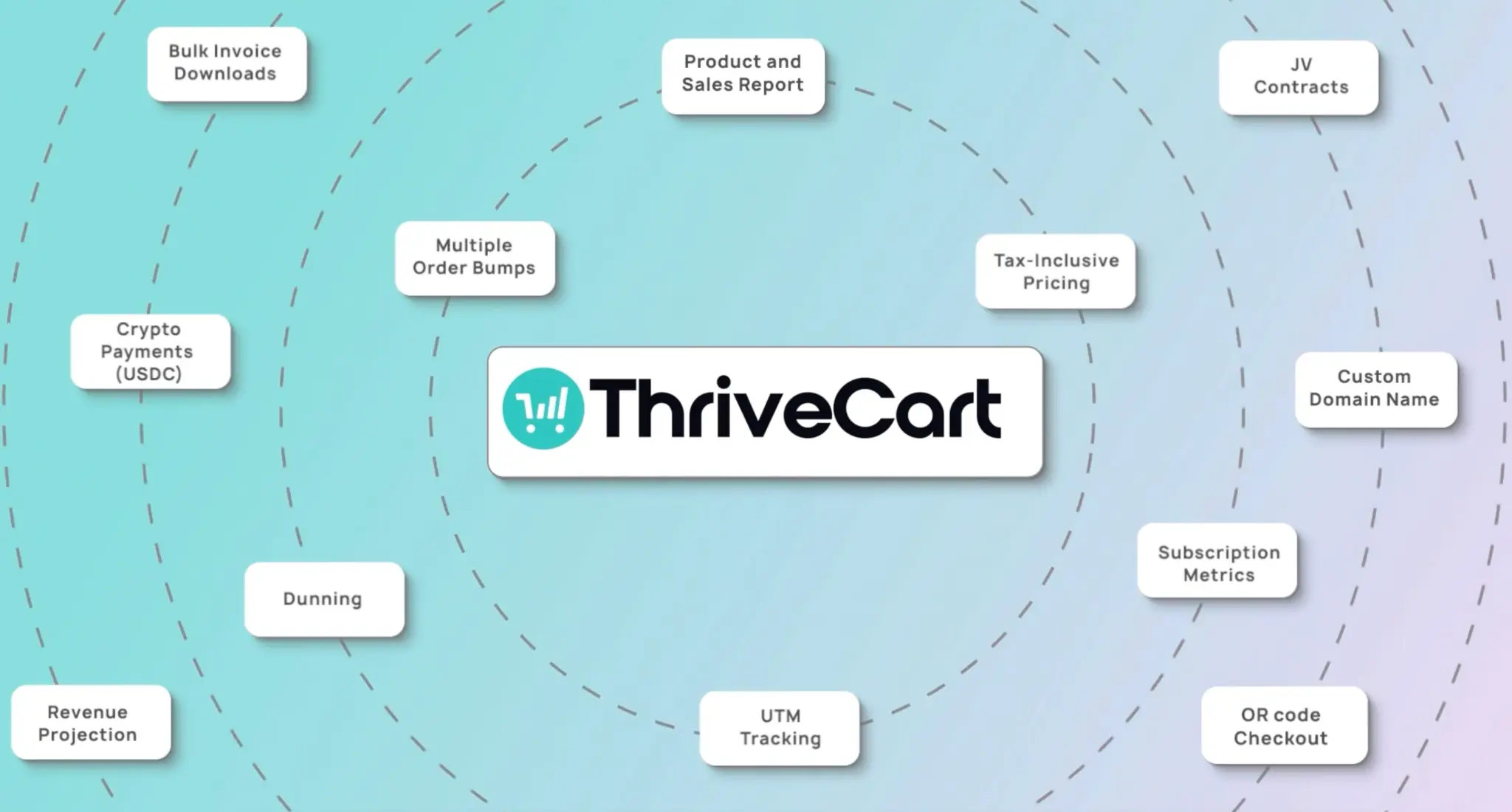
If you want to automate billing without getting bogged down in detail, ThriveCart offers recurring billing capabilities that integrate with membership access, structured checkouts, analytics, and decline management. While not strictly billing software, ThriveCart’s ecommerce capabilities, which offer specialized features for coaches and course creators, allow users to focus on revenue generation.
→ For a direct SamCart vs ThriveCart look at recurring billing features, see our comparison.
What it offers:
- Set schedules, handle upgrades/downgrades, and apply proration.
- Access workflows for retrying failed payments and reducing churn.
- Make payment collection feel more complete via funnels with checkouts, upsells, and downsells.
- See retention, lifetime value, and subscription metrics with easy dashboards.
- Integrate the platform with major tools so you can support multiple payment methods and your existing stack.
Pricing:
ThriveCart’s offers both a one-time lifetime as well as affordable monthly pricing, giving creators, coaches, and entrepreneurs payment flexibility, alongside features like revenue-boosting checkouts, courses, communities, gamification, and more. This is Great for recurring subscriptions with membership and structured billing workflows.
Best suited to:
ThriveCart is ideal for subscription businesses, membership sites, digital products, and content creators.

2) Chargebee – recurring with automation but scaling costs
Chargebee is a subscription billing tool focused on recurring workflows.
What it offers:
- Automated billing and retry logic for declines.
- Reporting and insights for subscription metrics.
Pricing:
- Starter: Free up to $250K in cumulative billing, then 0.75% of revenue.
- Performance:$599/month (billed annually) + 0.75% overage after thresholds.
Limitations:
Costs can increase quickly as your usage grows or as you move into higher revenue tiers. For smaller businesses, this can mean paying noticeably more over time, sometimes sooner than expected. Additionally, setting up custom templates or less common billing flows may require extra configuration and manual setup.
3) FreshBooks – simple recurring invoicing
FreshBooks is accounting software that supports recurring invoices and automatic charges for services.
What it offers:
- Basic scheduling for invoices and reminders.
- Unified accounting and billing in one tool.
Pricing:
- Lite: $21/month
- Plus: $38/month
- Premium & above: $65/month or higher
Limitations:
It’s not built as subscription billing software and lacks workflows for tasks such as decline management or membership access. You won’t find structured upsells, retention tools, or advanced analytics here.
4) Paddle – merchant of record with compliance trade‑offs

Paddle acts as a merchant of record, handling global tax and billing obligations on your behalf.
What it offers:
- Centralized management for taxes and compliance across regions.
- Recurring billing that includes tax handling.
Pricing:
- 5% + $0.50 per transaction on sales (includes payments, tax handling, and compliance).
- Custom rates are possible for larger volumes.
Limitations:
The merchant-of-record model means you pay higher fees and lose some control over checkout experiences and payment details. It’s less flexible for custom billing logic and not designed to offer multiple payment options beyond its framework.
→ HANDPICKED FOR YOU | ‘9 Best Payment Gateways for Your Business‘
5) PayPal –easy subscription setup but limited features
PayPal is a global online payment platform that supports subscription billing, allowing businesses to set up recurring plans and automatically charge customers through their PayPal accounts or linked payment methods.
What it offers:
- Easy setup with your PayPal business account.
- No recurring license fees; you pay transaction costs only.
Pricing:
- This varies by country and payment type, so it’s best to check the website.
Limitations:
Automation and customization are more limited compared to dedicated subscription platforms. While PayPal handles basic recurring billing and retries, advanced workflows, deeper analytics, and proactive failed-payment management may require manual effort or additional tools.
6) Stripe Billing – flexible but technical
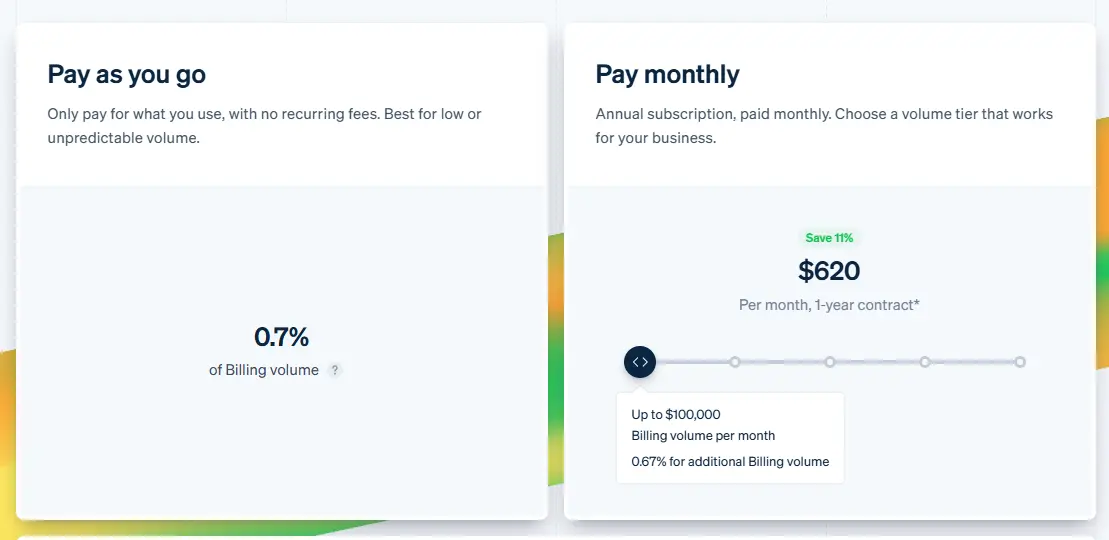
Stripe Billing extends Stripe’s payment-centric core with subscription features you can build into your own app or service.
What it offers:
- API‑first subscription billing
- Multiple payment gateways
- Tax and compliance
Pricing:
- 0.7% of recurring billing volume for subscription billing features
- $620 per month for an annual subscription
Limitations:
You’ll need developers to implement and customize workflows, since Stripe Billing provides APIs rather than built-in membership access or upsell paths. Pricing is usage-based, offering either a pay-as-you-go option or a monthly plan with standard payment processing fees applied separately, so costs can accumulate as volume increases.
Did you know? Stripe Connect+, exclusive to ThriveCart, is the default payment processor across all ThriveCart plans. It offers a potential +18% revenue boost and integrates easily, so your Stripe Capital loans and account history are carried over.
7) Zoho Subscriptions/Billing – affordable but basic
Zoho Subscriptions provides recurring billing with a simple interface and integration with the Zoho ecosystem.
What it offers:
- Recurring schedules with dunning management.
- A customer portal for self‑service.
Pricing:
- Standard: $29/month (per organization)
- Premium: $69/month (per organization)
- Enterprise: Custom pricing per organization.
Limitations:
Zoho Subscriptions is designed for simplicity and ease of use. Teams looking for highly advanced analytics, deeply customizable retention workflows, or complex decline-recovery logic may find it best suited as a straightforward billing solution rather than a highly specialized optimization platform.
→ WANT TO GO DEEPER? READ THIS! | ‘7 Best Subscription Website Builders‘
8) Zuora – enterprise subscription system
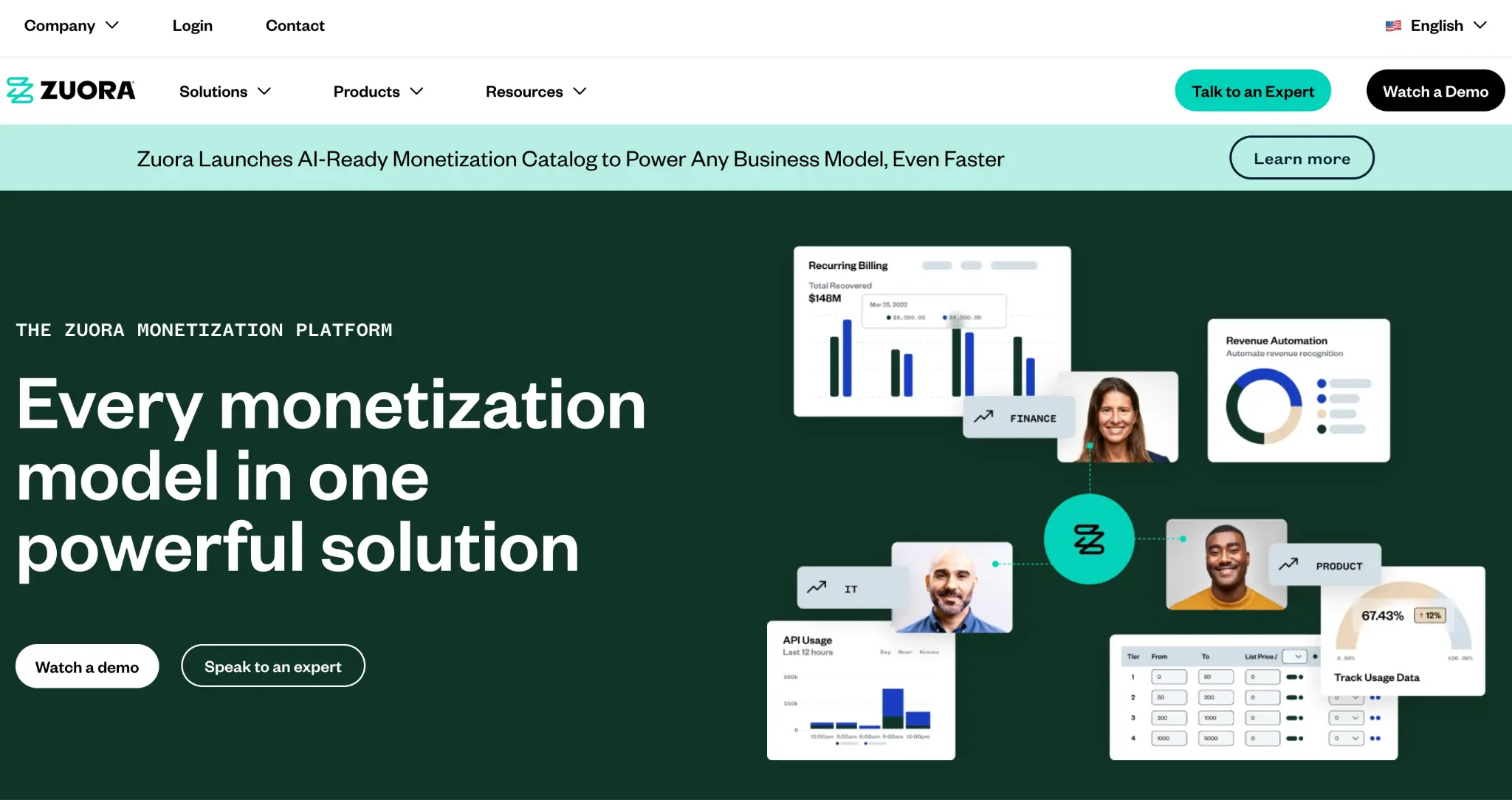
Zuora supports larger enterprises with their subscription billing systems.
What it offers:
- Controls for hybrid pricing models and usage-based billing.
- Tools for managing complex subscription models across units.
Pricing:
- Professional/Enterprise: custom pricing
Limitations:
Implementing and maintaining Zuora involves a substantial investment in time and expertise. It’s costly and typically out of reach for small and mid‑sized teams without dedicated billing specialists.
Take control of your entire customer lifecycle with ThriveCart’s powerful recurring payment software.
Quick comparison of recurring payment software tools
| Platform | Recurring billing | Membership support | Automation & retry tools | Pricing style | Limitations |
| ThriveCart | ✅ | ✅ | ✅ | One‑time + optional upgrades | Lacks a built-in email platform but integrates several platforms |
| Chargebee | ✅ | ⚠️Via integrations | ✅ | Tiered monthly and annually for a lower price | Cost scales are steeper |
| FreshBooks | ⚠️Basic | ❌ | ⚠️Limited | Subscription billing | Very basic |
| Paddle | ✅ | ⚠️Limited | ⚠️Moderate | 5% + 50¢ per checkout transaction | Higher fees; less control |
| PayPal Subscriptions | ⚠️Basic | ❌ | ⚠️Minimal | Monthly subscription fees with standard payment processing fees per transaction | Limited automation |
| Stripe Billing | ✅ | ❌ | ⚠️Requires setup | Pay as you go or pay monthly | Technical setup, not membership |
| Zoho Subscriptions | ✅ | ⚠️Limited | ⚠️Basic | Tiered monthly and annually | Basic features |
| Zuora | ✅ | ⚠️Custom | ✅ | Enterprise pricing | Complex and costly |
What is the best recurring billing software for subscriptions?
The best option depends on who you sell to and how technical your team is. ThriveCart suits creators, coaches and membership businesses. Chargebee and Zuora suit larger subscription companies. Stripe Billing suits teams with developers. Here’s where to buy each one and what it costs:
- ThriveCart: Buy direct on the ThriveCart pricing page. Offers a one-time lifetime option and monthly pricing.
- Chargebee: Buy at chargebee.com. Free up to $250K in cumulative billing, then 0.75% of revenue. The Performance plan is $599/month, billed annually.
- FreshBooks: Buy at freshbooks.com. Plans start at $21/month (Lite), then $38 (Plus) and $65 or more (Premium).
- Paddle: Buy at paddle.com. 5% + $0.50 per transaction, with taxes and compliance included.
- PayPal: Set up inside your PayPal business account. No license fee, only transaction costs, which vary by country.
- Stripe Billing: Buy at stripe.com. 0.7% of recurring billing volume, or $620/month on an annual plan.
- Zoho Subscriptions: Buy at zoho.com/subscriptions. $29/month (Standard) or $69/month (Premium), with custom Enterprise pricing.
- Zuora: Contact Zuora’s sales team for custom Professional or Enterprise pricing.
Compare the full feature breakdown in the table above.
What do SaaS businesses need for recurring payments: customer portals, usage-based billing and multi-currency?
SaaS billing goes beyond charging a card every month. These are the four things to look for:
Self-service customer portals
A portal lets customers update their card, download invoices and change plans without contacting support. That means fewer support tickets and fewer failed payments. Zoho Subscriptions includes a self-service customer portal.
Monthly vs annual billing
Offer both. Annual plans bring in cash upfront and reduce churn, while monthly plans lower the barrier to sign up. Your billing tool should handle plan switches and proration when customers move between the two. ThriveCart supports upgrades, downgrades and proration.
Usage-based billing
If you charge by seats, API calls or storage, you need a tool that meters usage and bills for it. Zuora supports hybrid and usage-based pricing, and Stripe Billing can handle it through its API, though it needs developer work.
Multi-currency and contractor payments
If you sell globally or pay contractors on a recurring basis, check that your tool supports the currencies you need, handles tax, and offers local payment methods. Paddle takes on global tax obligations as merchant of record, while Stripe Billing offers multiple payment gateways and tax tools.
FAQs
What’s the difference between a payment gateway and recurring billing software?
A basic payment gateway just handles transaction processing. In contrast, recurring billing software schedules charges, manages downgrades/upgrades, and helps with retention tasks.
Can these tools handle multiple payment methods?
Most of the tools listed support a variety of cards and digital wallets, but the depth of support varies. Services like ThriveCart support more payment options than simpler alternatives.
Do I need technical resources to use them?
It depends. Tools like ThriveCart are designed to be user-friendly, whereas others, such as Stripe Billing or Zuora, typically require developers for custom workflows.
→ KEEP READING | ‘Building Customer Loyalty with ThriveCart: Retention Strategies That Work‘
Parting thoughts
Choosing the right recurring payment software can make or break your subscription business.
ThriveCart stands out because it combines simplicity with powerful automation. Its structured checkout flows, analytics dashboards, and membership support give you control over your entire customer lifecycle – all for a one-time fee, not steep monthly costs. Plus, it integrates seamlessly with email platforms and other tools.
For any subscription business, from creators and coaches to SaaS providers, ThriveCart makes managing recurring payments easier. It lets you focus on growing your revenue and building stronger customer relationships.
 Jared Orlin
 is a senior content leader with over 15 years of experience driving content strategy, brand storytelling, and digital marketing across the U.S., UK and South Africa. As ThriveCart's Content Manager, he works with internal teams, including Leadership, Product, Engineering, Customer Service, and Support, to create clear messaging and updates around product updates, creator how-to guides, industry trends, and customer success stories. Follow Jared on LinkedIn.