
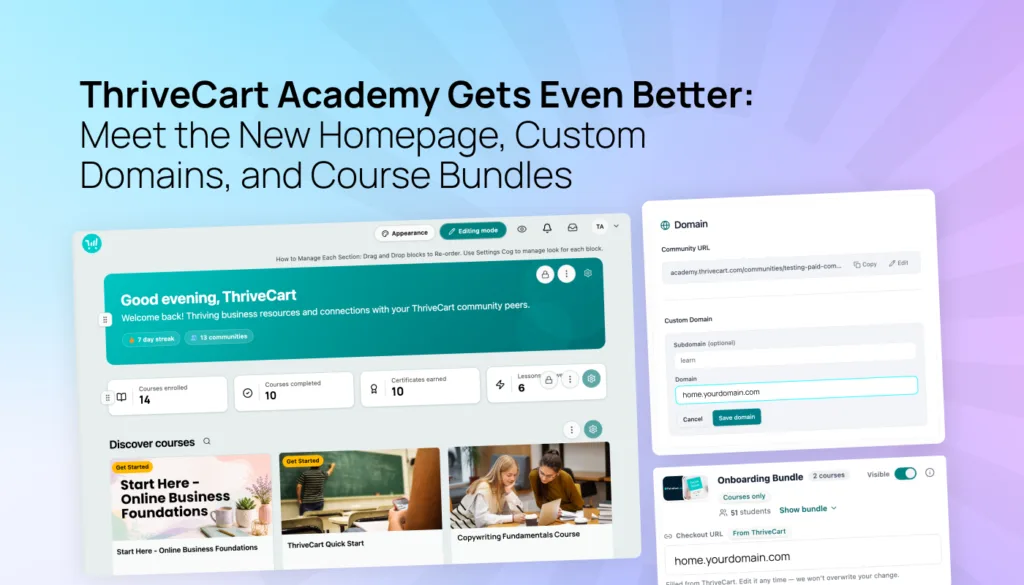
ThriveCart Academy Gets Even Better: Meet the New Homepage, Custom Domains, and Course Bundles

Your courses deserve a learning experience that feels as custom as the content you create. Now, you can make that experience feel even more polished.

ThriveCart Academy continues to evolve into a powerful, branded home for courses and communities, giving more control over how students discover, navigate, and engage with content.

With this latest release, you can create a more personalized Academy experience, put your brand front and center, and make it easier for students to find the courses they want to take.

What’s new?

  • A new customizable homepage – create a welcoming first impression, specific to each member, with a tailored experience from the very beginning.
  • Custom domains – give your Academy its own branded web address, creating a more seamless experience for your students.
  • Better course organization and bundles – organize your growing course library into clear collections.


Whether you’re building your first course or growing an established learning business, these updates give you more ways to turn your Academy into a destination that feels unmistakably yours.

As a reminder, ThriveCart Academy is included in ThriveCart checkout plans, and a 30-day free trial is available on subscription plans for new customers.

A teal button with the words Get Started FREE with ThriveCart on it in white letters

What is ThriveCart Academy?

If you’re new to ThriveCart, Academy is a community-first learning platform built to help you bring courses, conversations, content, and commerce together in one branded experience.

Instead of sending students between separate tools for course content, community discussions, and purchases, ThriveCart Academy gives them one place to learn, connect, and make progress, fulfilled immediately after the sale, with ongoing gamification and monetization paths within the platform itself.

For example, students can:

  • Access their courses and communities from one account
  • Continue lessons within a social learning environment
  • Take part in community discussions, Q&A, and event-based activities
  • Track progress with quizzes, achievements, experience points, and hot streaks
  • Discover additional courses and communities to continue learning uninterrupted


For creators and coaches, that means less fragmentation and a more connected way to deliver your entire learning experience.

ThriveCart Academy plans are available through ThriveCart licenses:

The different ThriveCart plans, Standard, Pro+ and Enterprise and what features are included

All subscription plans currently include a 30-day free trial.

A teal CTA button with the words 'Explore ThriveCart Academy'

What’s new in ThriveCart Academy?

This release focuses on three core areas:

  • A new customizable homepage
  • Custom domains
  • Better course organization and bundles


Let’s dive in!

New homepage: Custom navigation & sales engine

The new homepage is the first screen students see when they log in. 

For course creators – it gives you a fully flexible way to shape that experience around your brand, your content, and the journey you want students to take.

For students – it gives clear paths to the courses and communities they are a member of, as well as welcome messages and information on additional materials on offer.

It’s easy to create and amend the homepage. No coding skills are needed. Simply start by choosing from configurable content blocks, then arranging and styling them to suit your needs. Changes save automatically, so there’s no separate publishing step to manage.

Stylized diagram depicting the new ThriveCart Academy homepage

Make it easier for students to find what matters

The new homepage can bring the right content forward for each student, including:

  • A welcome banner with personalized messaging
  • Course and community lists based on each student’s access
  • Progress information and resume options
  • A “Jump Back In” experience that helps students continue from their next lesson
  • Discovery areas for courses and communities they haven’t joined yet
  • Video, text, HTML, and custom content blocks
  • Mobile-friendly layouts, including carousels and vertically stacked content

Stylized diagram depicting the new ThriveCart Academy homepage
And the best part?
You can add or remove anything you like! The homepage supports up to 10 blocks. Built-in blocks can be hidden, while additional blocks can be deleted or rearranged as your priorities change.

The end-result? Students spend less time searching and more time consuming your content. Returning students can quickly pick up where they left off, while new opportunities can be presented without making the experience feel overwhelming. 

💡 Tip: You can also hit the preview button at any time to see how it looks for students.

Extra: Turn your homepage into part of your sales journey

The new homepage isn’t just useful for enrolled students. Discovery blocks can showcase additional courses and communities, with ThriveCart checkout links connected directly to your calls to action (CTAs).

That creates a more natural path from discovery to purchase. Students can find something new, understand what it offers, and take the next step without having to leave the Academy experience.

You can also add your own messaging, promotional content, and branded CTAs, giving your homepage a role in both student engagement and ongoing growth.

Custom domains: Your space, your brand

A learning experience feels more premium when it lives under your brand.

A dark blue background showing custom domain stats. The text across three columns reads as follows: 46% of small businesses report that a custom domain directly increases their business credibility. Mobile users are 2× more likely to trust websites that use a branded custom domain rather than a generic subdomain. 20-45% higher click-through rates occur on marketing campaigns and landing pages that use custom branded domains compared to generic subdomains.

With custom domains, you can replace the standard ThriveCart Academy address with a branded subdomain such as:

learn.yourwebsite.com

That gives students a more consistent experience from the moment they click through to your Academy. It also makes your learning environment easier to recognize, remember, and share.

Custom domains can be configured at different levels:

  • Account level: Apply a domain across your Academy by default
  • Course level: Use a specific domain for one course
  • Community level: Use a specific domain for one community

Stylized diagram depicting ThriveCart Academy custom domains This gives you flexibility as your business grows. You might use one main learning domain for your Academy, then create a more focused brand name and experience for a specific course or community.

Custom domains are available on ThriveCart Pro+ and ThriveCart Enterprise plans. Note: grandfathered Learn+ users will also retain access to custom domains.

💡 Tip: ThriveCart provides set-up guidance for connecting your subdomain, and SSL is handled as part of the Academy setup process. DNS changes can take time to propagate, so allow up to 24-48 hours for the domain to become fully available. Custom domain availability and behavior can vary by account and rollout status, so confirm your setup before sharing a new domain with students.

Stylized diagram depicting ThriveCart Academy custom domains

Course & community bundles: Boost average order values

The number-one way to increase AOV through ThriveCart’s funnel technology is to add an order bump, upsell, and downsell to capture the full value from your prospects. It’s so powerful, it’s proven to increase AOV by up to 118%

In close second spot is bundled content and bundled access. Now, ThriveCart Academy lets you do just that.

You can create brand-new bundles or import existing ThriveCart Learn+ bundles into ThriveCart Academy through account sync, helping long-standing creators on the legacy ThriveCart LMS system, Learn+, migrate bundle names, course relationships, enrollments, and associated purchase links.

Stylized diagram depicting ThriveCart Academy bundles

This can make the transition to ThriveCart Academy more familiar for creators who already sell multiple courses together. It also gives you a clearer view of how your course catalog is structured as you continue building your learning experience.

And the fun doesn’t end there! You can showcase your bundles in your brand-new homepage Discovery section. The monetization paths are truly endless.

💡 Tip: Bundle capabilities will continue to expand. Editing imported bundles, granting access to grouped ThriveCart Academy courses, and linking bundles directly through ThriveCart product fulfillment are still being developed. For now, avoid treating course collections as a replacement for bundle access rules, and confirm your intended bundle workflow before launch.

Stylized diagram depicting ThriveCart Academy bundles


Organize, organize & more organization

We get it… Organizing your folders is the digital equivalent of eating your vegetables. 

As your course business grows, your students need an easy way to understand what’s available.

ThriveCart Academy gives you two related but distinct ways to manage your course library. We’ve already explored bundles, perfect for multiple products in an initial sale; now it’s time for collections.

Course collections are an organizational tool that helps you group courses into categories such as:

  • Beginner courses
  • Advanced courses
  • Certification programs
  • Topic-specific learning paths
  • Courses for different audiences or membership levels

Courses assigned to a collection appear together, while ungrouped courses remain available in a default section. This gives students a clearer view of your content without forcing you to rebuild your course structure. It can also make a growing catalog feel more intentional and easier to navigate.

💡 Tip: Course collections are for organization only. They don’t change enrollment or determine who can access a course. So, Collections are perfect for organizing once a student is enrolled, whereas Bundles get them in there in the first place.

Key takeaways

This release has focused on:

  • More personalization – students see relevant content and progress when they log in
  • More customization – because your Academy can use your branding and domain
  • More profitable – bundles unlock a new world of grouping and scaling
  • More organized – students can navigate your course library more easily
  • More connected to your business – in-platform discovery and checkout take place seamlessly
  • Easier to scale – add courses, communities, and learning paths in a unified student journey


Together, these reinforce what makes ThriveCart Academy different: learning, community, and commerce working together in one place.

Ready to create a better student experience?

Whether you’re launching your first course or growing an established education business, ThriveCart Academy gives you a more connected way to teach, engage, and sell. If you’re already using ThriveCart Academy, these features are live and available. For more information, check out the customer support documentation on getting started with ThriveCart Academy.

Not using ThriveCart yet? Start your 30-day free trial and explore the ThriveCart Academy experience included with your ThriveCart plan. With Academy Starter included in Standard and Academy Growth included in Pro+, you can begin building a branded learning environment without adding another disconnected platform to your tech stack. 

Start your 30-day free trial today.

A teal button with the words Get Started FREE with ThriveCart on it in white letters

Other articles you might find interesting

August 31-September 6, 2026 Platform Updates & Fixes: Academy Fulfillment, Drip Content, & Course Creation UX

Explore ThriveCart and Academy updates released August 31-September 6, 2026, helping make checkout, course management, and fulfillment smoother.
Read Article

13 Creator & Digital Marketing Events Worth Attending in 2026

A round-up of the best digital marketing events for creators, coaches, and entrepreneurs to attend
Read Article

August 24-30, 2026 Platform Updates & Improvements: Enhanced UX, Reporting, Course Creation, Asset Management & More

Explore ThriveCart and Academy updates released August 24-30, 2026, helping make checkout, course management, and reporting smoother.
Read Article

ThriveCart Introduces EU E-Invoice Downloads With UBL XML Support

ThriveCart adds support for EU e-invoicing downloads in the UBL XML format. Here’s how it works.
Read Article

Ready to grow your business with ThriveCart?

Whether you’re launching your first offer or optimizing your 10th funnel, ThriveCart gives you the tools, control, and leverage to grow a business that’s built to last.