
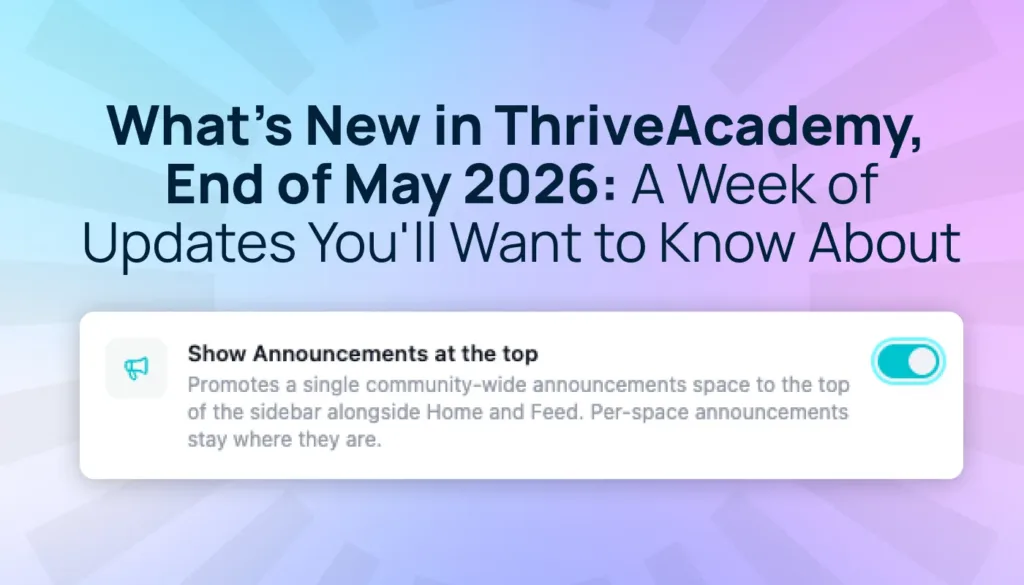

Since launching ThriveAcademy, the feedback from creators has been incredible and we’ve been listening to every bit of it. The team has been shipping improvements every day based on what you’re telling us, and this past week has been one of the biggest batches yet.
Below is a rundown of everything that’s live right now. Nothing needs reconfiguring. Log in and it’s all there.
Build a course-first community without turning on everything at once
One of the most common requests we heard post-launch: “I just want to deliver my course. I’ll add the community features later.” We’ve made sure that your migrated courses don’t need a full community setup to go live.
When courses migrate from the legacy LMS to ThriveAcademy, they now migrate as self-contained learning experiences. Your students can access their content without you needing to configure community spaces, gamification, or social features first. Simply link your ThriveCart product in course settings, and purchases grant access. This ensures you can:
- Launch lean with just your course content
- Add community features when you’re ready for them
- Configure your communities when you’re ready, not before anything goes live
👀➡️ YOU MIGHT ALSO LIKE | ‘Introducing ThriveAcademy: Transform Your Courses Into Thriving Social Learning Networks‘
Announcements are now pinned to the top of your community
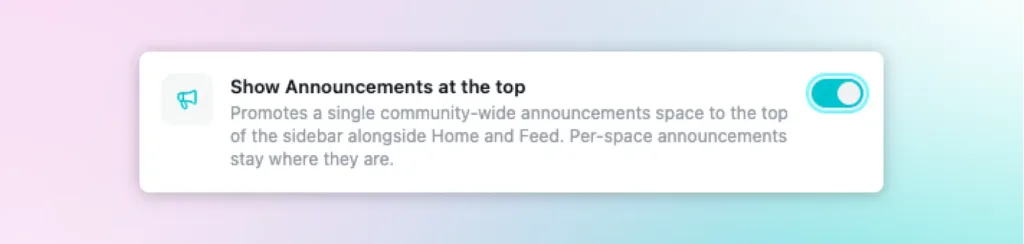
Previously, if you posted an Announcement, students had to know where to find it. Most didn’t. That’s now changed.
You can now pin your Announcements space directly into the top navigation bar, so it’s the first thing every student sees when they log in.
How to turn it on:
- Go to Community settings
- Click “Sidebar”
- Find the toggle labeled “Show announcements at the top”
- Switch it on
It takes less than 10 seconds, and if you’ve been posting updates without seeing much engagement, this is almost certainly why.
More course design options
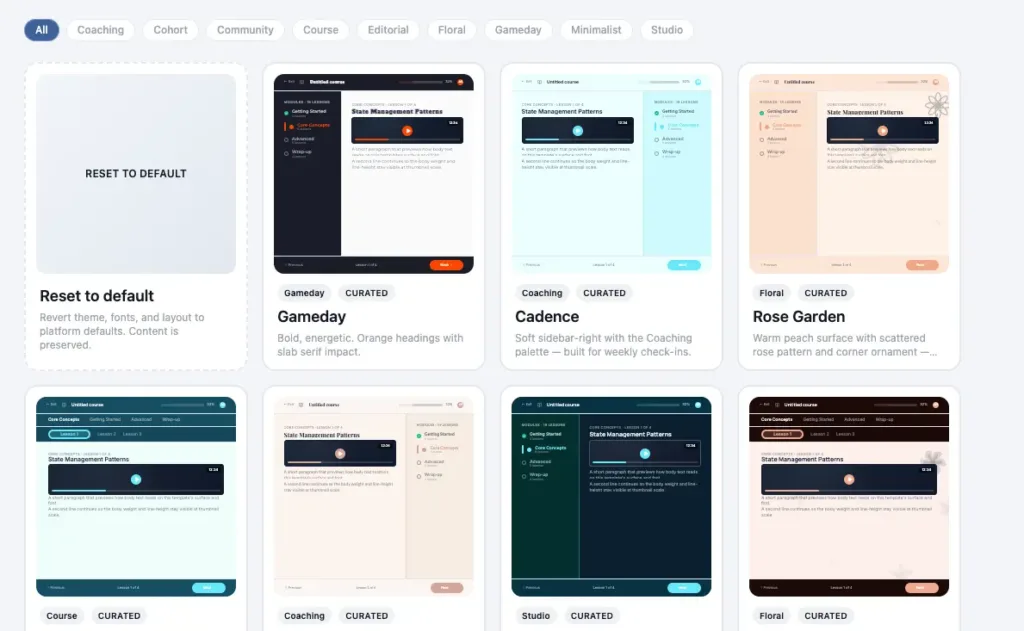
When ThriveAcademy first launched, the template gallery provided a solid starting point. Now, it has a lot more to work with.
More than 20 new template options have been added, including a completely rebuilt Pastels collection. These are clean, modern styles that work across a wider range of brands without needing customization to look great.
If you opened the gallery during your initial setup and didn’t find quite what you were looking for, it’s worth revisiting now.
👀➡️ RELATED READING | ‘10 Best Practices for Building a Creator Community That People Actually Stick Around For‘
A new warning if your community is still in draft mode
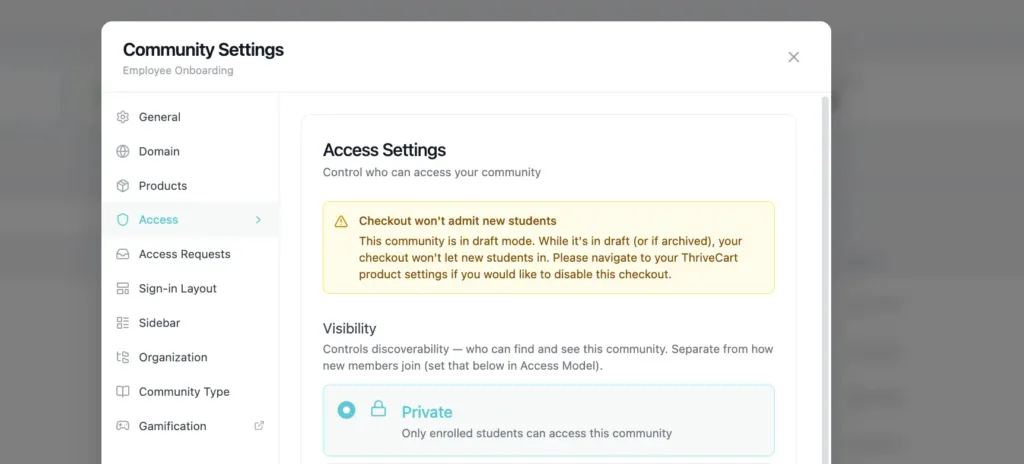
Here’s a scenario that caught some creators off guard: a student tries to check out, your community is still in draft mode, and they hit a dead end, with no clear explanation of why.
You’ll now see a warning banner in your creator dashboard before that happens. If your community hasn’t been published yet, the banner flags it clearly so you can catch it mid-setup, before any students do.
It’s a small addition, but when it saves you from a frustrated student emails, it won’t feel small.
HTML embed blocks now work the way they should
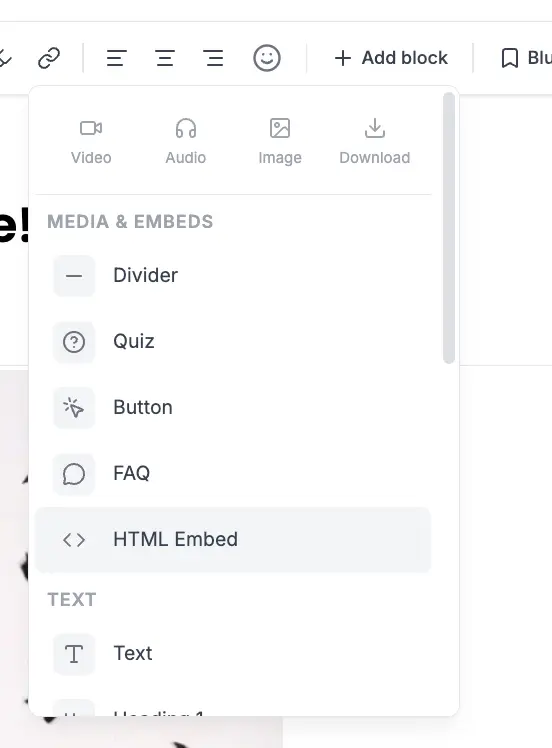
Two issues with HTML blocks in the lesson editor have been fixed.
1) Embed height was locked at 200px
At launch, every HTML embed block in a lesson was capped at 200px, regardless of what was inside it. Forms, tools, third-party widgets – everything was displaying at a fixed height that made it look broken or cut off.
That’s now resolved. HTML embed blocks resize automatically to fit their content.
2) The HTML block wasn’t showing up in the editor menu
The HTML content block was missing entirely from the lesson editor menus, which meant it was invisible unless you already knew it existed. It’s back and accessible from both the / slash command and the “Add content block” menu.
👀➡️ JUST FOR YOU | ‘How to Create an Online Course That Sells: 10 Steps to Success‘
A handful of other fixes worth knowing about
We’ve also resolved the following:
- Lesson titles now display correctly in both the editor and the student-facing preview
- Spaces reorder freely in your sidebar, without the privacy-gate restriction that was blocking certain moves.
- The sign-in page layout you configured now actually applies to your students. Previously, it defaulted to split-screen regardless of what you’d set.
- Magic links (the enrollment emails your students receive the moment they’re added) were occasionally being suppressed before reaching some inboxes. That’s resolved.
- Students who signed up via a free or $0 introductory offer were hitting an entitlement error and couldn’t access their content. This is fixed.
The student home has also been given a polish: cleaner typography, display names showing instead of email addresses, and stale session data now clears at sign-in, so returning students don’t get bounced by old cookies.
Everything is live right now
Every update listed above is already in your ThriveAcademy account. Nothing needs reconfiguring on your end.
The one thing to do right now: if you post Announcements to your community, go turn on the navigation toggle. Community settings→ Sidebar → “Show announcements at the top.” It takes less than 10 seconds and immediately improves how your students discover your content.
Remember, if you’ve got feedback on anything in ThriveAcademy, use the in-app feedback tool. It routes directly to the development team and gets reviewed faster than any other channel.
More updates are on the way. We’ll keep you posted.

That’s what’s new. What’s next?
ThriveAcademy is built for creators who want to sell, teach, and build community in one place, without stitching together a stack of separate tools. If you haven’t tried it yet, check it out here. For existing Learn/Learn+ customers, log in to your account here.
For a full breakdown of what ThriveAcademy can do – from setting up your first community to what the student experience actually looks like – head to the ThriveAcademy Help Center.
ThriveAcademy is built with the same expertise as our high-converting checkout, ThriveCart and our most successful creators are the ones using both platforms. ThriveCart is home to more than 75K+ creators who’ve processed over $8 billion in transactions, as well as 13 million students. ThriveCart regularly adds new features and updates, so make sure you sign up to our mailing list and our Facebook Community for the latest developments. Not yet a ThriveCart customer? Click here to view our pricing and plans.