
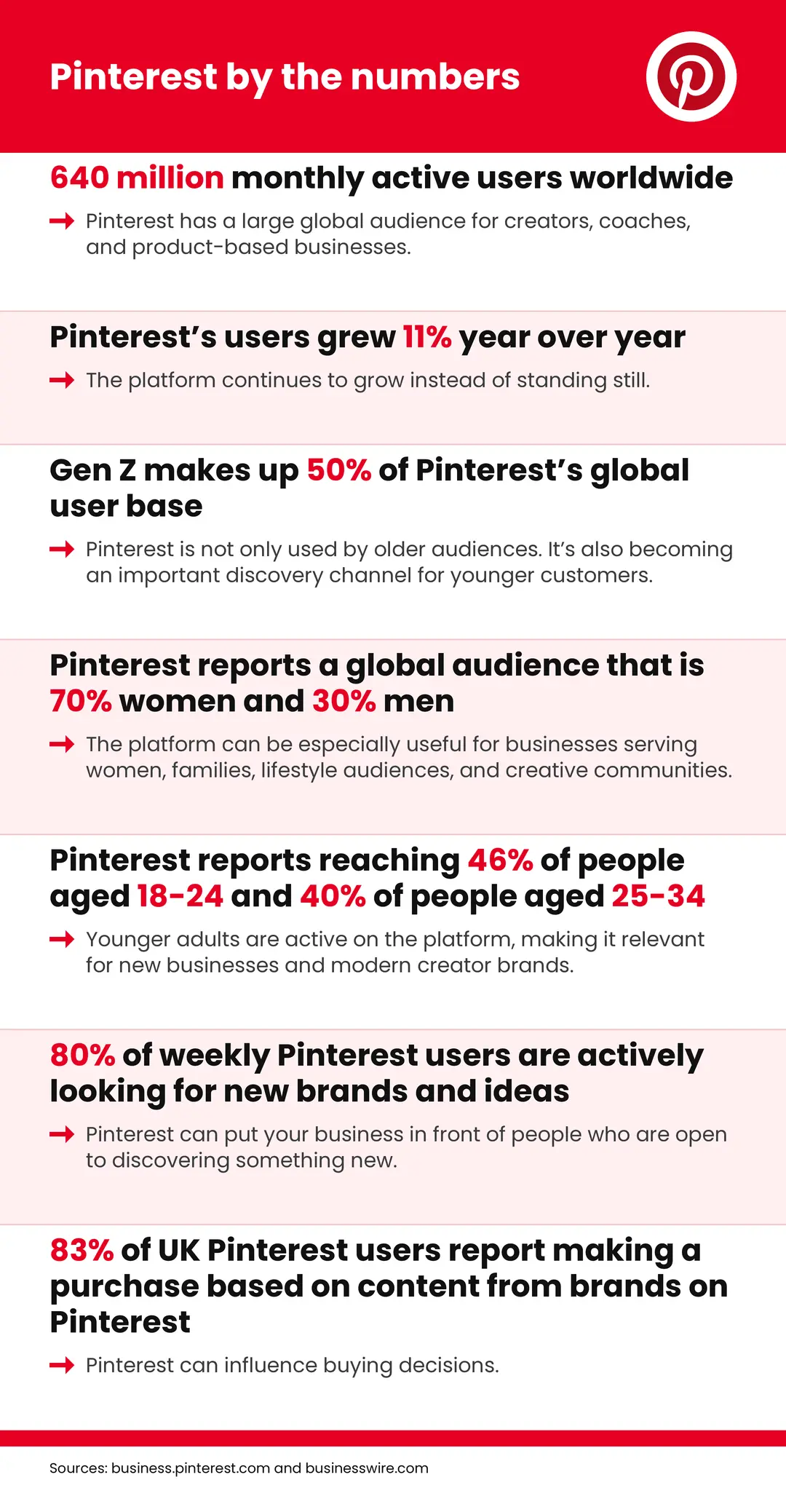
Pinterest by the numbers
The numbers point to a bigger opportunity. Pinterest isn’t just a place to collect pretty images. It can help you reach people who are planning, searching, saving, and making decisions.
The 3 Pinterest mistakes that keep creators from getting results
Mistake 1: You’re not creating enough useful content
A Pinterest image needs somewhere useful to send people.
If you only create a Pin that says “Buy my course” or “Book a call,” you’re asking a cold audience to make a big decision before they know, like, or trust you.
That’s one reason creators and coaches give up on Pinterest. They post an offer, wait for sales, and assume the platform isn’t working.
But Pinterest users often want to learn more before they buy. They may be looking for:
- A simple answer to a problem
- A checklist
- A tutorial
- A beginner’s guide
- A comparison
- A case study
- A free template
- A short video
- A blog post that explains the next step
Kate’s advice is to create at least one useful piece of content each week that gives people a reason to click.
The fix: Create one helpful next step every week
You don’t need to write a huge article every week. Start with one useful piece of content that answers a real question your audience asks.
For example:
- A fitness coach could create “5 easy workouts for busy mornings.”
- A business coach could write “How to price your first coaching package.”
- A photographer could publish “What to wear for your brand photoshoot.”
- A course creator could make a video explaining one common problem their course solves.
- A financial coach could create “One simple way to stop overspending each month.”
The content doesn’t need to give away everything you know. It needs to help someone make progress and show them that you understand their problem.
You can also repurpose one idea across several channels:
- Turn a blog post into three or four Pins.
- Turn a short video into a Pin that leads to YouTube.
- Turn a customer question into a blog post.
- Turn a checklist into an email opt-in.
- Turn a case study into a Pin that leads to your sales page.
Seasonal content can work well, too. If your audience starts planning for holidays, back-to-school routines, weddings, or new year goals months in advance, use Pinterest Trends to see when interest begins to rise. That gives your content time to gain traction before the moment arrives.
Mistake 2: You’re guessing at keywords
Pinterest is a search engine, so the words you use matter.
One of the most common Pinterest mistakes is choosing keywords based only on what sounds good to you. Another is copying keywords from Google without checking whether Pinterest users use the same language.
Pinterest gives you free clues through its own search bar and Trends tool. Use them.
The fix: Use Pinterest’s search suggestions
Start by searching for a broad topic related to your business. For example:
- Plant decor
- Meal planning
- Business coaching
- Budgeting tips
- Digital products
- Home workouts
- Marketing template (as in the screenshot below)
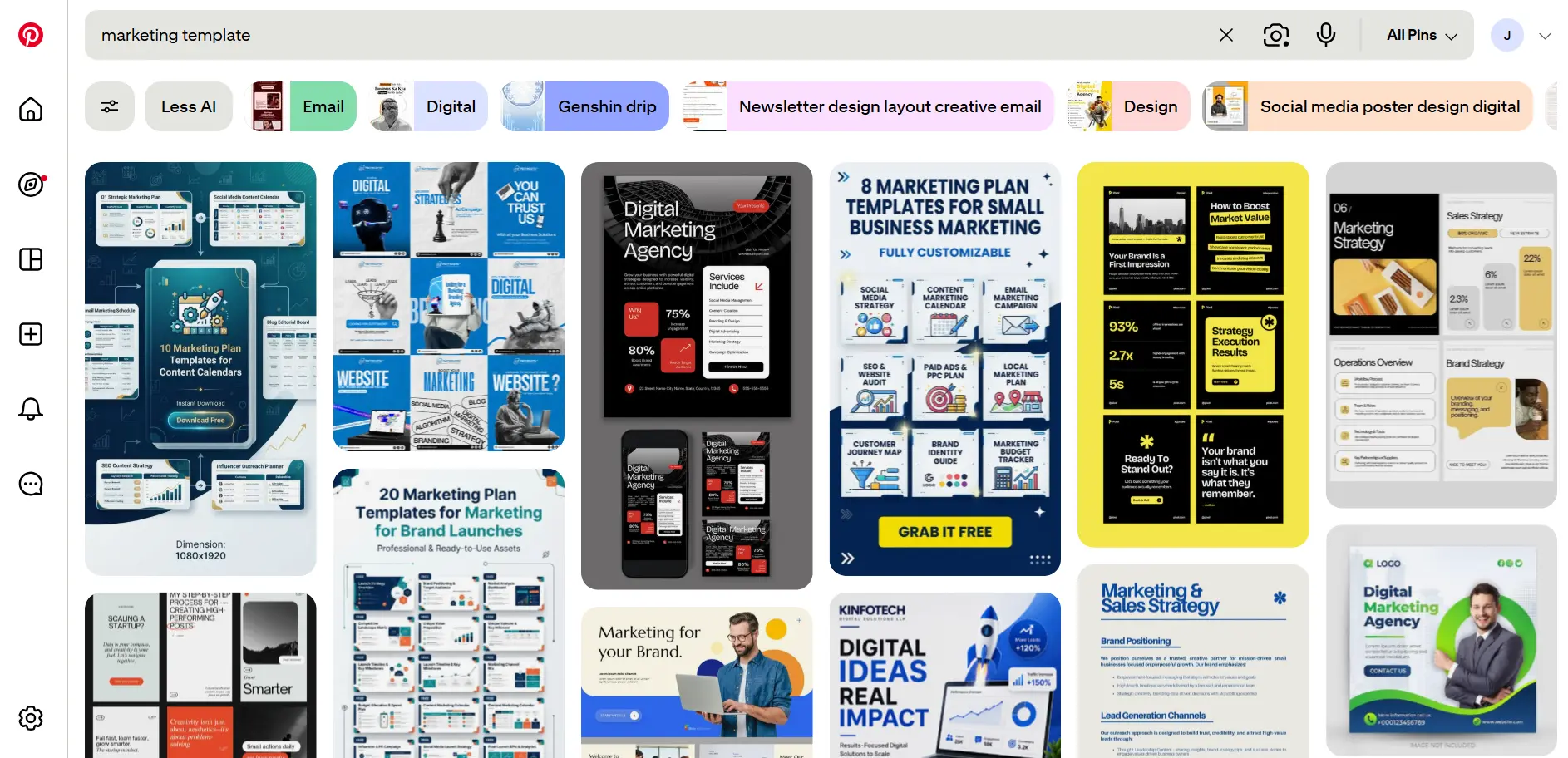
Pay attention to the words Pinterest suggests. You may also see related terms or guided search options that help you make the phrase more specific.
For example, “plant decor” could lead to:
- Plant decor for apartments
- Plant decor for living rooms
- Small-space plant decor
- Easy plant decor ideas
These more specific phrases can help you create content that matches what people are actually looking for.
Pinterest Trends can help you understand when interest rises and falls. The tool lets you explore search, save, and shopping trends across regions and countries.
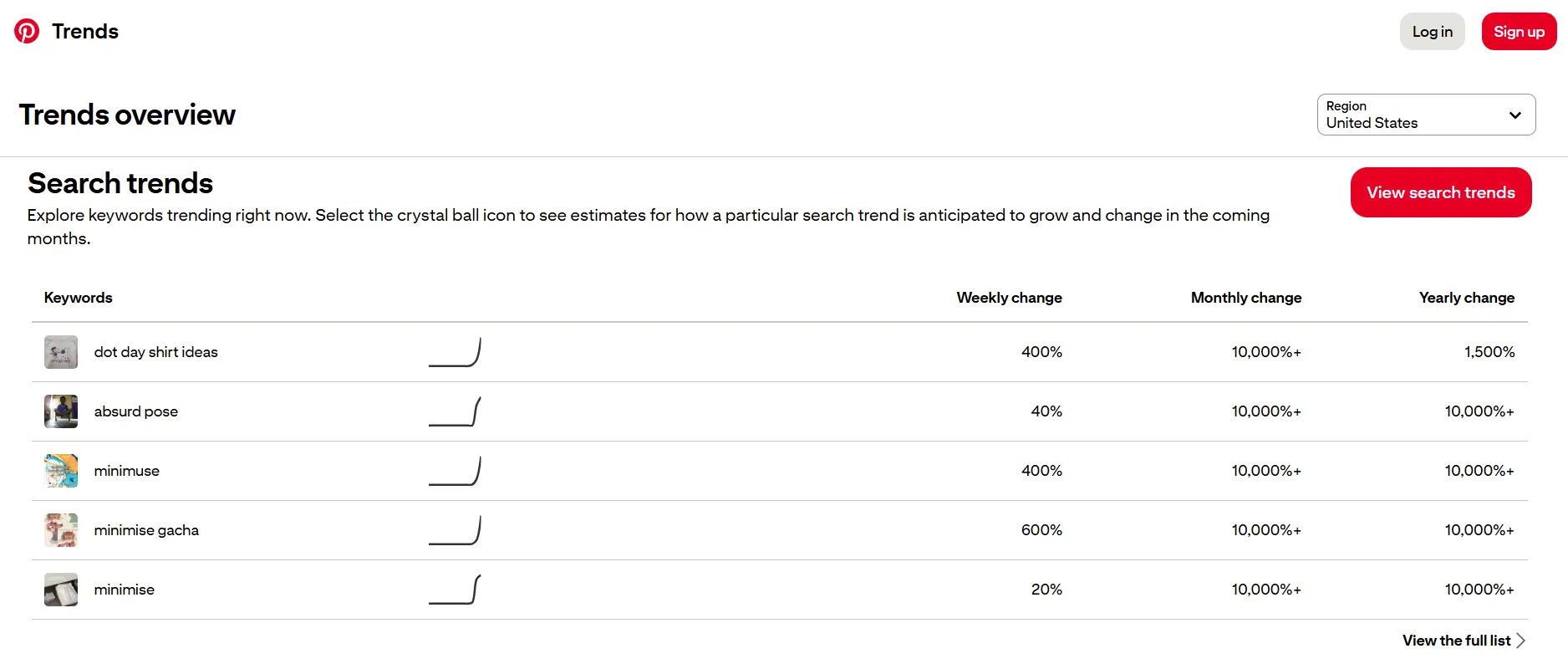
Try this simple process:
- Search your business name, product, service, and main topics on Pinterest.
- Write down the suggested phrases that match your audience.
- Check those phrases in Pinterest Trends.
- Look for seasonal patterns or rising interest.
- Use the best phrases in your Pin title, description, image text, and linked content.
Don’t stuff every keyword into one description. Write like a real person. Use the main phrase naturally, then explain what someone will get when they click.
For example:
❌ Instead of writing: “Business coach, business coaching, business tips, entrepreneur tips, online business, business growth, coaching advice” | ✅ Try: “Want to grow your business without adding more hours to your week? These simple business tips will help you focus on the next step and create a plan you can actually follow.” |
The second version sounds more human, while still giving Pinterest useful context.
Mistake 3: You’re treating your Pin image like an afterthought
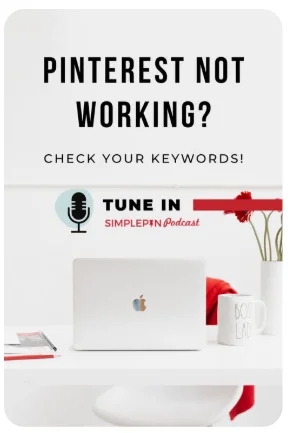
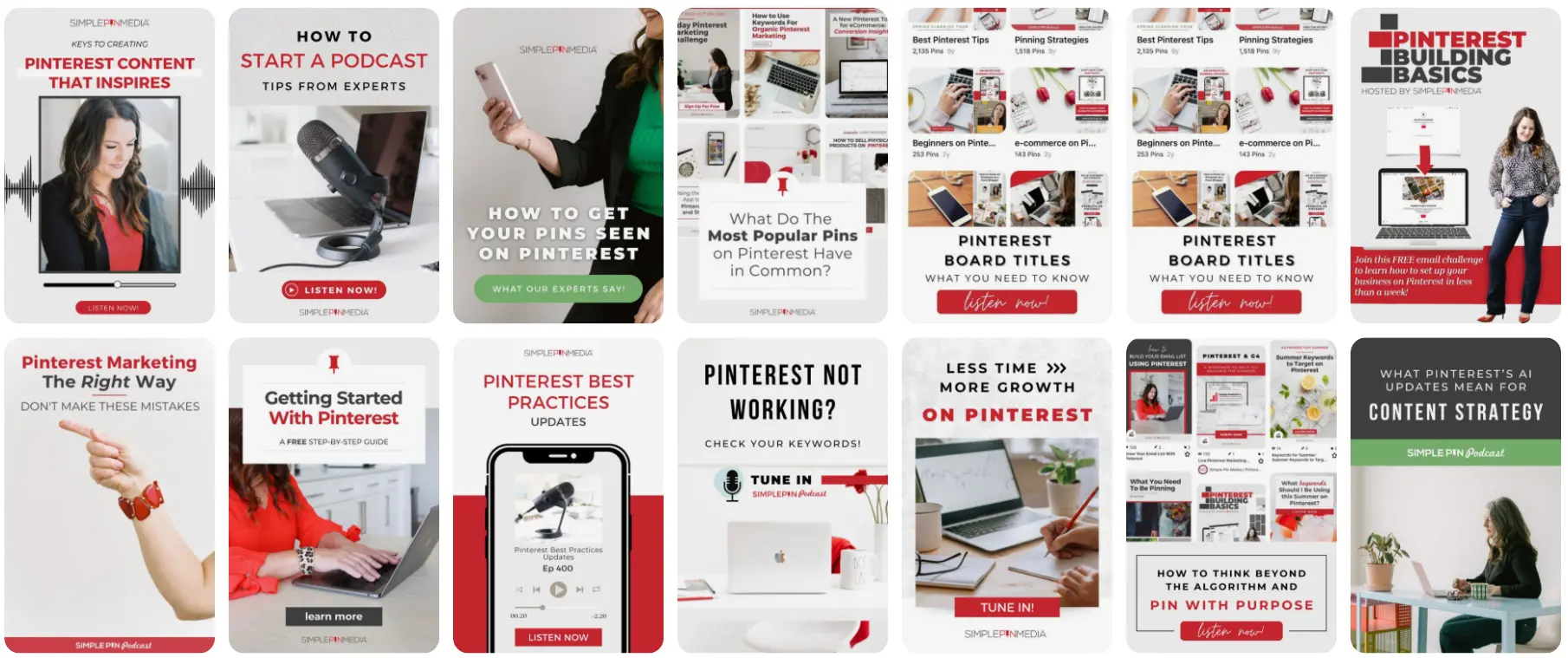
Your Pin image is often the first thing someone sees. If it’s confusing, hard to read, or visually flat, people may scroll past before they understand what you offer.
Pinterest users often decide quickly whether an image is worth exploring. Your image needs to communicate the value of the click without making people work too hard.
Kate recommends thinking of a Pin like a small billboard. It needs one clear message, a strong visual, and enough information to make someone curious.
The fix: Design for the mobile scroll
Most Pinterest users are browsing on their phones, not desktop. Pinterest recommends a vertical 2:3 format for creative, which helps your content use more of the mobile screen.
When you create a Pin, focus on these elements:
- One clear promise: Tell people what they’ll learn, solve, or discover.
- Readable text: Use large type and strong contrast.
- A relevant image: Choose an image that supports the topic instead of using a random stock photo.
- Consistent branding: Add your logo, colors, or visual style without letting them overpower the message.
- A clear next step: Use phrases such as “Read the guide,” “Get the checklist,” or “Watch the tutorial.”
- A mobile-friendly layout: Check the Pin on your phone before you publish it.
Another example of how to make a Pin more specific:
❌ Weak | ✅ Stronger |
“Business tips” | “3 simple ways to find your first coaching clients” |
Obviously, “3 simple ways to find your first coaching clients” is clearer. It tells people who the content is for and what they’ll get from clicking.
You also don’t need every Pin to look identical. You can test different colors, photos, layouts, and headlines while keeping your brand recognizable.
The goal isn’t to make every image perfect. It’s to make every image clear enough that your ideal customer wants to learn more.
The bottom line on using Pinterest to sell online
The best Pinterest strategy doesn’t require you to become a full-time content creator or a technical marketing expert.
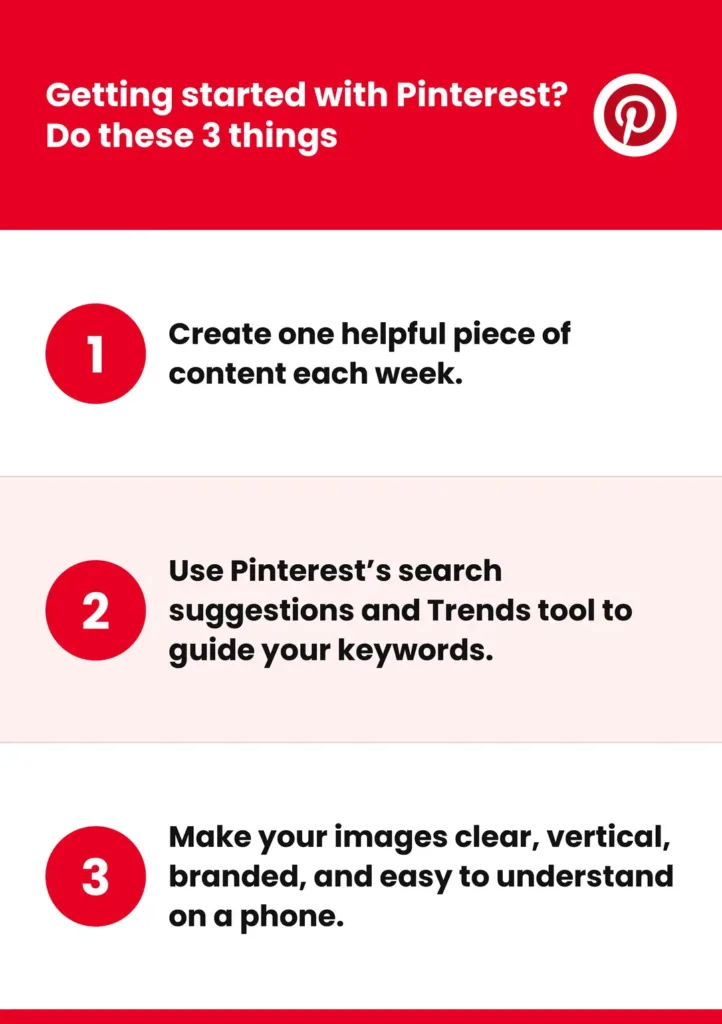
Start with three habits:
- Create one helpful piece of content each week.
- Use Pinterest’s search suggestions and Trends tool to guide your keywords.
- Make your images clear, vertical, branded, and easy to understand on a phone.
Avoid the most common Pinterest mistakes, stay consistent, and focus on helping people before asking them to buy.
Pinterest can bring new people into your world. With the right content, email strategy, and checkout experience, those people can become subscribers, customers, and long-term fans.
Watch all the summit sessions on demand
Want on-demand access to watch all the summit sessions? These include expert advice from:
- Jamar Diggs on YouTube
- Nina Clapperton on SEO
- Liz Wilcox on emails
- Jenni Maroney on AI sales funnels
- Melissa Rogers on Instagram
- Liz Theresa on sales pages
- Becky Beach on AI
- Panel session with Ismael Wrixen, Cindy Bidar, and Tanya Smith on community building