
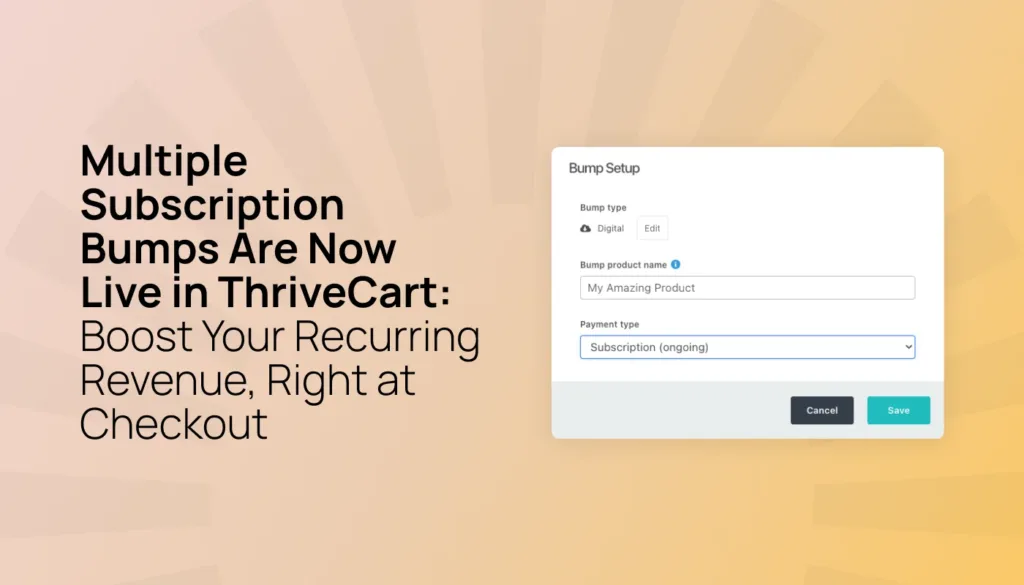

Multiple bumps have proven to increase average order values by up to 30%. That’s powerful stuff – but limited to one-time products.
Imagine if you could increase your customer lifetime value by 30% as well?
👉 Enter: Multiple Subscription Bumps 👀
That’s right – you can now offer multiple recurring products at the exact moment your customer is ready to buy. No new sales funnel. No extra email sequence. No asking them to take one more step. Just one simple checkbox, right when they’re already saying yes.
We call it Subscription Bumps, and it’s one of the easiest ways to grow your monthly recurring revenue with the prospects you already have.
Key insights, at a glance:
- Subscription Bumps let you attach a recurring product – like a membership, a coaching program, or community access – to any checkout as a one-click add-on (you can even auto-check it for them)
- Your customer subscribes in the very same checkout, with no separate payment page needed
- You can now also add Split Pay and Limited Rebill as bump offers
- Works with any front-end product (one-time, subscription, split pay, pay what you like, or limited rebill)
- It’s available on ThriveCart Pro+ plans with Stripe Connect+ turned on for your product
- Automation, reporting, and customer management all come built in
Here’s how it works.
What is a subscription bump?
If you’ve used ThriveCart before, you already know what a bump offer is. It’s that small, complementary add-on on your checkout page that customers can select with a single click. Data shows this can add up to 30% to AOV at purchase.
Until now, those bumps have always been one-time purchases – think a PDF, a mini course, or a swipe file. That still works great! But now your bump can be something recurring, too.
Here’s what you can choose from:
- Subscription (ongoing) – a recurring charge that keeps going until your customer cancels. Perfect for memberships, communities, or ongoing coaching.
- Subscription (limited) – a set number of recurring payments. Great for longer-term structured programs.
- Split-pay – a fixed number of payments that add up to one total price. Ideal for spreading out the cost of a bigger offer.
Your customer just checks a box. No second form or separate funnel. One smooth payment flow handles it all.
Why are subscription bumps such a big deal?
Up until now, a bump has only been one-time, so it could only increase AOV. Now, you can increase AOV and lifetime value by getting your prospects straight into your recurring memberships on checkout.
That means less friction, and less reliance on the (ever powerful) funnels to grow the LTV. You can do both: capture additional memberships at checkout with a quick and simple offer (say a 30-day free trial, pre-selected, that leads into a paid membership), with another upsell or downsell offer to follow in your funnel.
More exposure, more opportunities to sell, and more happy customers.
Here’s why this works so well:
- The moment is perfect. When someone’s already at checkout, their intent is focused and they’re ready to say yes. That’s the best possible time to offer something recurring.
- There’s zero friction. Normally, getting someone into a subscription means a whole separate decision and a whole separate payment. Subscription Bumps turn that into one easy step.
- It adds up. Every customer who says yes to your bump becomes part of your recurring revenue, month after month, without spending another dollar on marketing.
- Nothing else changes. You’re simply adding a subscription option to a checkout that’s already working for you. No rebuilding required.
How to set up Subscription Bumps
Setting up a Subscription Bump takes just a few minutes:
- Open your product in your ThriveCart dashboard and go to the Bump tab.
- Add a new bump, or click to edit one you already have – this opens the Bump Setup window.
- Under the new Payment type dropdown, pick your subscription payment type: ongoing, limited, or split-pay.
- Set your pricing – enter today’s price (this can even be $0 for a free trial), your recurring price, and how often you’ll bill.
- Choose your billing frequency: daily, weekly, every two weeks, monthly, quarterly, every six months, or yearly.
- For limited subscriptions and split-pay, set how many payments your customer will make.
- Want to offer a free trial? Choose a preset length or set your own custom number of days, weeks, or months.
- Hit Save, and your subscription bump is live.
- Finally, configure the bump in your preferred checkout.
A few things to keep in mind:
- The Subscription Bump product itself must be digital.
- You’ll need Stripe Connect+ turned on for that product.
- Pro+ users can add up to six bumps per product, same as before (note: multiple bumps are only available on Pro+ and Subscription Bumps are currently only available to Pro+ users, with the feature launching to Standard users soon. Log in to your account if you’re on a Standard plan and want to upgrade to Pro+, either a monthly or lifetime license).
|
What your customers will see
Your customers don’t need to do anything different. The Subscription Bump shows up right on your checkout page, just like any other bump offer.
When they check that box:
- The order summary updates right away to show what they’ll pay today and what comes next – like, “$29 today, then $29 a month”
- Payment runs through Stripe Connect+
- After they click Complete Order, one single payment step covers both the main product and the bump subscription – no extra forms, no extra screens
Once they’ve purchased, the bump subscription shows up in their Customer Hub right alongside their other subscriptions. They can see their billing schedule, check their next payment date, and cancel it whenever they want – all without touching their main product.
|
Automation and reporting? Already built in
Subscription Bumps aren’t just a checkout feature. They plug right into the automation and reporting tools you’re already using.
Automations: Each Subscription Bump gets its own set of triggers in your product’s Behavior Rules tab. You can set up automations for:
- A recurring payment made
- A recurring payment that fails
- A recurring payment refunded
- All payments completed (for limited or split-pay bumps)
- A subscription that’s cancelled, paused, or resumed
That means you can tag contacts, grant, or take away access, send follow-up emails, and more – all based on what’s happening with the bump subscription. And yes, it works with ActiveCampaign, Drip, Klaviyo, Zapier, and all your other favorite third-party tools.
Reporting: Subscription Bumps show up right in your existing Subscriptions reports. Use the Product Type: Bumps filter to zero in on bump-specific MRR, subscriber counts, and cancellations – or leave it unfiltered to see everything together.
Affiliates: If you work with affiliates, you’ll now see two separate commission fields for subscription bumps – one for today’s payment, and one for every future rebill. That means your affiliates get rewarded not just for the sale, but for the ongoing customer they helped you keep.
How subscription bumps help you
If you sell digital products, you’re going to love this. Subscription bumps are perfect if you:
- Already sell a course, program, or product and want to add a recurring option (like a coaching call, community, or resource library)
- Have a membership and want to grow it without building a whole new funnel
- Want to raise your average order value without adding more work
- Are focused on building steady, predictable income alongside your one-time sales
What you’ll need:
- A Pro+ license
- Stripe Connect+ enabled on the product
- A digital bump product (physical items aren’t supported)
What it actually costs
Legacy Lifetime (Standard & Pro) | Pro+ Lifetime (Grandfathered) | Standard Subscription | Pro+ |
0.25% | 0.25% | 0.10% | 0.0% |
→ Refer to the fees page for full details.
|
Turn every checkout into a longer-term growth opportunity
Subscription Bumps give you a simple way to get more value from the customers you’re already converting. Instead of relying on a separate funnel or another payment page, you can introduce a relevant recurring offer at the exact moment your customer is most ready to buy.
That means you can:
- Increase average order value and customer lifetime value
- Build more predictable recurring revenue
- Give customers an easier way to access memberships, coaching, communities, and other ongoing offers
- Manage payments, automations, reporting, and subscriptions in one place
Whether you’re adding a free trial, a limited payment plan, or an ongoing membership, Subscription Bumps help you turn more one-time purchases into lasting customer relationships.
FAQ
Q: Why is PayPal grayed out when a customer adds a subscription bump?
A: That’s by design. Subscription bumps run through Stripe Connect+ only, because PayPal needs a separate agreement for every subscription, and that can’t happen in a single checkout. If your customer removes the bump, PayPal shows back up right away.
Q: Can my customer cancel just the bump without losing their main product?
A: Yes! Bump subscriptions are managed separately in the Customer Hub. Your customer can cancel it any time, and it won’t affect their access to the main thing they bought.
Q: Can I offer a free trial on a subscription bump?
A: Absolutely. Just set today’s price to $0 and add a trial period – pick a preset or set your own number of days, weeks, or months. Once the trial’s over, billing kicks in automatically. Use Anchored Subscription Billing if you want to pro-rate the trial charge.
Q: Will my current coupons still work?
A: Yes. If your coupons already apply to bumps, they’ll work with subscription bumps too. And if a coupon discounts recurring payments, that discount carries through every future rebill.
Q: Where do I find my Subscription Bump revenue?
A: Head to your Subscriptions reporting area and use the Product Type: Bumps filter to see bump-specific numbers, or leave it unfiltered to see it all together with your other recurring revenue.
When can I start using Subscription Bumps?
Anchored Subscriptions are available on all ThriveCart plans as part of our bumper Fall 2026 update. Head to your ThriveCart dashboard to get started.
Not yet using ThriveCart? Start a free 30-day trial and explore revenue-focused features, including order bumps, upsells, downsells, and high-converting checkouts.

